
Participant
July 16, 2016
Frage

Grainy/Blurry RAW images in Lightroom

  • July 16, 2016
  • 1 Antwort
  • 16764 Ansichten

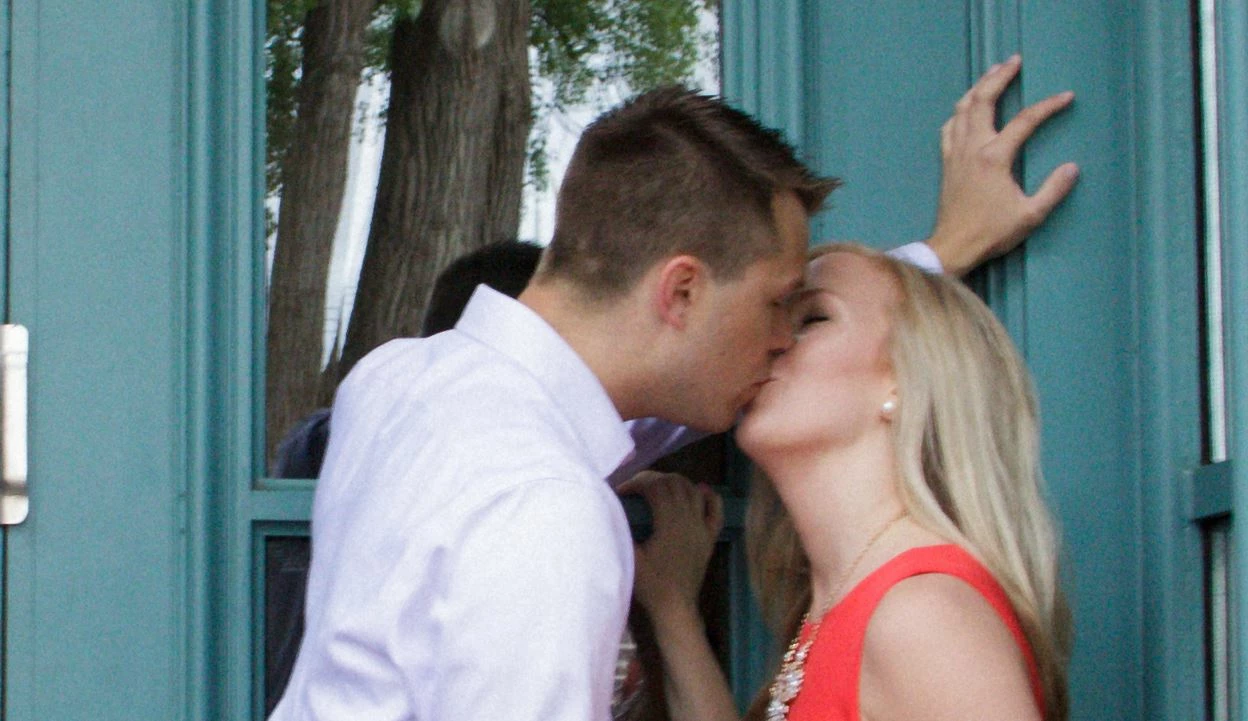
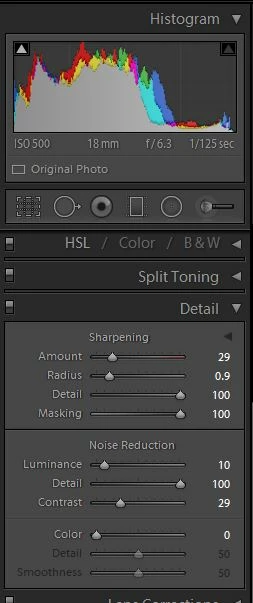
I recently imported photos that looked great on my camera, but are looking extremely grainy and out of focus on my computer. I shot in RAW + jpeg. I asked a photo friends and they've suggested it could be from not calibrating my lens (I was borrowing a lens I hadn't used on my camera body before). I'm new to lightroom and I'm not sure if I'm just getting the settings very wrong or if something went wrong while taking the images. I've attached a zoomed in screenshot of one of the images and the histogram/details of that image. Any help is greatly appreciated, I'm at a loss! Thank you!
Dieses Thema wurde für Antworten geschlossen.

1 Antwort

JP Hess
Inspiring
July 16, 2016

If this were my image, I would change the settings to be quite different from what you have. I would try:

Sharpening amount 80 or higher

Radius .5

Masking 30

Luminance 30

Detail I would experiment

Then I would just move things around to see if I could see some improvement. Others may have different ideas. But just looking at the image, those are some settings that I would start with.

Participant
July 17, 2016

Thanks Jim!

Here is what the image looks like with those settings. Any other ideas would be greatly appreciated!

JP Hess
Inspiring
July 17, 2016

I'm afraid I don't have any other ideas. The settings that I suggested were based on my experience with Lightroom. The image seems to have quite a bit of noise for ISO 500. What camera were you using. Maybe someone else will have better ideas.