
Inspiring
March 21, 2019
Answered

Green noise in deep shadows.

  • March 21, 2019
  • 5 replies
  • 17345 views

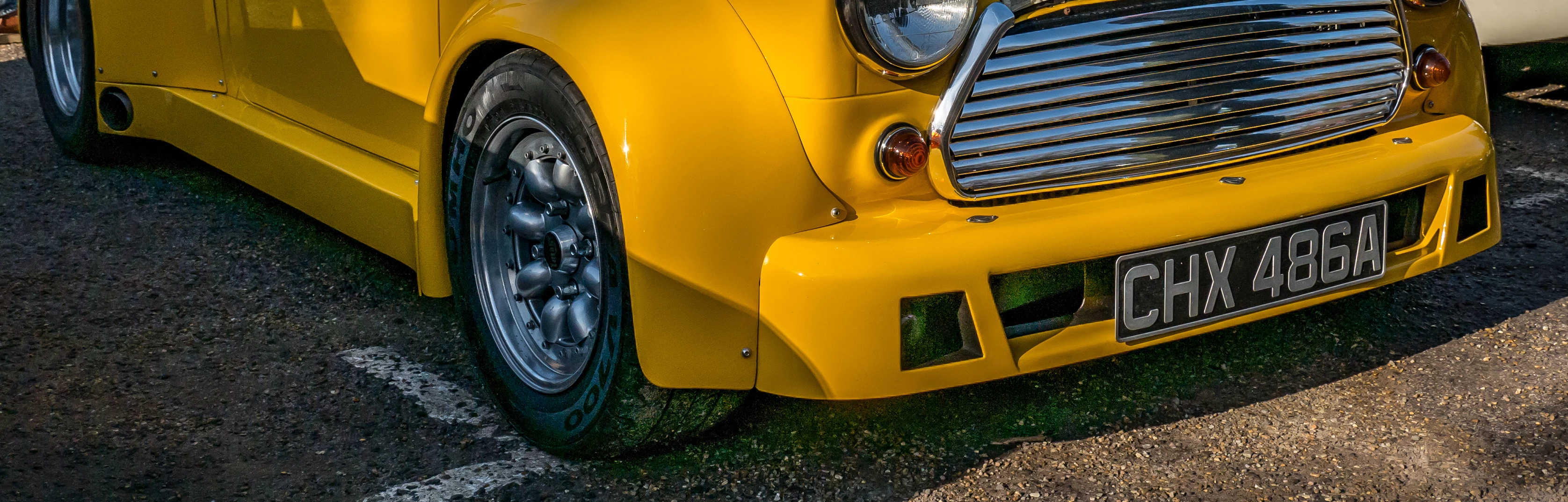
I'm using Lightroom Classic CC to edit Panasonic RW2 RAW files and always do my best to ETTR (Expose To The Right).But on a very few occasions my camera still under exposes and when I boost the shadows I'm left with very obvious green noise.I know I can (and do) remove it manually with the adjustment brush.Is there a way to do it automatically without having to use the brush for the rare times I need it now?
    This topic has been closed for replies.
    Correct answer Bob Somrak

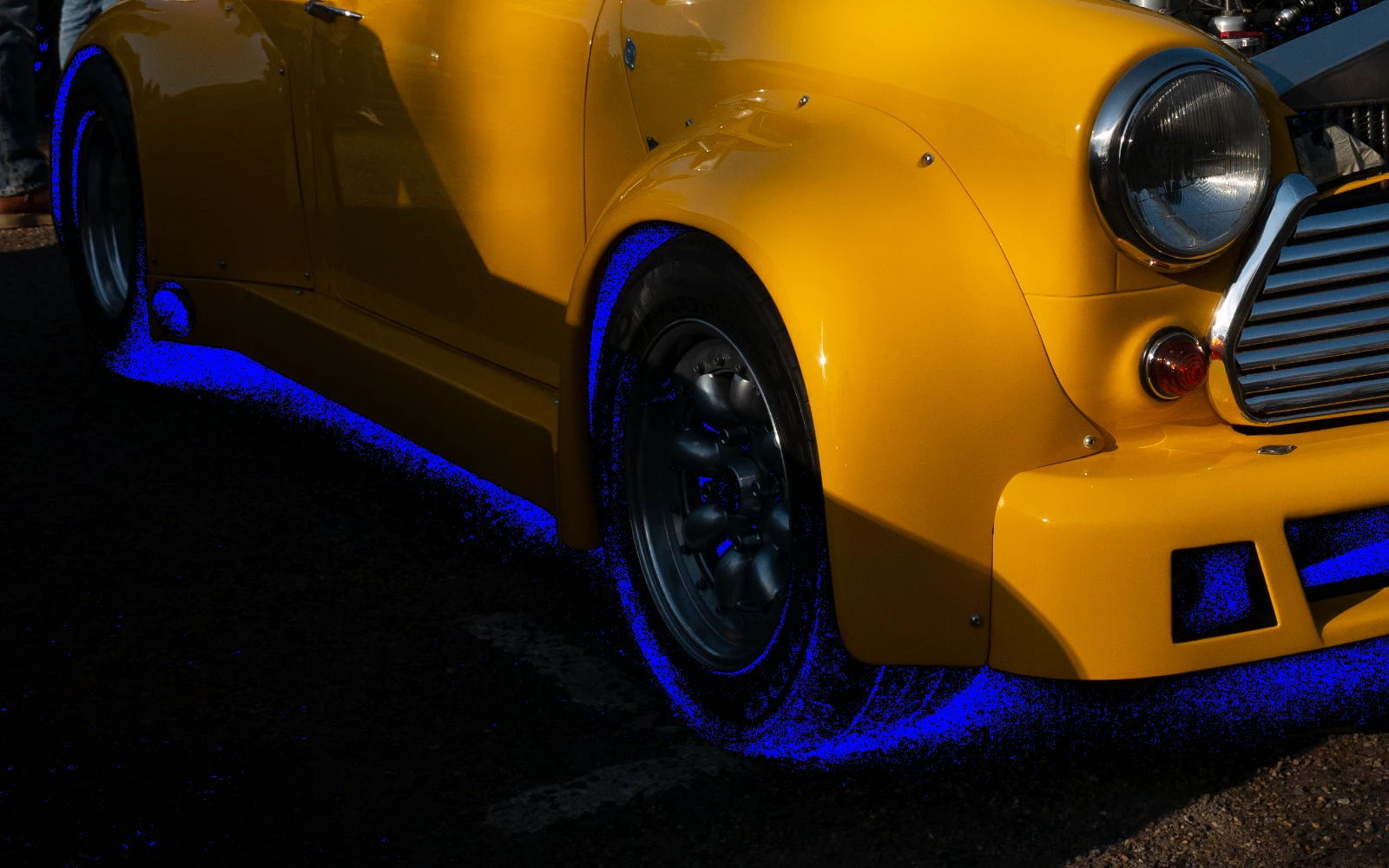
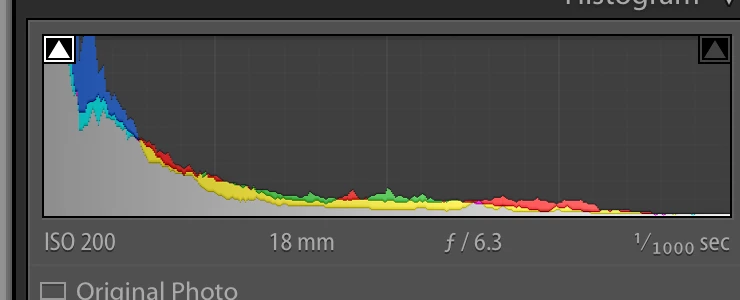
    The reason you have green in the dark areas is because to shadows are extremely clipped.  Apparently most of the red and blue channels are missing so only the green is left.  Most of this is not noise.

    clipped areas

    Histogram shows severe clipping.

    5 replies

    Participant
    July 12, 2024

    I bet you're glad we have denoise now lol

    Participating Frequently
    September 26, 2024

    oddly enough, denoise has amplified the green noise on many of my photos.  I do a lot of fire photography, so I have to expose for the fire, and the green noise has been a nightmare for me.  I dont have a panasonic, but i may need to see how much longer i have on my warranty and check.  I went from an 850 to a z7ii, and this has been a new issue for me.

    Ian Lyons
    Community Expert
    Community Expert
    September 26, 2024

    Is your computer a Mac using Apple silicon?

    ImagewerxAuthor
    Inspiring
    April 4, 2019

    I don't know if anyone is still following this,but I thought I'd let you know what has happened since I was last on here.

    The camera went away for repair under warranty.It's still got a month left to go,and luckily the only authorised and manufacturer trained Panasonic repair agent in the country is about ten minutes drive away from me,so easy to drop off and pick up in person.

    The engineers report says they replaced the main circuit board,but weren't specific as to whether this also includes the image sensor as well.

    Apart from losing the lens cap,they seem to have fixed it from the few sample images I've taken today around home.This one at random was purposely under exposed by five stops,then boosted by the sane amount in LR without any other processing applied such as noise reduction.

    So hopefully the original question about how to get rid of green noise in deep shadows won't need to be considered any more.

    Community Expert
    April 4, 2019

    Great you got it fixed just in time. The circuit board makes sense for this

    phenomenology.

    ImagewerxAuthor
    Inspiring
    April 4, 2019

    https://forums.adobe.com/people/Jao+vdL  wrote

    Great you got it fixed just in time. The circuit board makes sense for this

    phenomenology.

    I looked up the meaning of 'phenomenology' and am still none the wiser.

    Community Expert
    March 24, 2019

    All TVs come badly calibrated from the factory. Calibration (even just using the charts mentioned above) is essential.

    That said, the green noise is not a result of underexposure or anything like that. I have never seen a camera do that even in severely underexposed images. This is a flaw in the sensor or the electronics. Normal behaving sensors will have neutral noise all the way down to zero or only slight tinting. What you are seeing here is either bad internal calibration in the camera with a black level offset in the green that is wrong or a general sensor flaw. I downloaded a bunch of images from https://www.photographyblog.com/reviews/panasonic_lumix_dmc_g80_review/sample_images  and none of those show the same problem ​in the deepest shadows even when adding +5 exposure and 100 shadows so this is probably your particular copy of the camera unfortunately. It shouldn't be a problem if you don't need to raise shadows too much but as you see here it can be an issue. If you are still under warranty I would return and exchange it. Otherwise you might need to live with this limitation. I would also check if your camera firmware is up to date. This could be a flaw that Panasonic fixed at some stage.

    TheDigitalDog
    Inspiring
    March 24, 2019

    https://forums.adobe.com/people/Jao+vdL  wrote

    This is a flaw in the sensor or the electronics.

    In virtually all the massively underexposed areas of the capture.

    Author “Color Management for Photographers" & "Photoshop CC Color Management/pluralsight"
    Todd Shaner
    Legend
    March 22, 2019

    Imagewerx  wrote

    I'm using Lightroom Classic CC to edit Panasonic RW2 RAW files and always do my best to ETTR (Expose To The Right). But on a very few occasions my camera still under exposes and when I boost the shadows I'm left with very obvious green noise.

    That may very well be the problem–How are you judging the exposure and correcting it?

    Looking at the P1070919.RW2 file with ExifTool you have the camera's Exposure Compensation set to -.66 EV or -2/3 Stop. This is actually just the opposite (ETTL) and will increase noise. I suggest setting it to +0.33 and leaving it there, which will get you a lot closer to ETTR.

    So how bad is the exposure in this raw file? The majority of the image data is clumped at ~500 out of 4096 maximum level, which is about level -3.0 EV. The shadows are obviously at even a lower level and down in the noise.

    RawDigger Histogram Showing Actual Raw Data

    (It's not possible to see the actual camera raw data using the LR Histogram!)

    SOLUTION

    What can we do to salvage this and similar underexposed raw files? Some suggestions have already been given, but I'll add one more that appears to work quite well using the Color Range Mask control

    1) Adjust the Detail panel settings to reduce the Luminance and Color noise (see my settings below).

    2) Add a Graduated Filter that is dragged off the image so it applies settings to the whole image, which is very quick and simple!

    3) In the Graduated Filter panel set Saturation to -100.

    4) Next select the Color Range Mask and use the eyedropper with 'left-click and drag' to sample an area that is noisy. I used the right side air intake as shown below and then adjusted the Amount control to 0, which restricts the -100 Saturation to the shadow areas.

    5) If you see any areas of the image that have become unsaturated you can use the Graduated Filter Brush tool with the ALT key to remove the desaturation. However, it does not appear necessary with this image file using the above settings.

    6) You can create a Develop Preset with just 'Graduated Filter' and 'Noise Reduction' checked. for applying it to other underexposed image files with similar green noise.

    TheDigitalDog
    Inspiring
    March 22, 2019

    As Todd has shown, the big issue is the image is massively under exposed. The raw Histogram which we desperately need in LR/ACR show this and that's why there's noise. Nothing LR can do to overcome this, just 'mask/hide' it. So you really need a better tool to gauge actual exposure which ONLY takes place at capture, never after. I suggest:

    https://www.fastrawviewer.com/blog/spot-meter-exposure

    https://www.rawdigger.com/howtouse/exposure-for-raw-or-for-jpegs

    http://digitaldog.net/files/ExposeForRaw.pdf 

    Author “Color Management for Photographers" & "Photoshop CC Color Management/pluralsight"
    Todd Shaner
    Legend
    March 21, 2019

    Have you tried using the Color Noise Reduction controls?

    ImagewerxAuthor
    Inspiring
    March 21, 2019

    Yes I have and it doesn't make any difference.

    Here is the original.......

    https://www.dropbox.com/s/txm9ii8vk802boq/P1070919.RW2?dl=0http://

    Bob Somrak
    Bob SomrakCorrect answer
    Legend
    March 22, 2019

    The reason you have green in the dark areas is because to shadows are extremely clipped.  Apparently most of the red and blue channels are missing so only the green is left.  Most of this is not noise.

    clipped areas

    Histogram shows severe clipping.

    M4 Pro Mac Mini. 48GB