TiGGAMAN
Participant
October 30, 2022
Question

Green preview images and tools in Lightroom Classic

  • October 30, 2022
  • 3 replies
  • 798 views
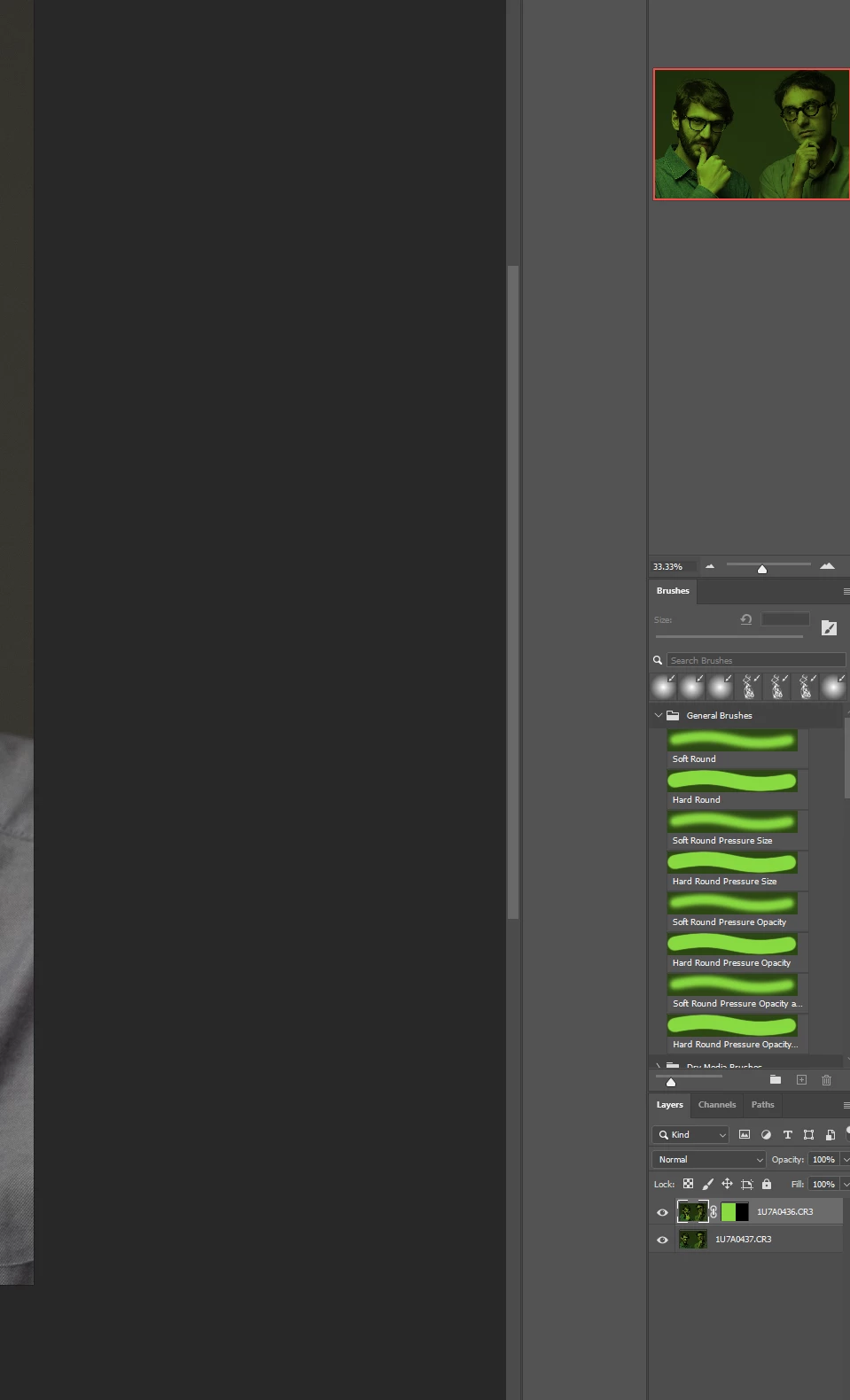
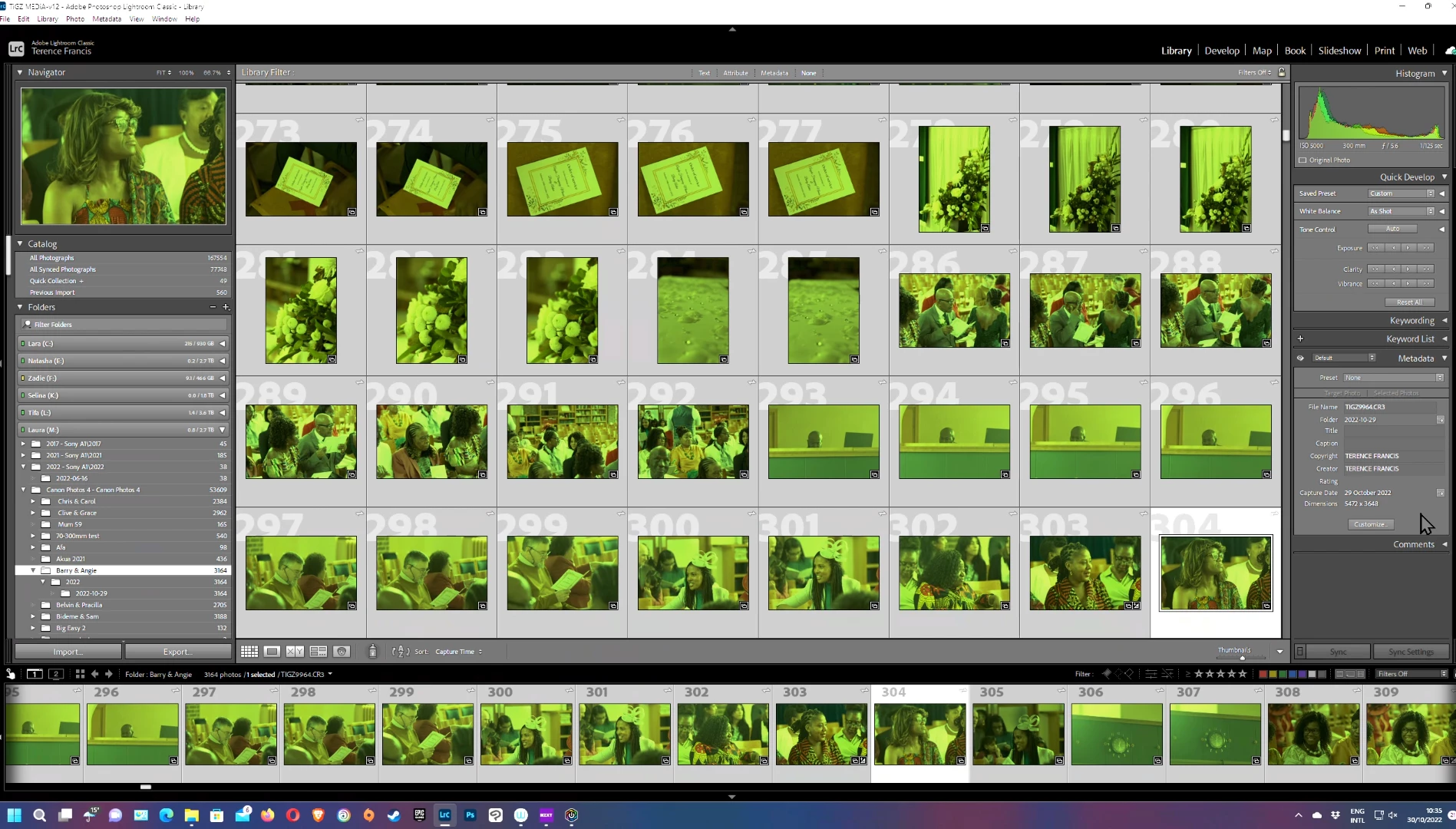
  1. Since the last update all my lightroom photos are green as well as the preview and histogram side panels. The same problem persists in Photoshop too.

I tried installing an older version but nothing seems to work.
I have disabled GPU support, that didn't work. I reinstalled the graphics driver, still no joy. Once I go to the develop module, I can see the image clearly but all of the previews are still green.

My System is:
Ryzen 7 3700x
Nvidia RYX 3070
32Gb DDR4
Asus Strix X570 E-Gaming WiFi

I have all the latest Game and Studio drivers from Nvidia as well the latest CC versions of Photoshop and Lightroom Classic.

While this a major issue for LR Classic, it only affects the preview of the file I'm currently working on when using Lightroom (cloud based version). 

This is extremely annoying. Please help.
This topic has been closed for replies.

3 replies

Participant
October 30, 2022

It's a bug in photoshop and lightroom, will be resolved in the next release probably, in the meantime don't upgrade.

TiGGAMAN
TiGGAMANAuthor
Participant
October 31, 2022

Turns out I needed to change my default colour profile for my displays. I had an adobe agent sort out my issue remotely. Changed my colour profile to sRGB IEC61966-2.1 in the Windows 11 colour management settings. After a restart, it did the trick. 

GoldingD
Legend
October 30, 2022
I have all the latest Game and Studio drivers from Nvidia 

And what version is that? A number?


In LrC, /Help?System Info/

that will look like:


Graphics Processor Info:
DirectX: NVIDIA GeForce GTX 1070 Ti (31.0.15.1748)
Init State: GPU for Export supported by default
User Preference: Auto

TiGGAMAN
TiGGAMANAuthor
Participant
October 31, 2022

My GPU is a RTX 3070 on driver 522.30. However I have now had my issue sorted. Thanks 

Per Berntsen
Community Expert
Community Expert
October 30, 2022

Lightroom Classic does not support HDR, turn it off in Windows display settings to fix the issue.

TiGGAMAN
TiGGAMANAuthor
Participant
October 30, 2022

I've been using a HDR display for months with no issues. My main editing display is a Wacom Cintiq Pro 32in as well as an Aorus F127Q HDR compatible monitor. Both of which have been perfectly fine. I tried disabling HDR in my first round of troubleshooting but I don't see how it could possibly be that. Any other helpful suggestions are welcome. Thanks.