
felisi
Participant
March 9, 2022
Question

Greyed out images in library (previous posted solutions doesn't work)

  • March 9, 2022
  • 2 replies
  • 183 views

Hi,


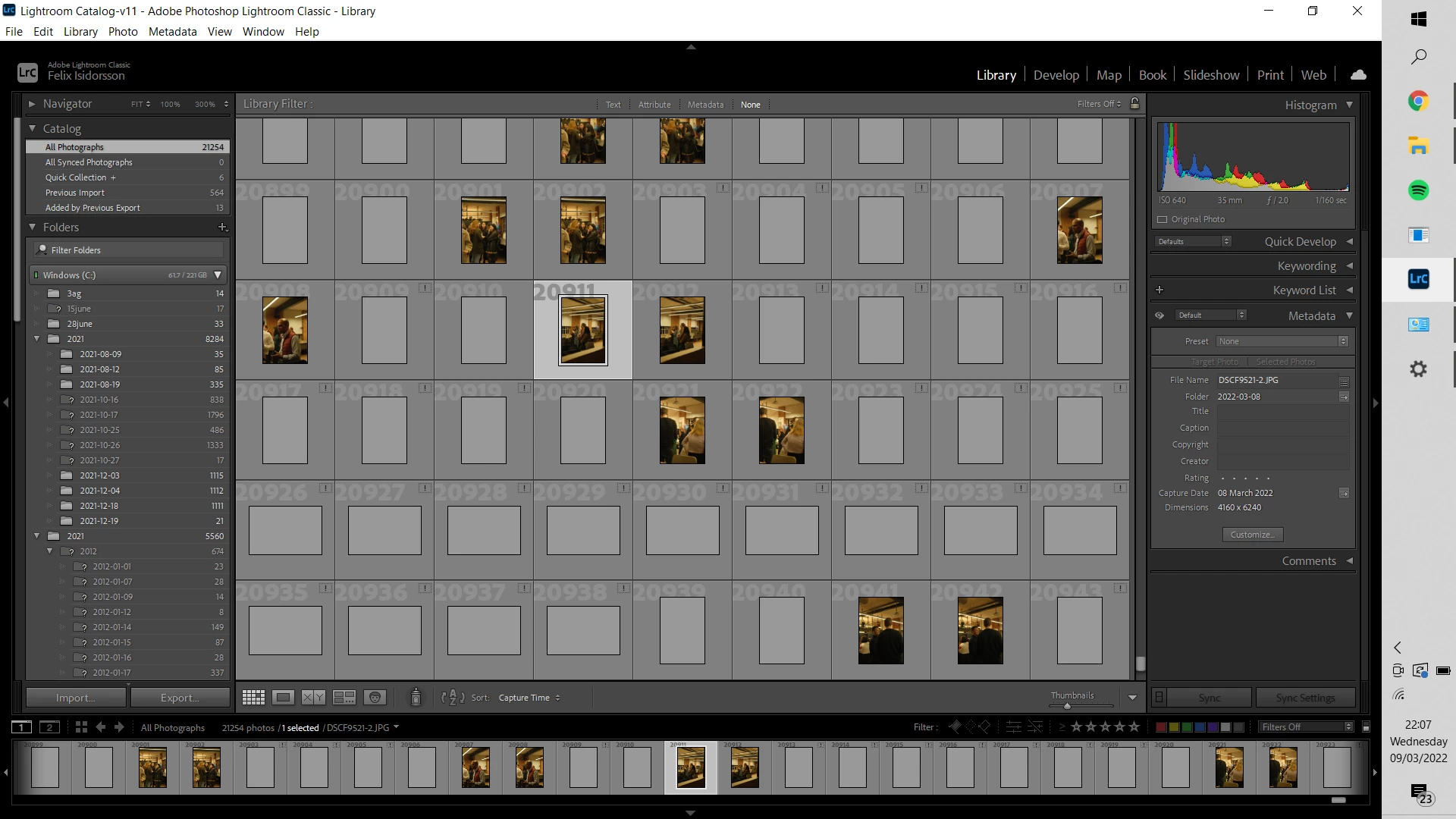
Some imported images in lightroom are greyed out. I've tried changing the colour management profile, update lightroom, remove preview file from the catalog folder and updated windows. Neither of these things make it work.


Some of the photos are greyed out and have an explanation mark, some are just greyed out. Selecting the greyed out photos results in a little symbol with the text "loading" next to "preset" to the right with no information shown while selected.


Please help.
 

This topic has been closed for replies.

2 replies

Rob_Cullen
Community Expert
Community Expert
March 10, 2022

"...remove preview file from the catalog folder..."

This will result in the previews being 'greyed out' until the Catalog re-builds the preview cache images. You will need to wait. You could force the re-build (for selected previews) from the Menu: Library > Previews > Build.....


The previews with the exclamation mark [!] cannot be found by the catalog. They are "Missing".  Previews cannot be re-built if LrC cannot find the original files.

The same applies to Missing Folders [?]

See the link given by @GoldingD 


Another possible problem is the existence of two similar named Folders. Possibly you have been infected by the "Capitalization" bug, or just mean "2012 for the second folder?


Regards. My System: Windows-11, Lightroom-Classic 15.1.1, Photoshop 27.3.1, ACR 18.1.1, Lightroom 9.0, Lr-iOS 10.4.0, Bridge 16.0.2 .
GoldingD
Legend
March 9, 2022

First up, deal with your issues of missing photos and missing folders.

See:

https://www.computer-darkroom.com/lr2_find_folder/find-folder.htm


Recommend starting with correcting the folders. updating folder locations. Fixing folder problems will likely fix image location problems.