
Answered

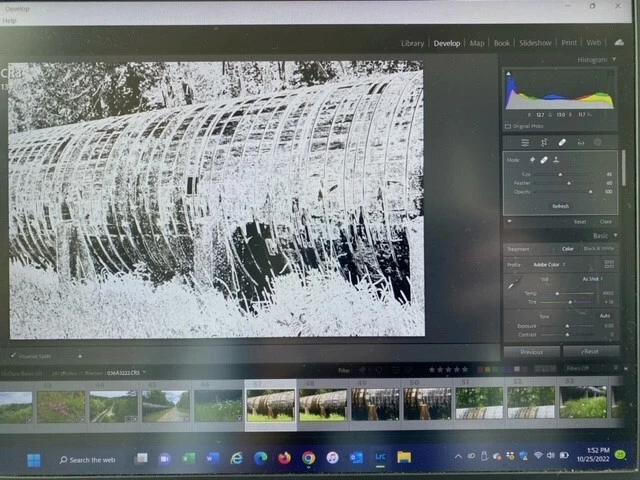
Uncheck Visualize spots on the toolbar below the image.
The purpose of this feature is to make it easier to identify dust spots.
You may inadvertently have pressed the A key, which toggles Visualize spots on/off.
Note to moderator: Please change to Discussion
Already have an account? Login
Enter your E-mail address. We'll send you an e-mail with instructions to reset your password.
 AdChoices