


Participating Frequently
February 15, 2019
Question

HELP! Lightroom catalog disappeared

  • February 15, 2019
  • 3 replies
  • 518 views

Hi all,

I'm really hoping someone can help!  When I opened Lightroom a little while ago, my photos from the past several years (including current client galleries I am editing) are gone.  I tried to access my catalog by using the most recent backup on my desktop (I deleted prior versions to save space), and I received this message:
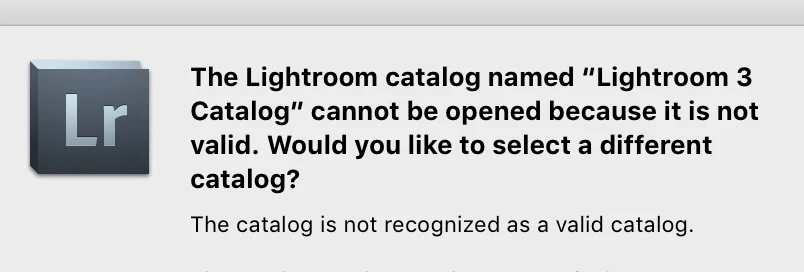
I am now trying to open my Lightroom catalog by using a backup from my external hard drive.  When I attempt this, however, I receive the following message:
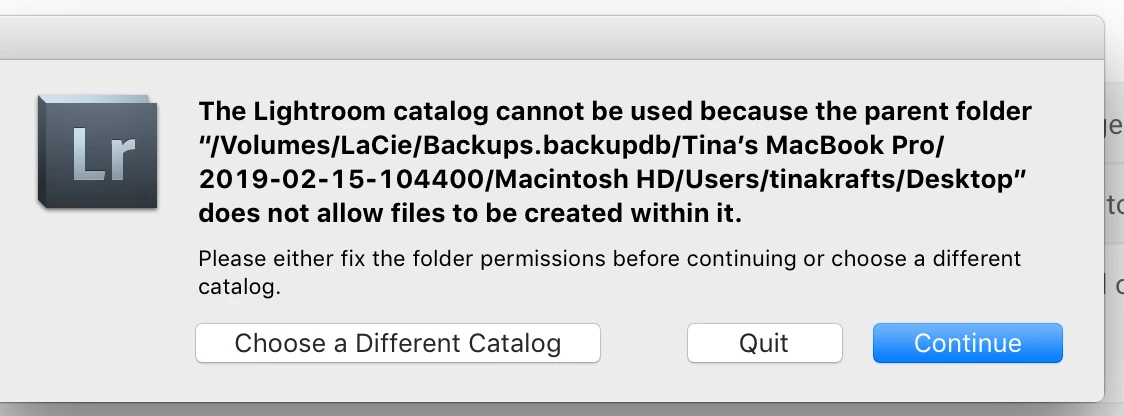
I have tried to alter the permissions for the various files (to "everyone" has permission to read and write), to no avail. 
Can anyone help?

This topic has been closed for replies.

3 replies

GoldingD
Legend
February 15, 2019

Try creating a new folder (not in the backup folder) copy the backup to the new folder.

tek22Author
Participating Frequently
February 15, 2019

Just tried that (not sure why that didn't occur to me!), but I get the "catalog is not valid" message.

Ian Lyons
Community Expert
Community Expert
February 15, 2019

>I have tried to alter the permissions for the various files (to "everyone" has permission to read and write), to no avail.  Can anyone help?

You will need to change the 'disk' permissions

tek22Author
Participating Frequently
February 15, 2019

I'm not sure what you mean by disk permissions...On my Macbook?

GoldingD
Legend
February 15, 2019

MAC or WIN?

Ok, clearly MAC.

You need to fix the privileges not the rights.

tek22Author
Participating Frequently
February 15, 2019

I'm not sure I know what you mean?  How would I do that?

GoldingD
Legend
February 15, 2019

My bad, mixed up Win vs MAC

But go nack in the folderr, and your computer account,give it all rights. check subfolders as well