
Participant
December 22, 2022
Question

Help! Lightroom classic sync issues

  • December 22, 2022
  • 1 reply
  • 445 views

Hi!


I am suddenly unable to photos to my 'all synced photographs' catalog? Previously (for the last 14k images...) I have manually dragged from 'all photographs' to 'all synced photgraphs' to give me access across all web and mobile devices - but for some reason I am no longer able to do so? 


I am really hoping someone can help - it is driving me daft! 


thanks in advance! 


Dougie
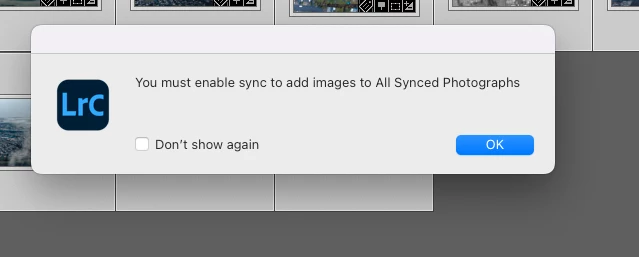
This topic has been closed for replies.

1 reply

Jim Wilde
Community Expert
Community Expert
December 22, 2022

What is the current sync status being reported as? Click on the cloud icon at the top right of the LrC window to check the current status.

Participant
December 22, 2022

Thanks. It all looks ok: 

Jim Wilde
Community Expert
Community Expert
December 23, 2022

Yea, and I have tried to create a new sync location to see if that forced the sync to re-enable.... 


I might try to sign out all all devices (mob, desktop, laptop...). Just strange that this has been my work flow for 2+ years and now nothing I do seems to help...


If I delete the desktop app and reinstall, will it restore my images/edits OK?


Thanks for taking the time to offer your thoughts and help 👍


What else have you tried? If you create a new collection, does the "Sync with Lightroom" option appear at the bottom of the Create Collection dialog? If not, rather than uninstall/reinstall Lightroom Classic you might first try resetting the LrC Preferences: https://www.lightroomqueen.com/how-do-i-reset-lightrooms-preferences/


That often helps to resolve many unusual error conditions. Worth a try.


I doubt signing out of your other devices will help as this looks like a specific LrC issue.