
Participant
April 8, 2023
Question

Blue artifacts on images

  • April 8, 2023
  • 6 replies
  • 533 views

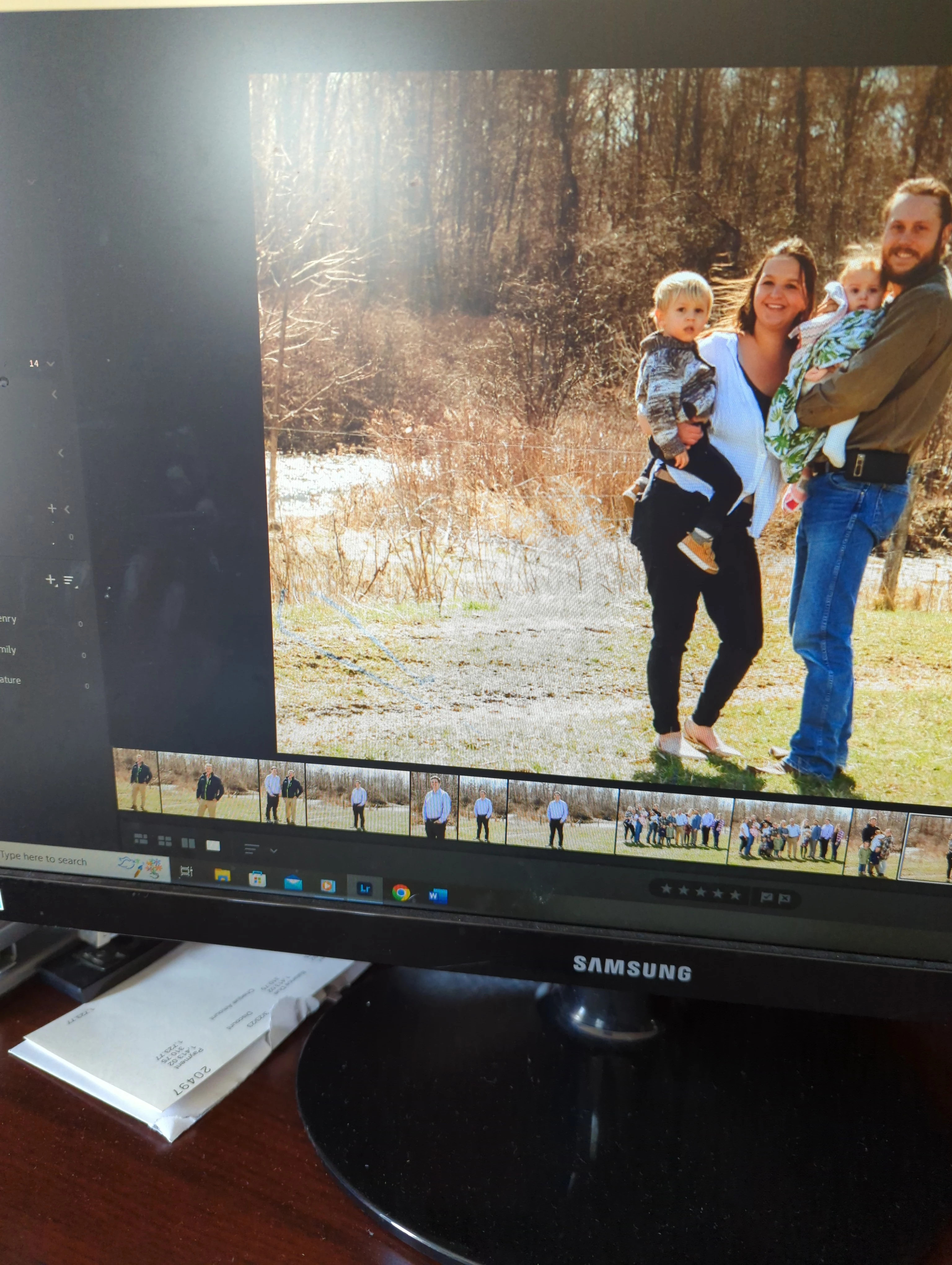
I have had a few times lately that Lightroom has been leaving blue/grey marks on my photos. It looks like someone took a pen and scribbled on it. I don't notice the marks when I'm first editing the photos, but I go to export my photos and then they show up on the exported photo. And when I go back to Lightroom, they are on almost all my photos and the pictures are ruined. I took a photo off my computer screen so you can see that mark that is left behind. (Lower left side)
This topic has been closed for replies.

6 replies

Rob_Cullen
Community Expert
Community Expert
April 9, 2023

All images the same? Dust or fabric thread stuck to the camera sensor?


Regards. My System: Windows-11, Lightroom-Classic 15.1.1, Photoshop 27.3.1, ACR 18.1.1, Lightroom 9.0, Lr-iOS 10.4.0, Bridge 16.0.2 .
Community Expert
April 8, 2023

Wow, I thought the horizontal line was the problem due to the picture of the screen! Those appear to be wires that are real. If the blue squiggles is what the OP is referring to than that is likely a mask or a local healing brush that was applied in a preset that was loaded on import.

Keith Reeder
Participating Frequently
April 8, 2023

Same place in every picture that shows them?


And - rather than a picture of your screen or a screen print - why not post up an actual image that's affected?

Bob Somrak
Legend
April 8, 2023

@Jao vdL 


I think the "blue scribbles"  the OP is talking about are in the bottom left hand corner and not straight.  As @GoldingD  said a screen clip is needed instead of a very poor photo of he screen.


M4 Pro Mac Mini. 48GB
Community Expert
April 8, 2023

This sort of scarring in lines along the long direction of the image is very typical for files that get corrupted. This is typically due to a failing memory card or a bad card reader. It can also be caused by failing hard disks or memory that is failing. You often only notice this later because initially the computer shows you the jpeg preview of the image which is generated by the camera. This jpeg preview is much much smaller in size than the raw data and therefore is much less likely to be corrupted. Then when the image is rendered from the raw data, you suddenly see the scarring. 

You can try importing again using a different card reader, a different usb cable, etc to see if the images are salvageable. I would also suspect the sd card you are using. ALso make sure to run hardware checks on your memory and your hard disk.

GoldingD
Legend
April 8, 2023

Please post a screen capture of your problem. Taking a photo is a poor method of posting this, for all we know your monitor might be dirty. And the resolution of the post is poor.


Windows has several ways to create screen captures a.k.a. screenshots.


https://support.microsoft.com/en-us/windows/open-snipping-tool-and-take-a-screenshot-a35ac9ff-4a58-24c9-3253-f12bac9f9d44


https://www.businessinsider.com/guides/tech/how-to-screenshot-on-windows


Also utilitys exist to create them, such as PickPic (a free version is available):

https://picpick.app/en/


https://www.movavi.com/learning-portal/best-screenshot-tools-windows.html