
Participant
March 17, 2020
Question

HELP! LR CC Classic syncing ISSUES

  • March 17, 2020
  • 3 replies
  • 353 views

Hi there,


I've just tried to upload (sync) a big collection (10K+ photos) from LR CC Classic 9.2 to my Adobe cloud for editing them on the move later (iPad/iPhone LR).


On my desktop LR Classic has finished its syncing activity :
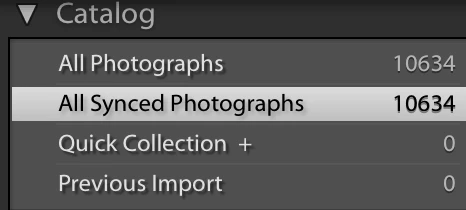
 

and from LR preferences there is no activity:
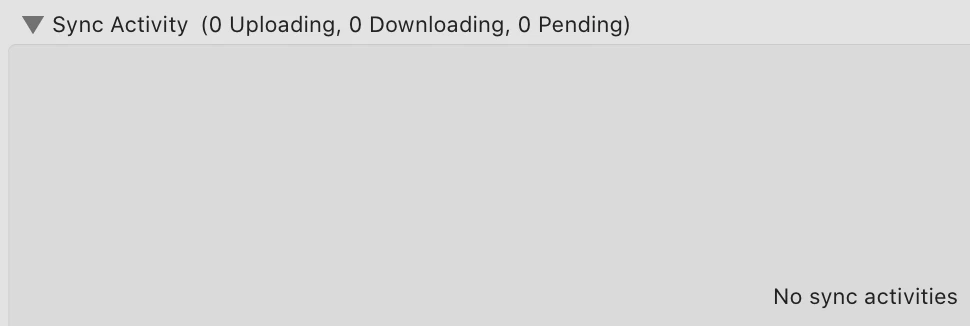
and all the pictures in the catalog have the correct icon on each of them:

 

but when I go online in my profile the situation is completely different: 
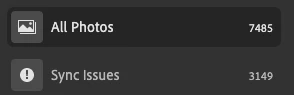
on each of pictures with issues it says to open my LR to complete the synce but of course my LR considers the job done and, even if I close and open it uop again, there is no sync activity. 


Now what can I do to complete the sync job? Thanks in advance for your support!


my best

This topic has been closed for replies.

3 replies

Theresa J
Community Expert
Community Expert
March 18, 2020

First, I just want to confirm that you synced the photos by putting them in a collection, or multiple collections, and then synced the collection(s). You didn't actually upload your photos to Lightroom correct?

Now open the Lightroom preferences and go to the sync tab. Do you see any links in the bottom section of the panel?

DdeGannes
Community Expert
Community Expert
March 17, 2020

The 4th screen capture in your original post what application did you capture the image from, Lightroom Classic, Lightroom Mobile on a mobile device?

If the screen capture is from a mobile device could you try logging out from you Adobe Creative Cloud a/c on the mobile device and then signing in again and see if this clears up the issue.


Regards, Denis: iMac 27” mid-2015, macOS 11.7.10 Big Sur; 2TB SSD, 24 GB Ram, GPU 2 GB; LrC 12.5,; Lr 6.5, PS 24.7,; ACR 15.5,; (also Laptop Win 11, ver 24H2, LrC 15.0.1, PS 27.0; ) Camera Oly OM-D E-M1.
DdeGannes
Community Expert
Community Expert
March 17, 2020

In the last screen shot there are over 3000 images with warning that says "sync issues" and there is a symbol ! Click on it and indicate if it offers any additional information.


Regards, Denis: iMac 27” mid-2015, macOS 11.7.10 Big Sur; 2TB SSD, 24 GB Ram, GPU 2 GB; LrC 12.5,; Lr 6.5, PS 24.7,; ACR 15.5,; (also Laptop Win 11, ver 24H2, LrC 15.0.1, PS 27.0; ) Camera Oly OM-D E-M1.
Participant
March 17, 2020

it says: "Open your LR desktop to complete the sync process" ... unfortunately  LR Classic tells me that all of them are already synced...