An energy saving mode is not common in professional applications in general, because for many professionals, speed is a very high priority because time is money, so they prefer maximum performance over all other factors. Because an energy saving mode is not common in this class of application, it is not a high priority to add to Lightroom Classic. However, you are free to request it in the Ideas section of this forum, where people who agree with you can upvote your idea and discuss it.
The next question is, how would an application like Lightroom Classic save energy? This is where it gets tricky. The nature of the editing in Lightroom Classic requires more processing, and therefore more energy, especially if camera raw files are edited. To throttle down the power level, a possible consequence is slower operation. There would be possible delays and lag, exports would take longer, and so on. You get more battery life, but you might not actually get that more work done because it takes longer to complete the same amount of work.
@jsknick wrote:
I am not referring to the operating system options.
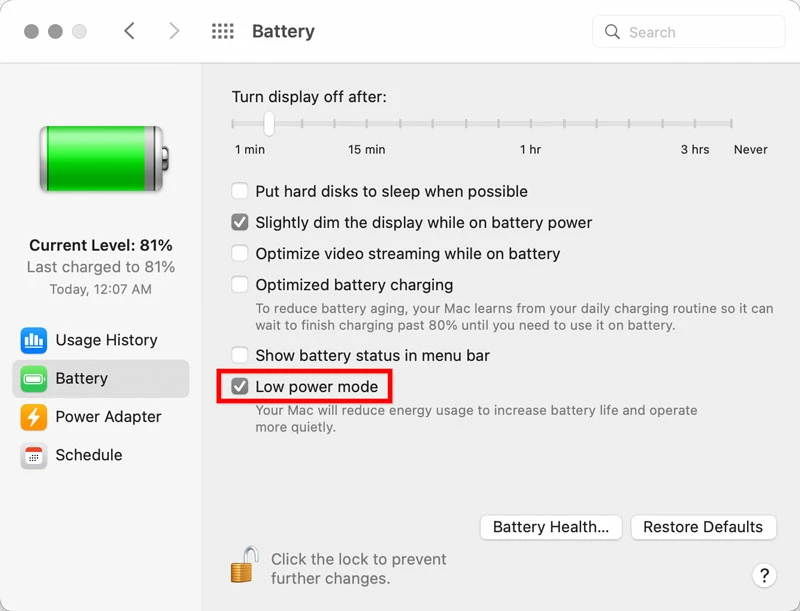
Because Lightroom Classic has no energy saving mode (and you won’t find one in its competitors either), you must use the operating system options. If you’re concerned about extending battery life by limiting maximum performance, that is the specific purpose of the Low Power Mode in the latest Macs and iOS devices. You should enable it.
One more thing. I remembered that the ArtIsRight channel on YouTube posted an extensive battery test video (below) for the 14-inch and 16-inch M1 MacBook Pros across a range of professional applications. He included Lightroom Classic testing, so you might want to watch those parts. At 5:30, he talks about the total battery time he got after running high performance tests with professional applications. He got 2 to 3.5 hours. At 14:29, he shows the time differences between regular and Low Power modes when exporting 1000 Nikon raw files from Lightroom Classic. Another part of the video covers Lightroom Classic preview generation speed under different power settings. These tests may provide some additional context for what you see in your own work, and what steps you want to take.
One thing you may learn from the video (and from numerous reviews) is that if you must have the longest battery runtime when doing intensive work on a Mac laptop, you might consider trading in the 14-inch for the 16-inch, because Apple used the extra space inside the 16-inch to stuff it with more battery cells, so the 16-inch has a longer battery runtime for the same level of performance.


 AdChoices