Participant
September 9, 2022
Question

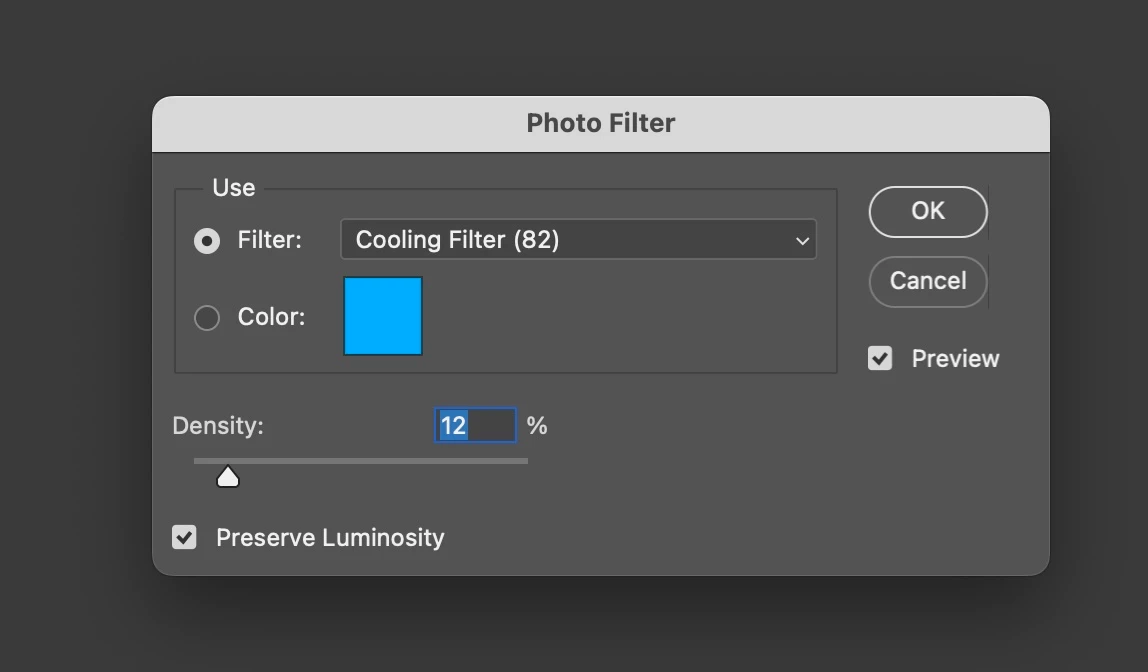
How can I recreate the PHOTO FILTER (Cooling Filter (82)) within LR CC 2022

  • September 9, 2022
  • 3 replies
  • 1319 views

I cannot find any option to get this going in LR. Any pointers/ideas how to get that exact setting?

 

This topic has been closed for replies.

3 replies

Community Expert
September 11, 2022

I'll offer another way to do this in addition to all the great advice you've already received. You can use the Global adjustment in the Color Grading tool. Set it to hue 224, saturation 45 and luminance +25. This appears to have an identical effect to Cooling Filter (82) in Photoshop. Example below. Reference was the same image pulled through Photoshop.

Bob Somrak
Legend
September 11, 2022

@Jao vdL 

Its definately not identical but to your credit it is pretty close.  The sky is way different and the greens are slightly off.  I don't think there is a setting you could use to create a preset to get even a close match to the Photoshop Photo Filter in LrC as shown by the OP.  

M4 Pro Mac Mini. 48GB
Community Expert
September 11, 2022

I am somewhat colorblind in blue/green and hadn't noticed the difference but you are right! You get much better correspondence when using smaller hue, higher saturation and somewhat lower luminance than I listed. I didn't realize this but when you are in refence view, when you hover the mouse over the image, it shows you the color values for both the reference and active image.


Another thing you can do is to use photoshop to create a LUT (File->export->color lookup tables) from a file with the photofilter adjustment layer and use this LUT to create a xmp profile with just the LUT applied that will work in Lightroom. Just tried this and it seems to work perfectly.

Rikk Flohr_Photography
Community Manager
September 9, 2022

Quick Develop Panel (Library)

White Balance Tint "Single Right Arrow Button" [>] will provide a relative adjustment in the range of an 82A/B. 

No need to worry about the absolute value created by a preset. 


Rikk Flohr: Adobe Photography Org
Community Expert
September 10, 2022

Yes these Quick Develop buttons do apply relative change, but I'll just note that using the Tint > button will move the image toward magenta, not make it seem "cooler". It's the Temp < button which will do that - a tooltip shows, e.g. "Make Cooler", as you hover over these buttons - and if you click, the new History step of the image reports whatever that tooltip said.


This is as distinct from moving the Temp slider in Develop, in which case the absolute change of Temp or Tint value is reported.


By highlighting several images in Grid view, multiple images can all have the same relative "Make Cooler" action applied together by Quick Develop: a confirmation message pops up "Temperature updated for [number] images".

TheDigitalDog
Inspiring
September 11, 2022

@TheDigitalDog 


Andrew, as you are the resident expert on this, do you have an explaination why when using Quick Develop that clicks on the triangles produce different changes in the relative value for the Temp.


@Bob Somrak wrote:

@TheDigitalDog 


Andrew, as you are the resident expert on this, do you have an explaination why when using Quick Develop that clicks on the triangles produce different changes in the relative value for the Temp.


What relative value for temp? 

Author “Color Management for Photographers" &amp; "Photoshop CC Color Management/pluralsight"
Bob Somrak
Legend
September 9, 2022

I don't know if this will work, especially "Preserve Luminosity", but you can try it and compare the results to what Photoshop does.  I didn't compare.

Use Color in the local adjustments with Hue of 202 and Saturation of 100.  This is what the Color Picker chose for the Blue square.  Than change the Amount to 12


M4 Pro Mac Mini. 48GB
Ian Lyons
Community Expert
Community Expert
September 9, 2022

Surely the 82A filter is used to tame white balance. Therefore, would it not be easier to create a preset with White Balance of 3200K (or 3000K - I can't recall which direction the correction applied by the filter goes), then save with settings shown in below screenshot. With the Amount Slider enabled it should be possible to tweak the WB to taste on image by image basis.


Bob Somrak
Legend
September 9, 2022

For REAL photo filters the 82a and 82b change the color temp by 200 or 300 of visa versa.  The real photo filter does not create an absolute color temperature.  It appears this is what Photo Filter does.,  You could just see what the as shot WB is and change the Temp by 200 or 300.  I didn't take the time to compare the Photoshop Photo Filter, Temp change and Local Color methods to see any differences.  I will let the OP do that.

M4 Pro Mac Mini. 48GB