Answered
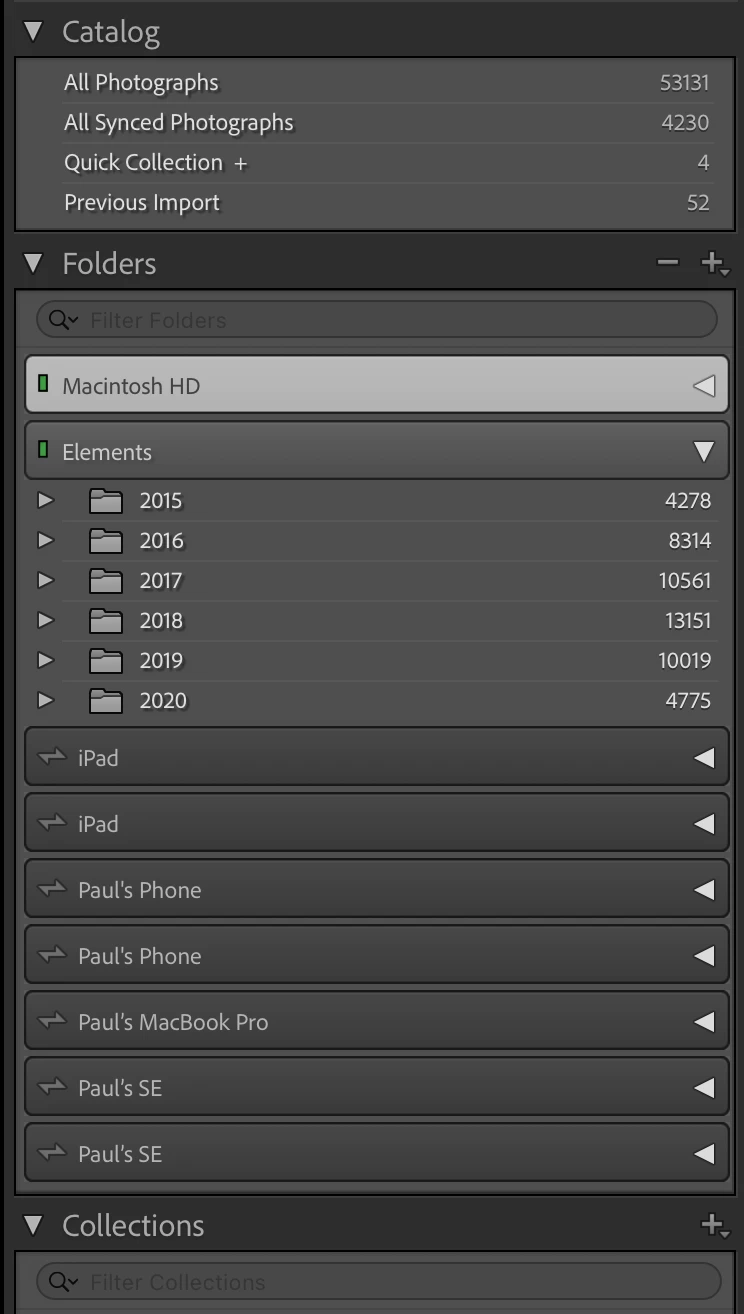
How do I delete old Synced Device Folders from Classic's Folder list?
There are old phones and iPads listed that I'd like to consolodate or remove
Thank you!

There are old phones and iPads listed that I'd like to consolodate or remove
Thank you!
Expand the device, so you see its folders. If there are any images still in these folders, then first move them to an ordinary folder by dragging and dropping them in the folder panel. Then right-click on the empty folder (so not on the device itself) and remove the folder from the catalog. If you remove the last folder of a device, the device itself should automatically disappear too.
Already have an account? Login
Enter your E-mail address. We'll send you an e-mail with instructions to reset your password.
 AdChoices