
Answered
How do I get all pictures to show in Library?
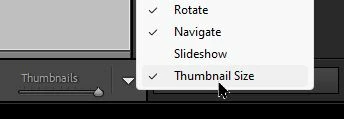
I'm used to seeing all my photos from a folder in the Library mode. I double click and I get the image blown up to full view in the app and then double click again it goes back to showing all the photos in the folder. I must have triggered something because now a double click only shows one size photo. I can scroll to the next one but I want it to be a grid of all my photos. Sure I have the film strip at the bottom but I want to go back to double click showing me the folder contents.

 AdChoices