
Participant
July 20, 2025
Answered

How do I restore a folder I deleted from my catalog? Can't see a catalog backup folder

  • July 20, 2025
  • 1 reply
  • 221 views

Hi, 


I'm using Lightroom Classic 14.4 on a Macbook Pro. I deleted by mistake a subfolder with lots of image settings. I still have the original files, but it took me a very long time to edit all the images.


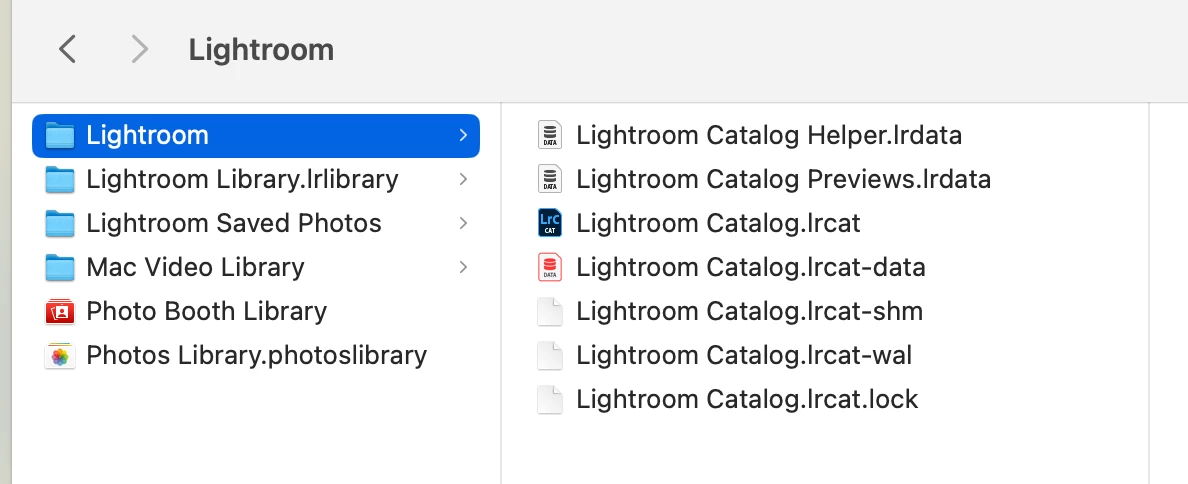
How can I restore the deleted folder with the image settings in LR? I went through several threads here and they all talk about finding the backup folder and taking it from there, but there is not such folder in my laptop, see below.


Thanks for any help!
 

Correct answer dj_paige

There is no "restore folder" command or feature, and there are no backup folders. THere may be (if you use that feature) a backup of the entire catalog. If you have a recent backup of the catalog file, made after your edits but before you accidentally deleted the folder, then the edits are in there. If you can find such a backup of the catalog file, we can advise further.


If you are writing the edits to XMP, then you can also recover the edits from the XMP files.

1 reply

dj_paige
dj_paigeCorrect answer
Legend
July 20, 2025

There is no "restore folder" command or feature, and there are no backup folders. THere may be (if you use that feature) a backup of the entire catalog. If you have a recent backup of the catalog file, made after your edits but before you accidentally deleted the folder, then the edits are in there. If you can find such a backup of the catalog file, we can advise further.


If you are writing the edits to XMP, then you can also recover the edits from the XMP files.

LoredimAuthor
Participant
July 20, 2025

Thanks, is any of the files in the screenshot possibly the backup? I don't understand why it there isn't one named "backup" as such. I know I used to have it in older LR versions. 


If it helps, I haven't closed or restarted the app since I deleted the folder. I'm afraid if I do, the damage will be permanent

JohanElzenga
Community Expert
Community Expert
July 20, 2025

Lightroom Classic does not backup the image storage folders, it only has an option to backup the catalog, but you must use it and perhaps you did not do so. You have to use a separate backup utility to backup the images. The edits are stored in the catalog, however. So restoring the catalog from a backup, and restoring the images from the copy you say you still have, should restore everything. Do you use Apple Time Machine to backup your hard drive? That might be a source for a catalog backup.


-- Johan W. Elzenga