
Participant
July 4, 2017
Answered

How Non-Destructive Is Lightroom... Really?

  • July 4, 2017
  • 4 replies
  • 4815 views

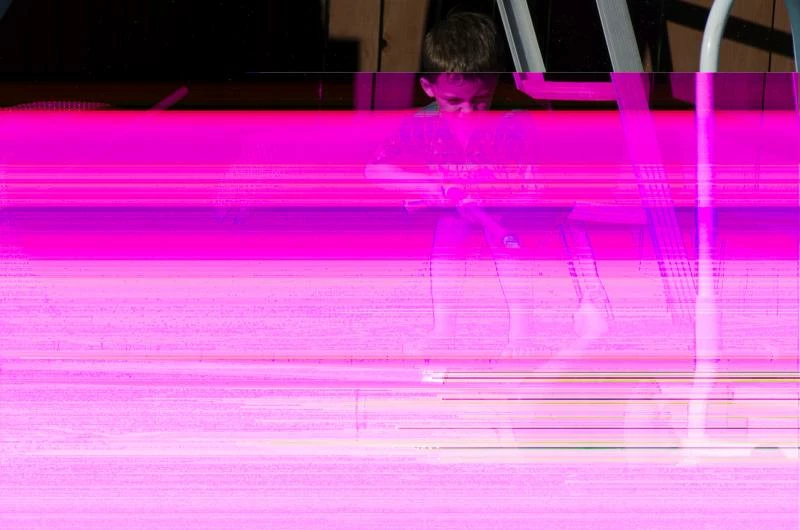
How non-destructive is Lightroom?  I am beginning to wonder.  I had a RAW photo I was editing.  Preview was fine, edit was fine, I went to export.  I ran into a little bit of lag exporting when I minimized Lightroom and started up the web browser.  I go and look at my exports, and everything exported fine except for 1 file (most likely when I was messing with the web browser).  The file appeared corrupted.  This is not the first time I ran into this problem.  I have had this happen multiple times.

So I delete the previews folder, I purge the cache, I import the RAW file again (btw, every other program sees this RAW file just fine EXCEPT for Lightroom), and still, every import it shows corrupted and exports the same as it shows.

To fix this, I had to go and delete the original RAW file, replace it with a backup, and re-import that backup.  So Lightroom... question.  Why are you destroying my RAW files?  You are suppose to be non-destructive... what is with this run-around?

So, TL;DR version would be this.  File was fine and not causing any problems.  It exported funky and everything I did after this "glitch" would not restore the file to appear how it should... not until I completely removed the RAW file (which everything else seen fine) and replaced it with the 'exact same file'.

This topic has been closed for replies.
Correct answer dj_paige

I don't have all the answers. I told you that you wouldn't like or believe the answer, and I was right. You can look for other solutions, but I am almost certain there is a hardware problem somewhere. I don't know what it is or where it is. The problem you are seeing is "usually"  an indication of a hardware problem.


As JimHess said, this is caused by a hardware malfunction which corrupts the raw file, but somehow leaves the embedded JPG preview fine. If you saw and edited the file without this corruption and then later the corruption appeared, then the problem could be the hard disk malfunctioning or memory malfunctioning. You can believe anything you want, but you will be missing an opportunity to discover the problem if you don't examine your hardware to isolate the problem.

Also, as you try to puzzle this out, please keep in mind, and use this in your thought processes, that Lightroom never writes to your original  RAW images. That simply isn't a function that exists in LR.

4 replies

Participant
November 21, 2019

Hi everyone. THERE IS A WAY AROUND this issue, as few people seems to know. If by mistake you took your pictures in Raw instead of JPG and you want to get back all the camera settings that made the picture look nice on the backscreen of your camera, here is how to do : use first the sofware NIKON CAPTURE ND-X. It will import your RAW IN A NON DESTRUCTIVE WAY, keeeping all settings (D-Lighting, color profiles, white balance etc...). Then export your pictures in JPG from Nikon Capture N-X. The JPG you'll get will be the same as if you took your pictures in JPG Fine with your Nikon. Then edit these files in Lightoorm. It works pefectly and this is the only way aournd....

Participant
October 21, 2020

Why would a serious photographer ever consider it a mistake to use RAW rather than JPG??????

Inspiring
July 6, 2017

Lightroom writes metadata into many types of files, so actually changes the content of the file on disk. It doesn't change the raw image in the files, but does change the file by adding or changing the descriptions of your adjustments. It also might changes the jpg preview that's embedded in raw files.

There are some settings to play with to try to keep the metadata into the catalog file and the .xmp sidecar files. I'm not familiar with the details anymore. With file-based incremental backup systems in play on your system (e.g. Time Machine on macOS) it would be best to keep the changes out of your huge raw files and in some separate location, IMHO. Plus, as you've discovered, if there is a hardware or OS problem during a file change operation the file can get corrupted.

If I can't figure out the settings to force Lightroom to leave the raw files alone, I might try setting the raw files to "read only" in the OS, and see how that behaves.

I know from watching my backup logs years ago that my install used the leave the raw files alone. I think Adobe changed the default options some years ago to write metadata into the raw files, because people got confused by the function of the .xmp sidecar files. I'll see if I can change it back. Thanks for posting, I've been meaning to work on this for some time.

JP Hess
Inspiring
July 6, 2017

jabraham  wrote

If I can't figure out the settings to force Lightroom to leave the raw files alone, I might try setting the raw files to "read only" in the OS, and see how that behaves.

I would like to see you try to figure out how to force Lightroom to DO something to the raw files. Lightroom cannot do anything to raw files. It can write changes to XMP files if one chooses that option. But Lightroom cannot write changes to raw files nor can it modify them in any way. Changing them to read-only in the OS is going to accomplish absolutely nothing.

Inspiring
July 6, 2017

Sorry. I think of my Tiff files as "raw", and don't want  Lightroom touching my tiffs. I don't want Lightroom touching my original jpgs either, and sometimes call my original jpgs "my raw jpgs".

According to this article " Metadata basics and actions in Lightroom  " Lightroom will change your original tiffs, jpegs, dngs and psds, by writing metadata into them. I will congirm that it doesn't touch my Camera "raw" files. If you don't hear back from me, it means you were right and I was confused between "tiff" and "raw"

dj_paige
Legend
July 4, 2017

CJLightworks  wrote

To fix this, I had to go and delete the original RAW file, replace it with a backup, and re-import that backup.  So Lightroom... question.  Why are you destroying my RAW files?  You are suppose to be non-destructive... what is with this run-around?

No you didn't have to do this, if you had an uncorrupted backup, you could simply replace (overwrite) the corrupted photo with the uncorrupted backup.

Please while you are throwing around the word non-destructive, remember that hardware malfunction is something that is destructive, and you'd be wise to investigate this.

JP Hess
Inspiring
July 4, 2017

I know that you aren't going to appreciate the answer, and probably aren't going to believe it. I don't know what you mean by "every other program" that doesn't have a problem with the images. Many programs only read the embedded JPEG preview that is included with every raw image. What you are seeing is an indication that there is a problem with hardware somewhere in your system. It could be a problem with the card, or the hard drive, or the card reader or cable. But somewhere in the system there is something that is failing. Lightroom doesn't change anything in the raw image. If you use Lightroom to import the images from the camera using some method, all it does is transfer the image to the hard drive. Lightroom never makes any changes to the image. You need to investigate to find where the hardware problem with is in your system.

Participant
July 4, 2017

I always appreciate other peoples answers, suggestions, comments, feedback.   Thanks for your reply.

I do have this question.  When I first edited the file in Lightroom, the preview which I am seeing, is this the preview of the embedded preview or the actual file?  When I first edited this file, before this problem, it displayed fine.  All edits were fine.  Everything looked good.  After the export, the preview I began seeing was this corrupted one.  I could not edit it or continue seeing the file any longer.

So, from the start, if this was corrupted.  Why was I able to see it ok?  Was it just the preview I was seeing?  And even if so, why is it that after this problem, only then did I start seeing the file this way?  If I open the file up in Adobe Camera RAW or even view it with Irfanview, it displays just fine.  I am only seeing this corruption on Lightroom.

JP Hess
Inspiring
July 4, 2017

I don't have all the answers. I told you that you wouldn't like or believe the answer, and I was right. You can look for other solutions, but I am almost certain there is a hardware problem somewhere. I don't know what it is or where it is. The problem you are seeing is "usually"  an indication of a hardware problem.