Participating Frequently
January 6, 2022
Answered

How to add Lens Profile to Lightroom Classic in 2022 (MacOS)

  • January 6, 2022
  • 5 replies
  • 19851 views

Hi everyone, 

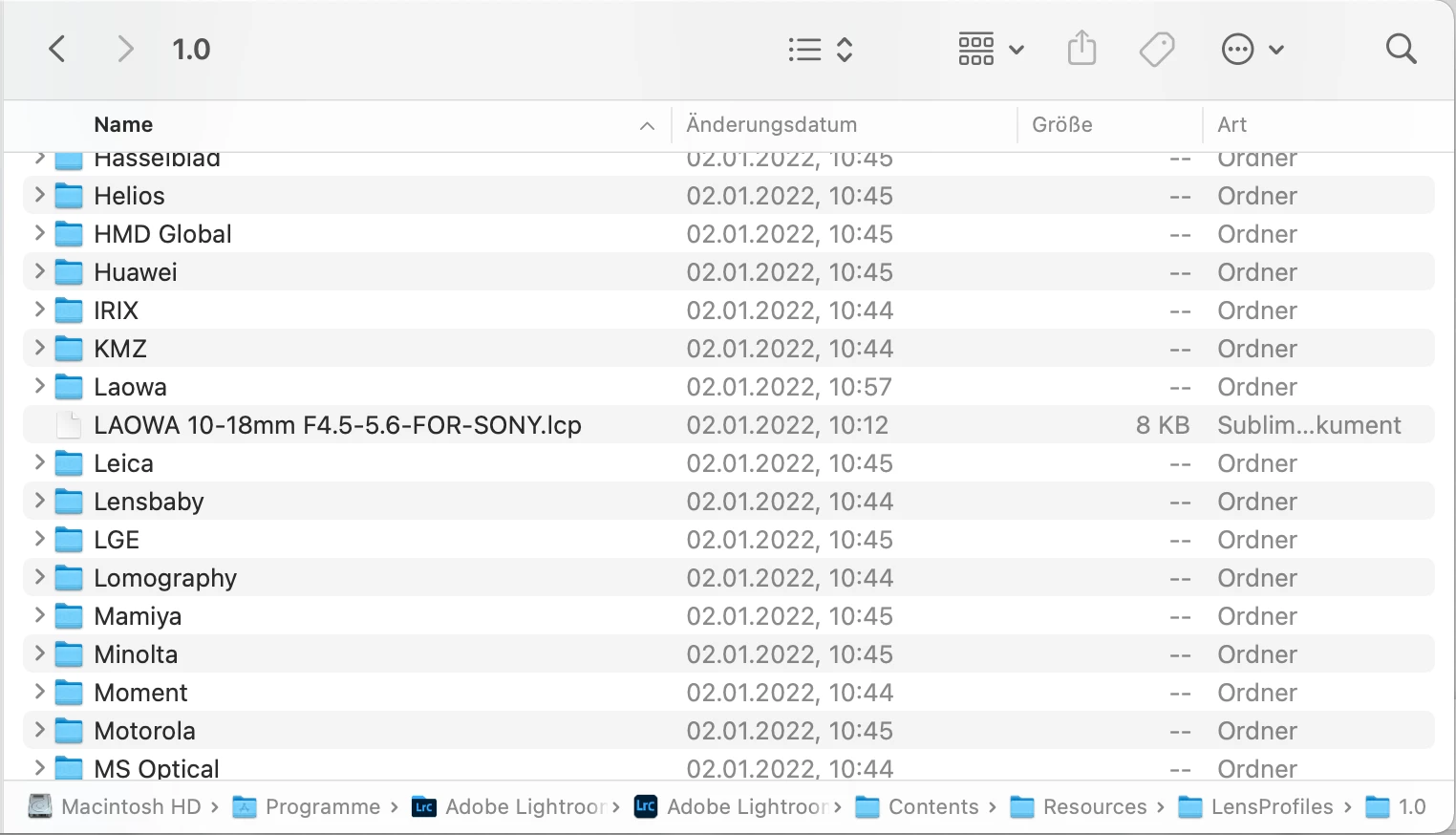
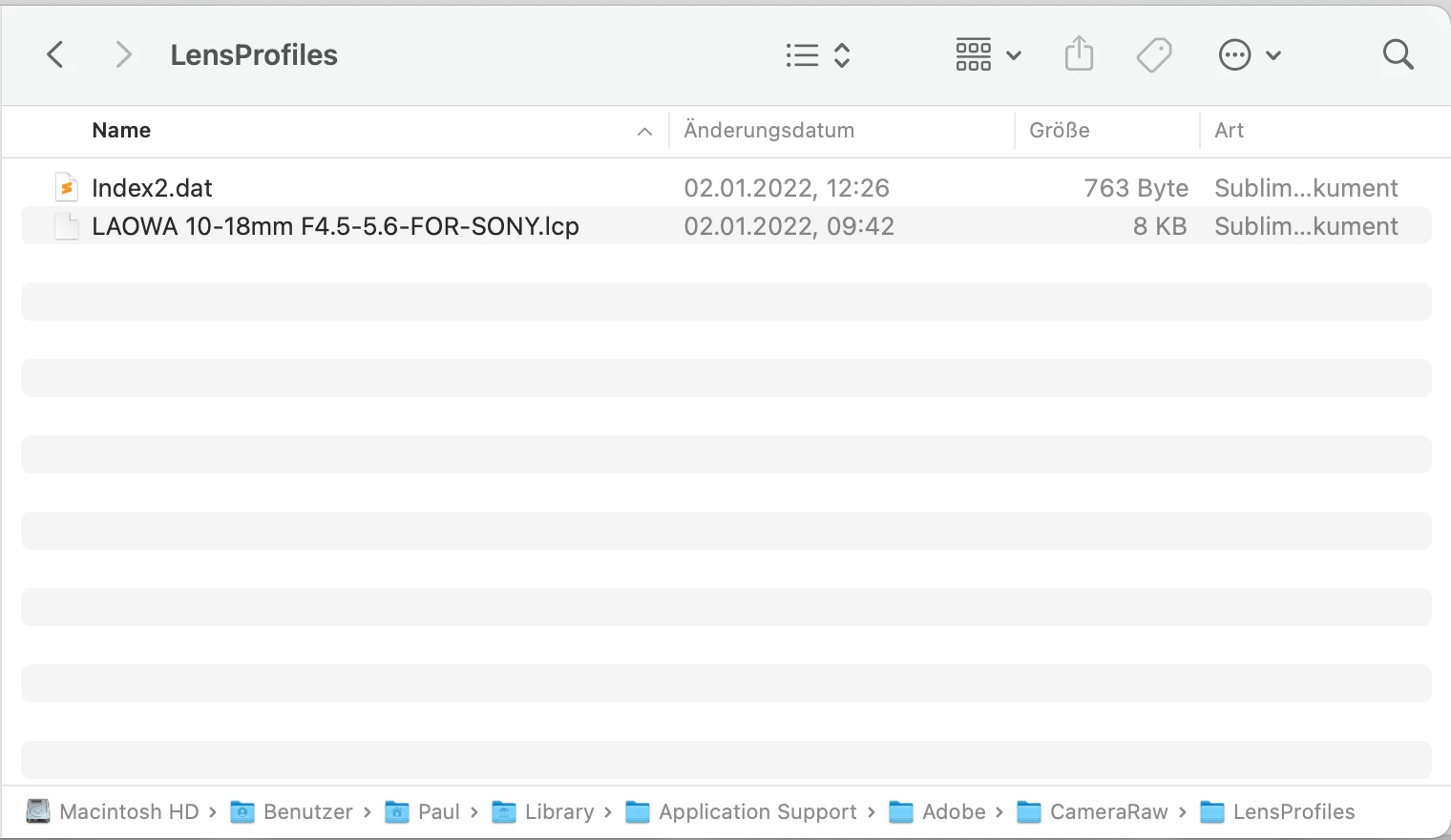
I added the Lens Profile for my new Laowa 10-18mm in both directorys (see the pictures below) but nothing happend in Lightroom. According to Laowa I should pass the profile to the Camera Raw directory and it should appeare under Make Sony in Lightroom (after restarting Lightroom). I restarted Lightroom and my entire Mac but it did not appeare. Any ideas how to solve this? 


Correct answer Todd Shaner

I finally had a chance to look at this further and found three possible issues that prevent seeing the Laowa 10-18mm lens profile.


1) The profile needs to be placed in the below folder and LrC restarted to load it.

Windows—C: \ Users \ [your username] \ AppData \ Roaming \ Adobe \ CameraRaw \ LensProfiles \

Mac—Macintosh HD / Users / [your username] / Library / Application Support / Adobe / CameraRaw / LensProfiles /


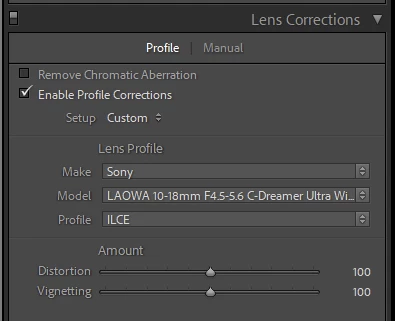
2) This profile is for non-raw files (JPEG, TIFF) so you won't see it if a raw file is selected. The profile as written is located in the Lens Profile Make Sony listed as LAOWA 10-18mm F4.5-5.6 C-Dreamer Ultra Wide ZOOM. Select a JPEG or TIFF file and it will appear as shown below.


3) To use this profile with raw files you need modify the below line

from False to True using a text editor. Then save it with  a new name as shown below.

LAOWA 10-18mm F4.5-5.6-FOR-SONY-Raw.lcp


<stCamera:CameraRawProfile>False</stCamera:CameraRawProfile>

<stCamera:CameraRawProfile>True</stCamera:CameraRawProfile>


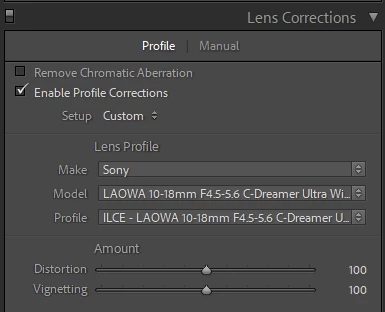
It will appear as shown below in the Lens Profile selector when a raw file is selected.
 

5 replies

Todd Shaner
Todd ShanerCorrect answer
Legend
January 6, 2022

I finally had a chance to look at this further and found three possible issues that prevent seeing the Laowa 10-18mm lens profile.


1) The profile needs to be placed in the below folder and LrC restarted to load it.

Windows—C: \ Users \ [your username] \ AppData \ Roaming \ Adobe \ CameraRaw \ LensProfiles \

Mac—Macintosh HD / Users / [your username] / Library / Application Support / Adobe / CameraRaw / LensProfiles /


2) This profile is for non-raw files (JPEG, TIFF) so you won't see it if a raw file is selected. The profile as written is located in the Lens Profile Make Sony listed as LAOWA 10-18mm F4.5-5.6 C-Dreamer Ultra Wide ZOOM. Select a JPEG or TIFF file and it will appear as shown below.


3) To use this profile with raw files you need modify the below line

from False to True using a text editor. Then save it with  a new name as shown below.

LAOWA 10-18mm F4.5-5.6-FOR-SONY-Raw.lcp


<stCamera:CameraRawProfile>False</stCamera:CameraRawProfile>

<stCamera:CameraRawProfile>True</stCamera:CameraRawProfile>


It will appear as shown below in the Lens Profile selector when a raw file is selected.

 

johnrellis
Legend
January 6, 2022

"1) The profile needs to be placed in the below folder and LrC restarted to load it."


If you use File > Import Develop Profiles And Presets to import the .lcp file, LR will place it in the correct folder automatically, and you don't need to restart LR.

Todd Shaner
Legend
January 6, 2022

Thanks John, very helpful and I can confirm it works! When was that added?

johnrellis
Legend
January 6, 2022

Note that the easiest and most reliable way to install a lens profile is with the menu command File > Import Develop Profiles And Presets. (There is lots of outdated information out there about which directories various profiles and presets should be placed in.)

JohanElzenga
Community Expert
Community Expert
January 6, 2022

I noticed from your first screenshot that you actually added the profile inside the application package, and that you did not place it inside the Laowa folder, but in the root LensProfiles folder. I do not think that is a good idea. Do not mess with the application itself. Remove it from the application and see if that works. If it doesn't work, then try if it makes a difference when you add it here:


Macintosh HD/Library/Application Support/Adobe/Camera Raw/LensProfiles/1.0


-- Johan W. Elzenga
Participating Frequently
January 6, 2022

I tried this before but it also not worked. I deleted the file in the application directory know. After reinstalling only the lightroom application (no Photosshop, etc.) I also have no Macintosh HD/Library/Application Support/Adobe/Camera Raw/LensProfiles/1.0 directory anymore. Only the user specific one. Also Camera Raw is not installed (see picture below). 


Could someone of you maybe try to install the profile for the Laowa 10-18mm lens? https://www.venuslens.net/lens-profile-for-laowa-15mm-f-2-fe-and-15mm-f-4-are-now-available/


Best regards and thanks for your suggestions so far. Paul 

JohanElzenga
Community Expert
Community Expert
January 6, 2022

I tried to install it and I do not see that lens show up either, so there may be something wrong with the profile.


-- Johan W. Elzenga
Todd Shaner
Legend
January 6, 2022

Lens profiles that are added manaully must be installed in the below user folder location. After adding them close and restart LrC so it can load the new profiles.


EDITED

Windows—C: \ Users \ [your username] \ AppData \ Roaming \ Adobe \ CameraRaw \ LensProfiles \

Mac—Macintosh HD / Users / [your username] / Library / Application Support / Adobe / CameraRaw / LensProfiles /

Participating Frequently
January 6, 2022

I tried all three directories. So User specific, the one without User Path and directly in the application but all three not worked. I deleted the file in the application directory know like Johan suggested. After reinstalling only the lightroom application (no Photosshop, etc.) I also have no Macintosh HD/Library/Application Support/Adobe/Camera Raw/LensProfiles/1.0 directory anymore. Only the user specific one. Also Camera Raw is not installed (see picture below). 


JohanElzenga
Community Expert
Community Expert
January 6, 2022

@JetsonPaul wrote:

I also have no Macintosh HD/Library/Application Support/Adobe/Camera Raw/LensProfiles/1.0 directory anymore. Only the user specific one. 


I find that very hard to believe, because that is where the default lens profiles are stored. You do not need to have Camera Raw installed, the lens profiles should be installed by the Lightroom Classic installer.


-- Johan W. Elzenga
JohanElzenga
Community Expert
Community Expert
January 6, 2022

Did you select a raw file? Most lens profiles are for raw only. Also check the entire list. LAOWA is not the brand name, but the product name. The brand name is Venus Optics, so perhaps that is where you should look for the profile.


-- Johan W. Elzenga
Participating Frequently
January 6, 2022
Yes of course.