Answered
How to assign a white box (custom label) to a photograph
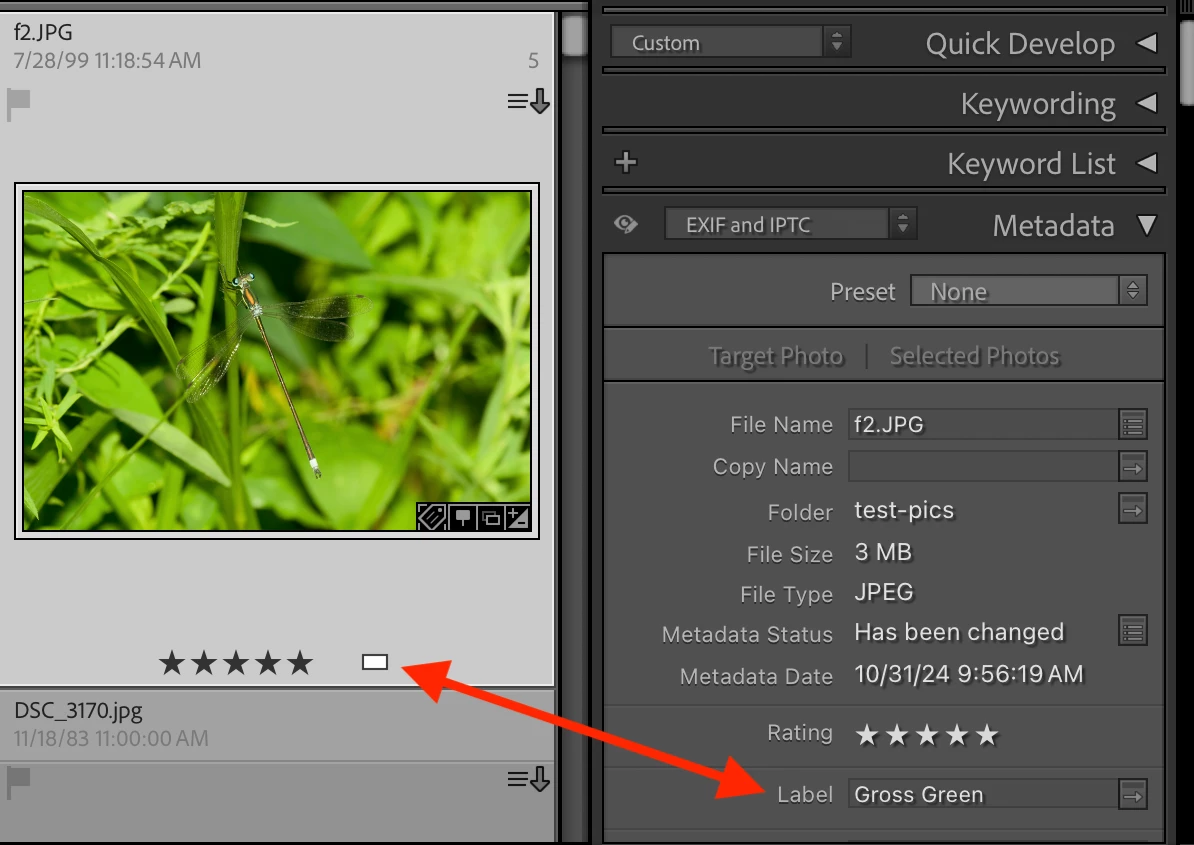
I have a number of images in Lightroom Classic that have white boxes for color labels. I would like to assign this label to another image, but I can't remember how I did it.

I have a number of images in Lightroom Classic that have white boxes for color labels. I would like to assign this label to another image, but I can't remember how I did it.
[This post contains formatting and embedded images that don't appear in email. View the post in your Web browser.]
A white label box appears when the text in the Label field in the Metadata panel doesn't match any of the texts in the current color label set (Metadata > Color Label Set). For example:
Already have an account? Login
Enter your E-mail address. We'll send you an e-mail with instructions to reset your password.
 AdChoices