

Alex Fazio
Participating Frequently
May 17, 2022
Question

How to Create a New Preset With Embedded Crop?

  • May 17, 2022
  • 3 replies
  • 2836 views

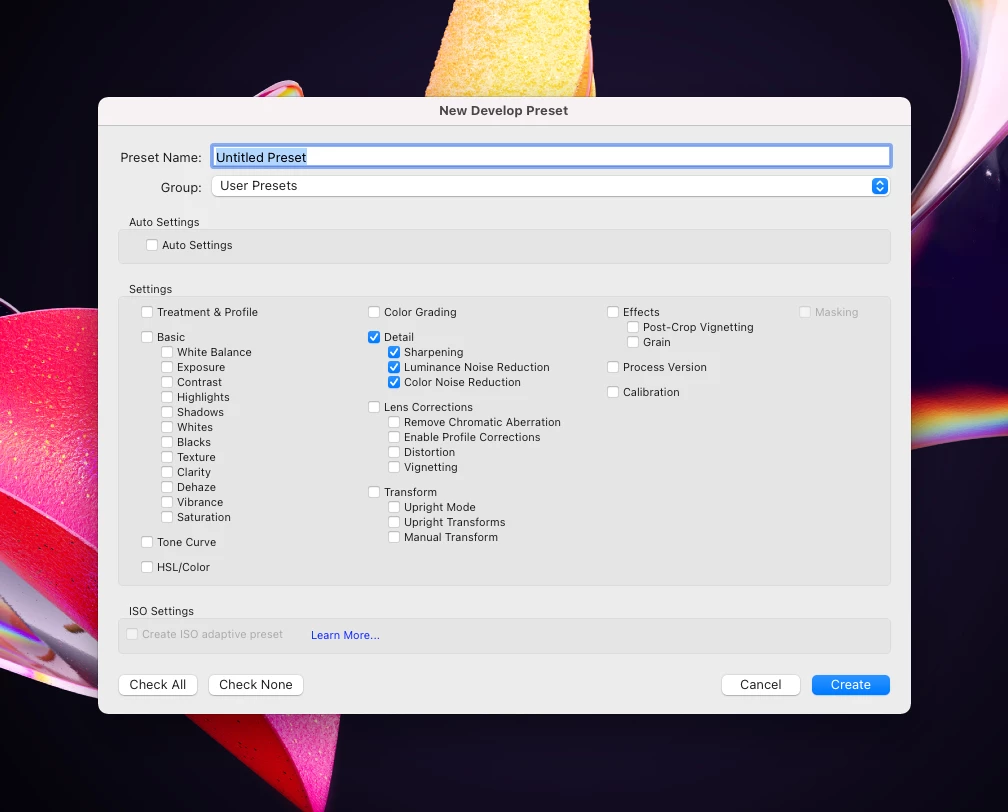
The "New Develop Preset" doesn't have a toggle to save the crop as a preset. Is this possible in Lightroom Classic?


I'd like to apply a specific aspect ratio crop to all images with a preset.


This is possible when copying settings from one picture to the other:
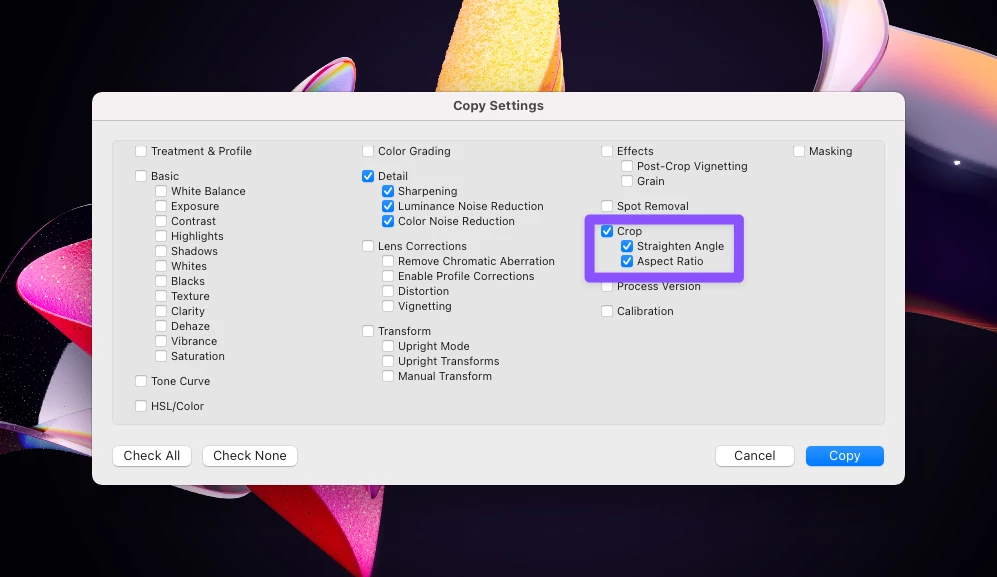
 

But it doesn't seem to be in the New Develop Preset:
 

3 replies

Suzanne Mathia
Community Expert
Community Expert
September 17, 2023

What you could do is Select all the images and in the Quick Develop Panel in Library apply the preset then apply a crop ratio

.....Suzanne Mathia
Inspiring
September 17, 2023

I understand.  It's not quite that easy.  First, the ratio itself is not as important as the ratio AND the size...which copy/paste provides.  Plus, as these images are taken over a period of time...and mixed in with other images....and in slightly different lighting...and slightly different focal lengths...each of them require a little bit of tweaking.  The copy/paste...or, if possible, preset...is intended to get QUICKLY close and then do minimal adjustments...reducing time doing full editing of each image.

johnrellis
Legend
May 19, 2022

[This post contains formatting and embedded images that don't appear in email. View the post in your Web browser.]


"The "New Develop Preset" doesn't have a toggle to save the crop as a preset. Is this possible in Lightroom Classic? I'd like to apply a specific aspect ratio crop to all images with a preset."


Some workarounds, which may not be as convenient as saving crops in develop presets:


1. The Crop tool remembers the last five custom aspect ratios you've used, at the bottom of the aspect-ratio menu:


2. Make a collection with dummy images containing the different aspect ratios you'd like permanently remembers. Copy/Paste/Sync the aspect ratio from those to the target images.


3. The Any Crop plugin lets you create named crop presets.

Inspiring
September 17, 2023

Lightroom copy/paste supports copying the actual crop, not just the aspect ratio.  It would be great if presets allowed this.  This would allow the user, with presets, to create multiple copy/paste options to use in working a series of images.  This would be particularly useful when there are multiple similar images, but they are not easily grouped so syncing is not really an option.

JohanElzenga
Community Expert
Community Expert
May 17, 2022

No, it is not possible to save crop settings in a preset.


-- Johan W. Elzenga