tomekpnz
Participant
July 11, 2019
Question

How To Edit Hair That Is Same As Background So It Stands Out

  • July 11, 2019
  • 4 replies
  • 1115 views

Hi team,

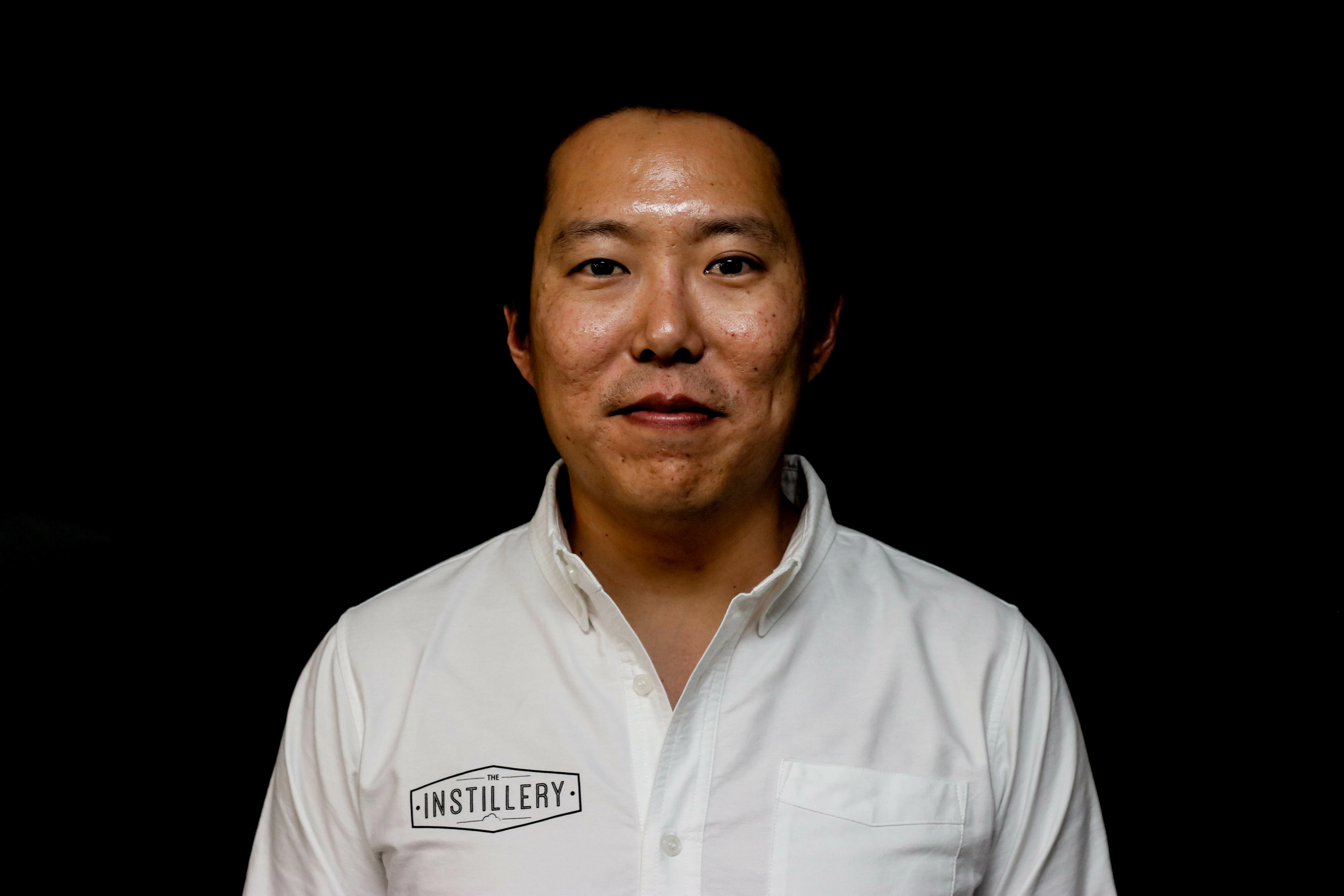
A client sent a preset. The preset has made his hair the same as the background. How do I edit this so that the hair is lighter and shows?

Thanks
    This topic has been closed for replies.

    4 replies

    elie_dinur
    Participating Frequently
    July 12, 2019

    "A client sent a preset," is not very informative. What develop parameters did the preset change and to what extent?

    Conrad_C
    Community Expert
    Community Expert
    July 12, 2019

    tomekpnz  wrote

    A client sent a preset. The preset has made his hair the same as the background. How do I edit this so that the hair is lighter and shows?

    The only way to solve this in Lightroom is to step back in the History panel to before you applied the preset that the client sent. Then see if a visible hair edge was present before applying the preset. If there is, raise the Shadows value or raise the shadow range in the Tone Curve to lift the hair out of black. Then, if you must apply the preset, do it then and see if it works better.

    The version of the image posted in this thread can't be saved. An examination using the Camera Raw filter in Photoshop (which has the same controls as Lightroom) shows that there is no hair edge in the posted image. Almost all of the hair has been crushed down to the same level as the black background. No slider moves can reveal anything more. That's why the only way out is to go back to the version before the preset was applied.

    There is a second serious problem shown by the histogram at the top: There are no tones in the image that are close to white. The brightest parts of the white shirt are not white at all, because their levels are actually down in the light gray range. This means the black point is clipped off the left end of the histogram, and the white point is too far from the right end of the histogram. If these two fundamental problems were present in the original image before the preset was applied, then the original image should have been corrected before applying a preset. If these two problems were caused by the preset, the preset should be reworked.

    Akash Sharma
    Legend
    July 11, 2019

    Hi tomekpnz,

    Well, that's a tricky situation and I believe it would be worth editing this image in Photoshop might have some better results. I agree with WobertC that playing with the "Shadows" slider could get you nice output.

    Thanks,

    Akash

    Rob_Cullen
    Community Expert
    Community Expert
    July 11, 2019

    A JPG file-  No hope! Will not be possible.

    A raw file- Try pushing up the 'Shadows' slider to see if detail exists when you can then make Brush adjustments on the hair.

    sent a preset.

    Not sure what that means! Explain.

    Regards. My System: Windows-11, Lightroom-Classic 15.1.1, Photoshop 27.3.1, ACR 18.1.1, Lightroom 9.0, Lr-iOS 10.4.0, Bridge 16.0.2 .
