
XilburQost
Inspiring
April 24, 2023
Answered

How to perform simple batch image resizing and format conversion?

  • April 24, 2023
  • 1 reply
  • 2297 views

I'm looking for a painless solution for bulk image resizing and re-formatting, e.g., convert a batch of TIFFs and PNGs to 4k JPGs. I found steps for Lightroom here: 
https://www.adobe.com/creativecloud/photography/hub/features/how-to-bulk-resize-photos

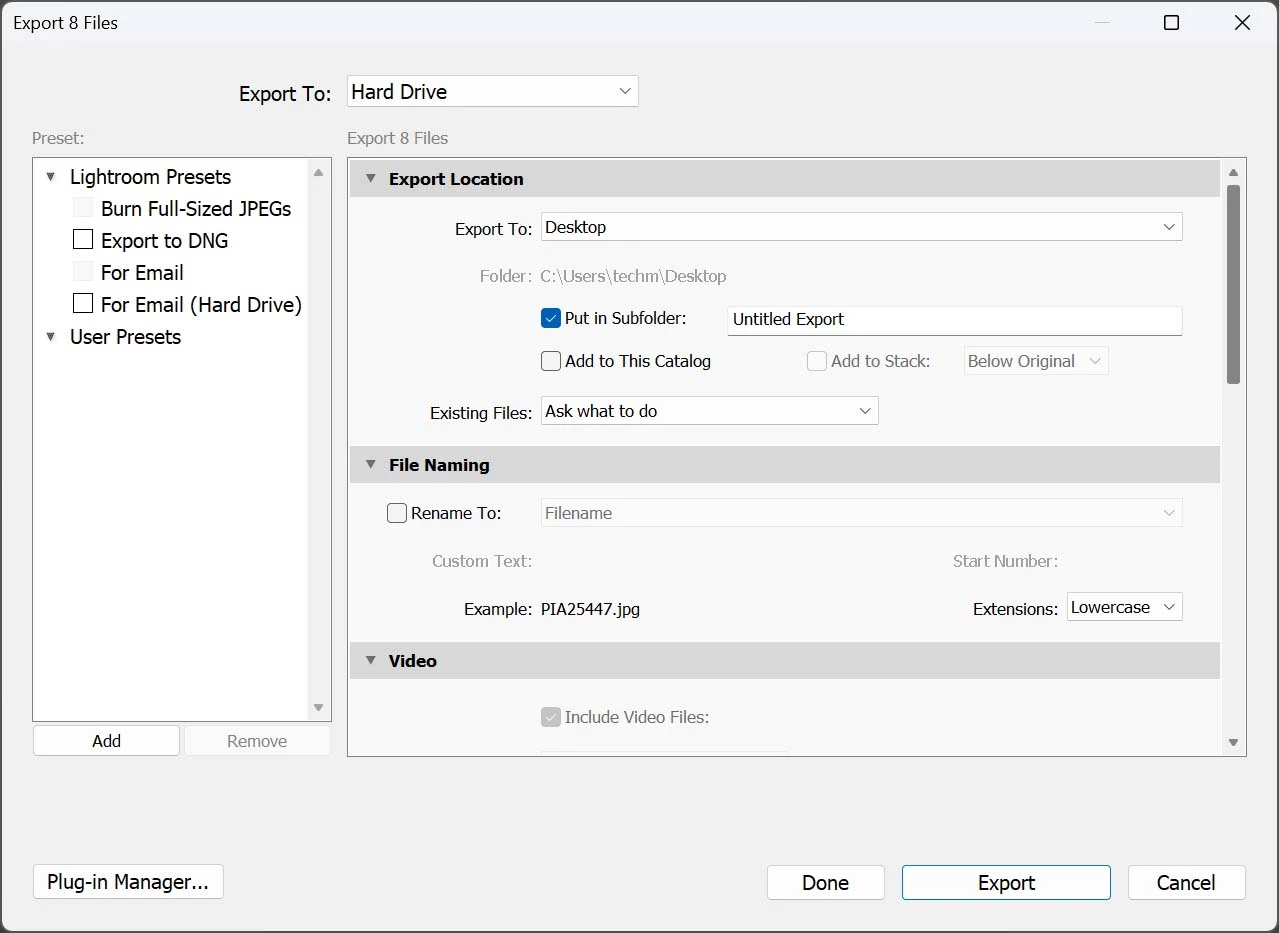
Problem: Unlike the instructions above, when I go to export the batch, there are no options for resizing or reformatting. Did I miss a step? Thanks. Lightroom Classic v12.3
This topic has been closed for replies.
Correct answer D Fosse

Well, if you, as I said, scroll down in the Lr Export dialog, and you find options for sizing. And batching in Lr is just a matter of selecting your files. So yes, it can easily be done in Lr.

1 reply

D Fosse
Adobe Expert
April 24, 2023

Scroll down.


It's possible Photoshop is more efficient for this.

XilburQost
Inspiring
April 24, 2023

Thank you for the reply. I find Photoshop macros clumsy to create and clumsy to use. And then there was the recent bug that prevented Photoshop macros from saving files (since fixed).
The thing about Lightroom is that it wants to make everything a denizen of "Lightroom World." No thanks.
I'm looking for drag-and-drop simplicity. For third-party solutions I tried SoftOrbits' Batch Picture Resizer, but it's unreliable and prone to crashing. I'm trying FastStone Photo Resizer next. /whining

D Fosse
D FosseCorrect answer
Adobe Expert
April 24, 2023

Well, if you, as I said, scroll down in the Lr Export dialog, and you find options for sizing. And batching in Lr is just a matter of selecting your files. So yes, it can easily be done in Lr.