

Answered
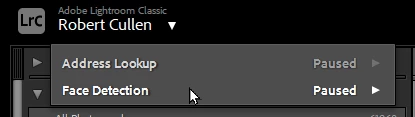
How to permanently disable face detection
I've found a way to reset all preferences. I've had to do this three (3) times now, because somehow some finger hits some key and starts the damned thing going and I CANNOT MAKE IT STOP without resetting all preferences. Is there some way to turn it off permanently so that it cannot be ACCIDENTALLY triggered with a keystroke. PLEASE. PLEASE. It is hateful and timewasting and ought to be a the conscious choice of a user. not the fault of one wobbly digit.
 AdChoices