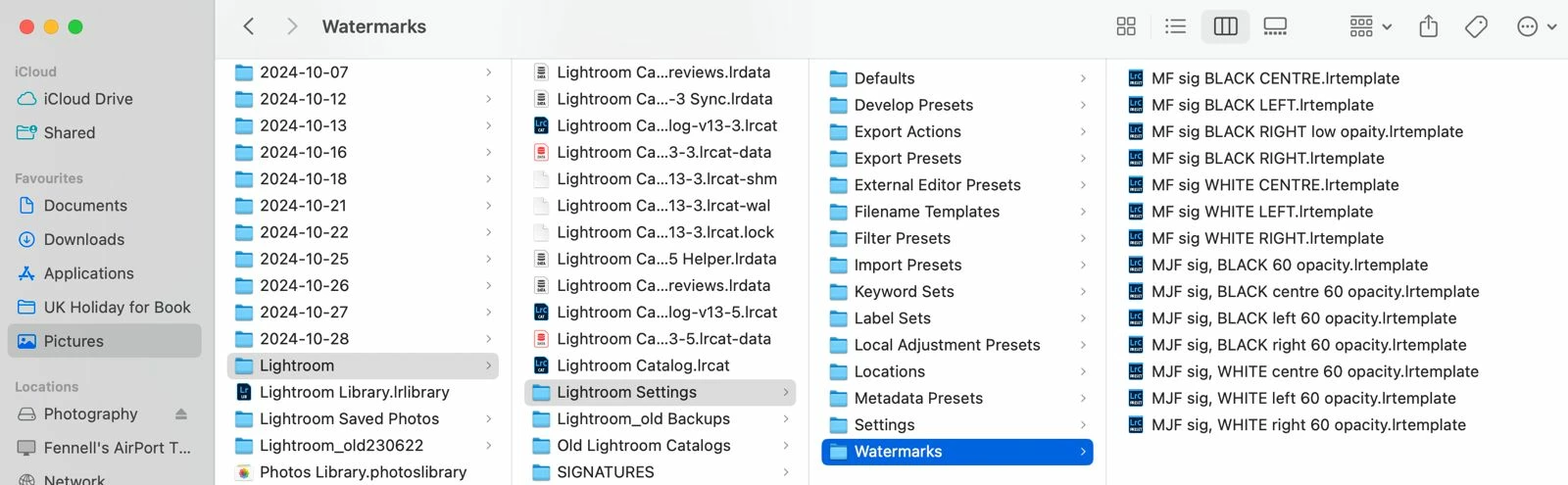
OK, so the path shown in your screen shot seems to be
~/Pictures/Lightroom/Lightroom Settings/Watermarks
That isn’t the standard location, so we’ll assume the Watermarks folder was copied there for backup or something.
The standard location is
~/Library/Application Support/Adobe/Lightroom/Watermarks
That’s the Library folder inside your user acccount Home folder, not the Library folder at the root level or in /System.
Also notice that most of your other Lightroom Classic user settings, presets, and templates are also stored in that Lightroom folder.
The user level Library folder is hidden by default, but you can reveal it. In the Finder click the Go menu, and if the Library folder isn’t already listed there, hold down the Option key to reveal the Library command and then choose it from the menu.

 AdChoices