
Participant
April 6, 2021
Question

How to remove Rainbow effect.
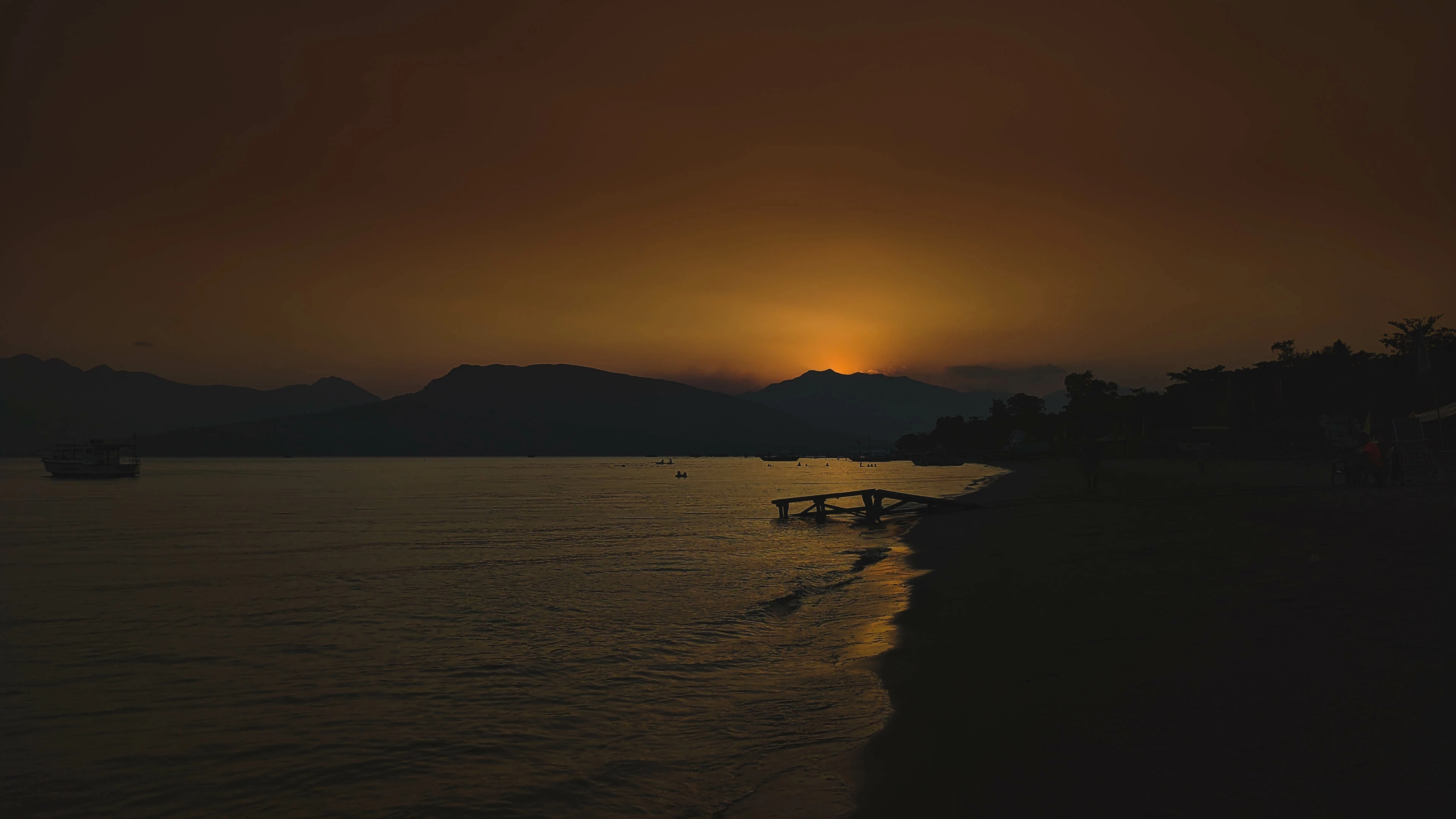
  • April 6, 2021
  • 5 replies
  • 2201 views

As you can see with the photo theres a rainbow effect after export to jpeg which is adsent during editing. i tried several output settings still the same output. i would really appreciate if theres someone who can help me solve this issue....

This topic has been closed for replies.

5 replies

TheDigitalDog
Inspiring
August 18, 2021

First, as asked, we need to know if this is in the raw itself so it would be useful to upload a DNG with all your edits too. 

2nd, you MUST view the image at 1:1 in Develop module. Other modules are not accurate previews, zoomed out previews subsample the pixels and 'banding' is to be expected. 

Next, do you have a full, high bit video path? Few do so banding is not in the data, it is in the preview/video. 

Open this document in Photoshop which I assume you have. Zoom to 100%. Do you see any banding or is it totally smooth? 

https://www.dropbox.com/s/s14f4w7dq85r7oo/10-bit-test-ramp.zip?dl=0

If not totally smooth, you have something in the video path that is 8-bit per color or less; that's a problem viewing image data smoothly. 

Author “Color Management for Photographers" & "Photoshop CC Color Management/pluralsight"
Participant
August 18, 2021

I think you should study in detail what causes the rainbow effect. This is a fairly common phenomenon that you can fix by using other aspect ratios, color adjustments, and more.

Per Berntsen
Community Expert
Community Expert
August 18, 2021

The article you linked is a about a rainbow effect when viewing videos on DLP projectors, and this has nothing to do with the OP's problem, which is no doubt banding caused by jpg compression.

Per Berntsen
Community Expert
Community Expert
April 6, 2021

This looks like banding artifacts caused by jpg compression.

Try setting Quality to 85 or higher in the Export dialog.

AxelMatt
Community Expert
Community Expert
April 6, 2021

Is this rainbow efffect also visible in the RAW file?

How about the export settings?


My System: Intel i7-8700K - 64GB RAM - NVidia Geforce RTX 3060 - Windows 11 Pro 25H2 -- LR-Classic 15 - Photoshop 27 - Nik Collection 8 - PureRAW 5 - Topaz Photo
dj_paige
Legend
April 6, 2021

What software are you using?