
Participant
December 19, 2020
Question

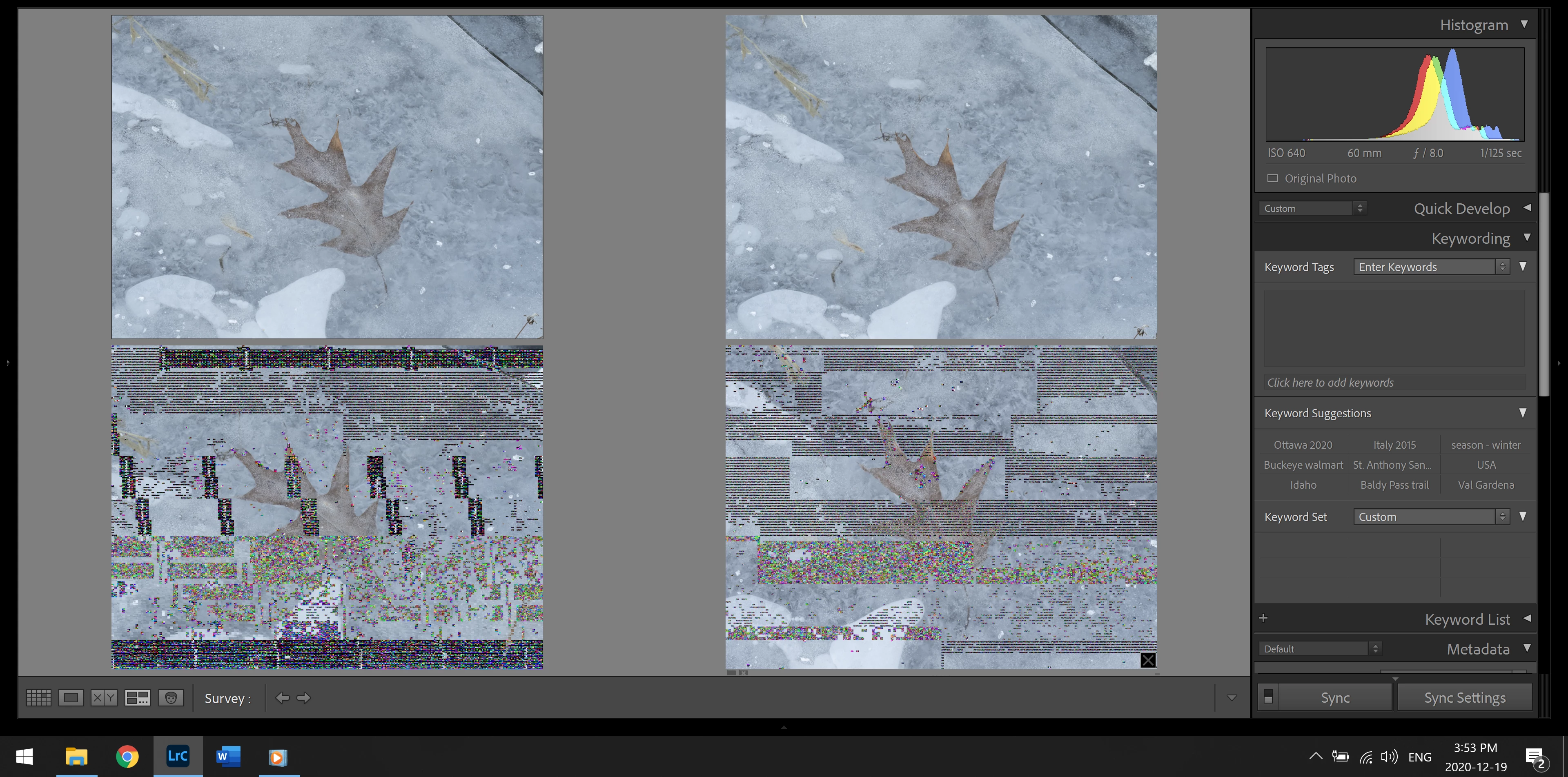
I am getting strange coloured pixels over my picture when processing in LR cc

  • December 19, 2020
  • 4 replies
  • 1651 views

Someone brought this issue up in Oct 2017 but there was no resolution, so I am wondering if three years later there are any new thoughts on why it is happening and what to do about it? I am using LR CC, it is up to date with updates. I have a new laptop with 16 gb of Ram and 1 T harddrive which is mostly unused. My computer meets all the requirements of LR and Photoshop in specs. I have a NVidia 2060 RTX 6 gb Ram video card and it is on under preferences. I have setup plenty of cache memory in preferences. I convert from RAW to DNG and then process the DNG. It happens randomly and does not seem to be particular to one picture file. If I shut down the program and come back in the picture is no longer strangely pixelated, but another might be. It is not every day but it happens often enough that I am wondering what is happening. It usually happens in develop but this time it happened in library as I was in survey view.


This is today's version:


{Moved from Lightroom Cloud to Lightroom Classic Forum by Moderator} 

This topic has been closed for replies.

4 replies

GoldingD
Legend
December 20, 2020

That looks like Library Module. Does the image also look like that in Develop?


JenkelcamAuthor
Participant
December 27, 2020

Yes, both Develop and Library.


GoldingD
Legend
December 20, 2020

Please post your System Information as Lightroom Classic (LrC) reports it. In LrC click on Help, then System Info, then Copy. Paste that information into a reply. Please present all information from first line down to and including Plug-in Info. Info after Plug-in info can be cut as that is just so much dead space to us non-Techs.


JenkelcamAuthor
Participant
December 27, 2020

Here is the system information:


dj_paige
Legend
December 20, 2020

Hardware malfunction or driver problem.


If today it affects a photo and tomorrow the same photo is fine, I suspect bad memory chip.

Just Shoot Me
Legend
December 20, 2020

Either the files themselves are corrupted or the use of the GPU system in LrC isn't functioning properly and you should set that option to Off and Test.

That option is found in the LrC Preferences on the Performance Tab.