Participant
May 8, 2023
Answered

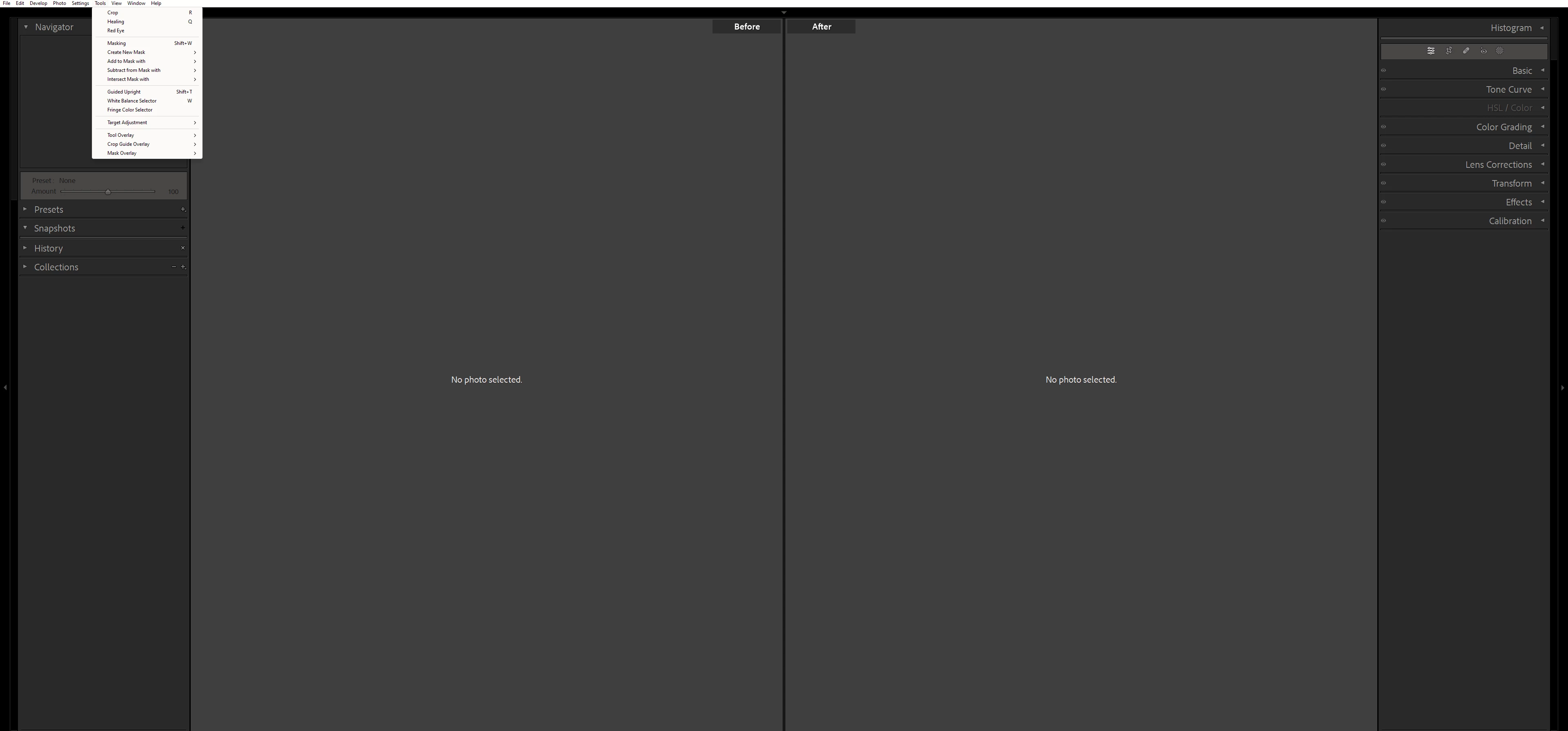
i have size issues withe the top bar where the ( File, Edit Develop, ..... ) are
  • May 8, 2023
  • 1 reply
  • 298 views

This topic has been closed for replies.
Correct answer Sameer K

Hey, @omar297862554e73. Welcome to the Lightroom Community. I'll need more info to help you figure this out. Please share the system info of Lightroom Classic from Help > System info > Copy & paste into a text document > Upload and share with us here.


You're working on a 4K or larger display. This is expected to some extent. Go to the following location on Windows and set the scaling options in Explorer to find out what works best setup.

  • For Lightroom Classic - C:\Program Files\Adobe\Adobe Lightroom Classic
  • Right-click on Lightroom.exe > Properties > Compatibility > Change Settings for all users > Change High DPI Settings > High DPI Scaling Override > Check the option 'Override High DPI scaling behavior.' > Scaling Performed by > Test & choose from the following options one by one > Application, System & System (Enhanced)
  • Apply each of these settings and test which works best for you.


Let us know if this works,

Thanks!

Sameer K

1 reply

Sameer K
Community Manager
Sameer KCommunity ManagerCorrect answer
Community Manager
May 8, 2023

Hey, @omar297862554e73. Welcome to the Lightroom Community. I'll need more info to help you figure this out. Please share the system info of Lightroom Classic from Help > System info > Copy & paste into a text document > Upload and share with us here.


You're working on a 4K or larger display. This is expected to some extent. Go to the following location on Windows and set the scaling options in Explorer to find out what works best setup.

  • For Lightroom Classic - C:\Program Files\Adobe\Adobe Lightroom Classic
  • Right-click on Lightroom.exe > Properties > Compatibility > Change Settings for all users > Change High DPI Settings > High DPI Scaling Override > Check the option 'Override High DPI scaling behavior.' > Scaling Performed by > Test & choose from the following options one by one > Application, System & System (Enhanced)
  • Apply each of these settings and test which works best for you.


Let us know if this works,

Thanks!

Sameer K
