Participating Frequently
August 13, 2018
Answered

Image changes on Export

  • August 13, 2018
  • 1 reply
  • 2152 views

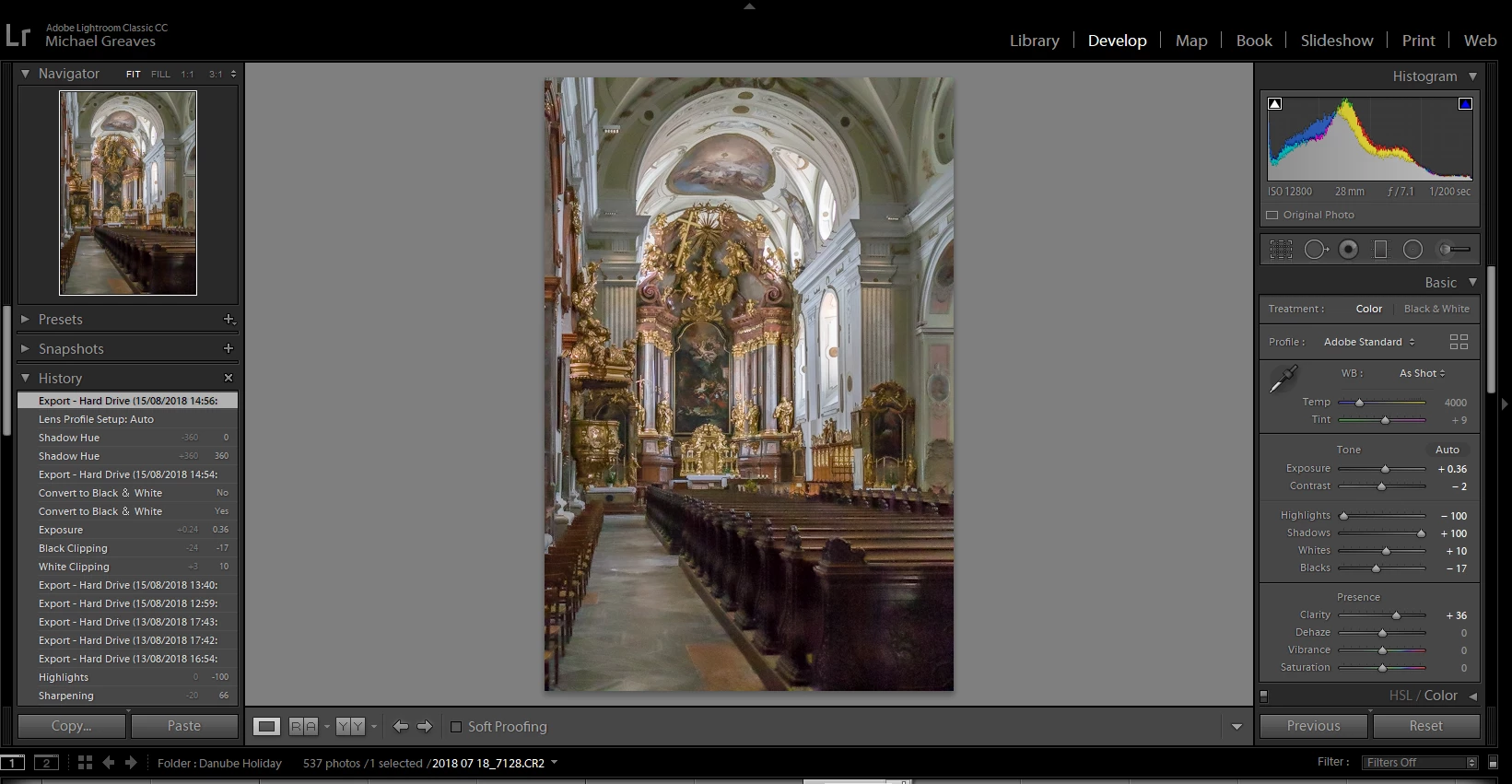
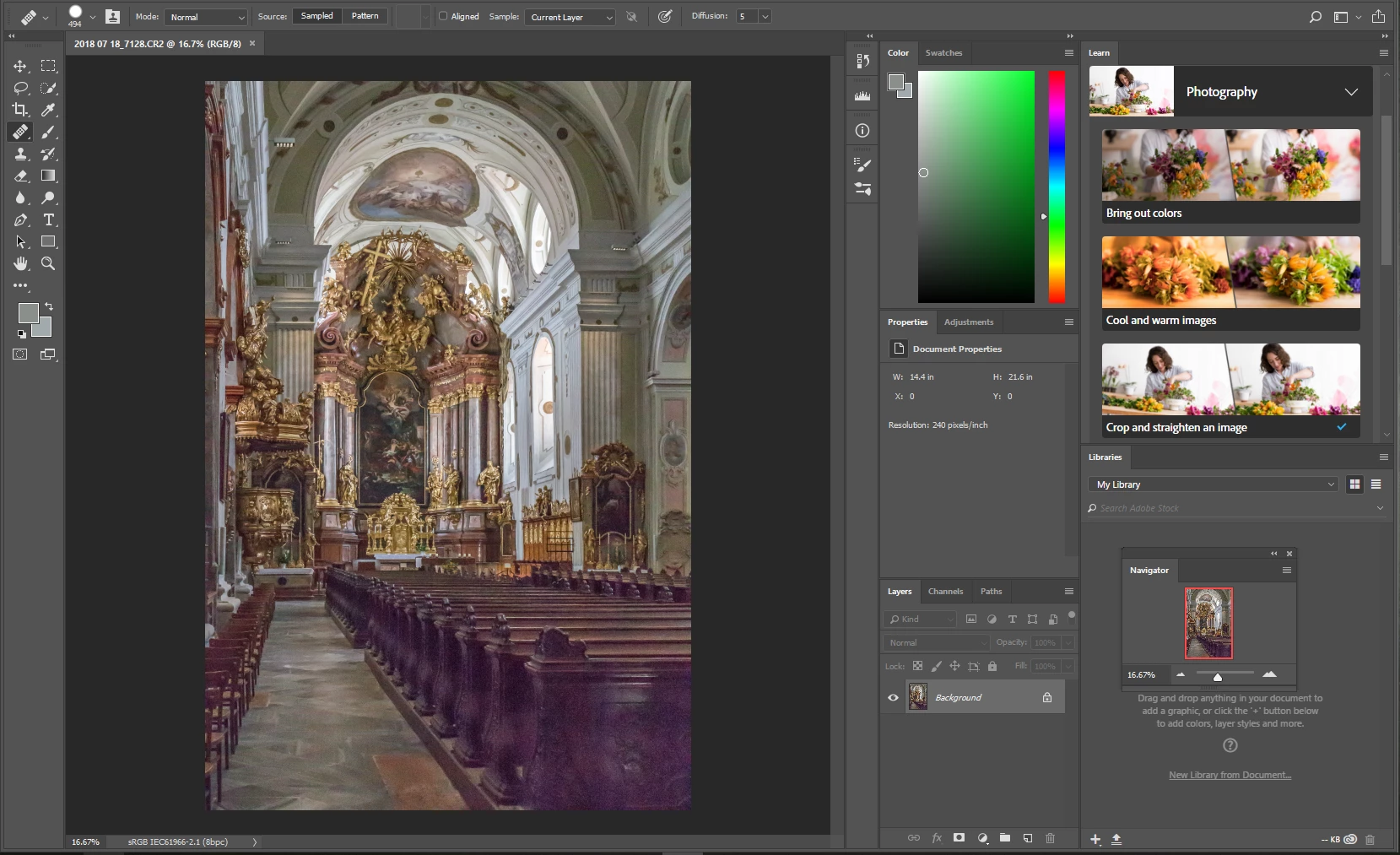
When I export a particular image from Lightroom Classic CC, whether to my hard drive or moving it to Photoshop CC for further editing, the image changes. Specifically, colour balance of darker sections of the image changes from brown to a purple tint. I like the image in Lightroom and do not like what it changes to. Is there some way to keep it the way it looks in Lightroom?

This topic has been closed for replies.
Correct answer Per Berntsen

Have reduced file sizes to about 165Kb although they were smaller than 8Mb in the first place. Same result. Have tried sending you a message by WeTransfer but don't know if you will get it. Let me know. Don't use Dropbox.


Michael, I had no problems inserting the screenshots you sent me, so try a different web browser the next time, or copy and paste images into the reply box.

I don't know what's causing this, although I vaguely remember having seen posts about the same problem before.

But I suggest that you first of all make sure that your graphics driver is up to date.

If updating the graphics diver doesn't help, try do disable the GPU in ACR and/or Photoshop.

In Photoshop, press Ctrl+K to bring up preferences, and uncheck Use graphics processor in the Performance tab.

In ACR, also press Ctrl+K to bring up preferences, and uncheck Use graphics processor at the bottom.
1 reply

Participating Frequently
August 13, 2018

To add to my question, Image in Lightroom is a Raw file, exported as JPEG

Sahil.Chawla
Adobe Employee
Adobe Employee
August 13, 2018

Hi MichaelG,

As the image is changing it's color, it seems like an issue with the color calibration. Could you please let us know which operating system you're working on?

Also, could you try color calibrating your monitors and let us know if it helps?

Regards,
Sahil

Participating Frequently
August 14, 2018

There is no LR Classic CC 2018 and Camera RAW 2018. Both have specific Version Numbers and that is what was asked.

So in LR go to the help menu and select System Info and post the first 5 lines from the dialog window that comes up.


Hello again,

The info from Lightroom is as follows:

Lightroom Classic version: 7.4

License: Creative Cloud

Language setting: en

Operating system: Windows 10 - Home Premium Edition

Version: 10.0.17134

Camera Raw is version 10.4

I am processing a Raw (.CR2) image in Lightroom, then using File, Export to send it to a folder on my PC as a JPEG. I then open the JPEG in Windows Photo. Alternatively in Lightroom I use Photo, Edit in Photoshop, and the image then appears in Photoshop. In both cases the image colouring is altered and both look the same. I have tried using a non-JPEG file (.psd and .dng) with same result.

Hope this is clear
