Participating Frequently
August 13, 2018
Answered

Image changes on Export

  • August 13, 2018
  • 1 reply
  • 2157 views

When I export a particular image from Lightroom Classic CC, whether to my hard drive or moving it to Photoshop CC for further editing, the image changes. Specifically, colour balance of darker sections of the image changes from brown to a purple tint. I like the image in Lightroom and do not like what it changes to. Is there some way to keep it the way it looks in Lightroom?

This topic has been closed for replies.
Correct answer Per Berntsen

Have reduced file sizes to about 165Kb although they were smaller than 8Mb in the first place. Same result. Have tried sending you a message by WeTransfer but don't know if you will get it. Let me know. Don't use Dropbox.


Michael, I had no problems inserting the screenshots you sent me, so try a different web browser the next time, or copy and paste images into the reply box.

I don't know what's causing this, although I vaguely remember having seen posts about the same problem before.

But I suggest that you first of all make sure that your graphics driver is up to date.

If updating the graphics diver doesn't help, try do disable the GPU in ACR and/or Photoshop.

In Photoshop, press Ctrl+K to bring up preferences, and uncheck Use graphics processor in the Performance tab.

In ACR, also press Ctrl+K to bring up preferences, and uncheck Use graphics processor at the bottom.
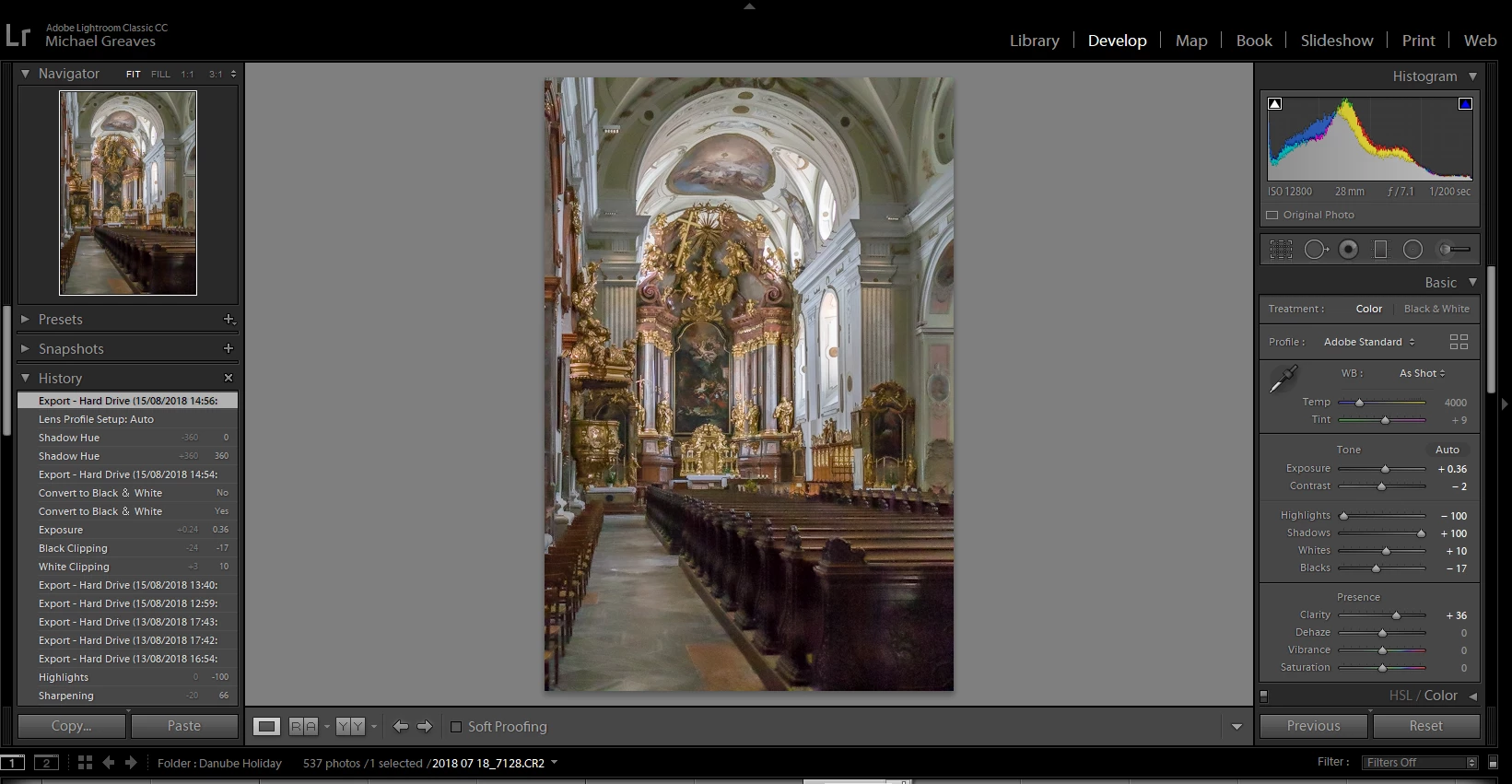
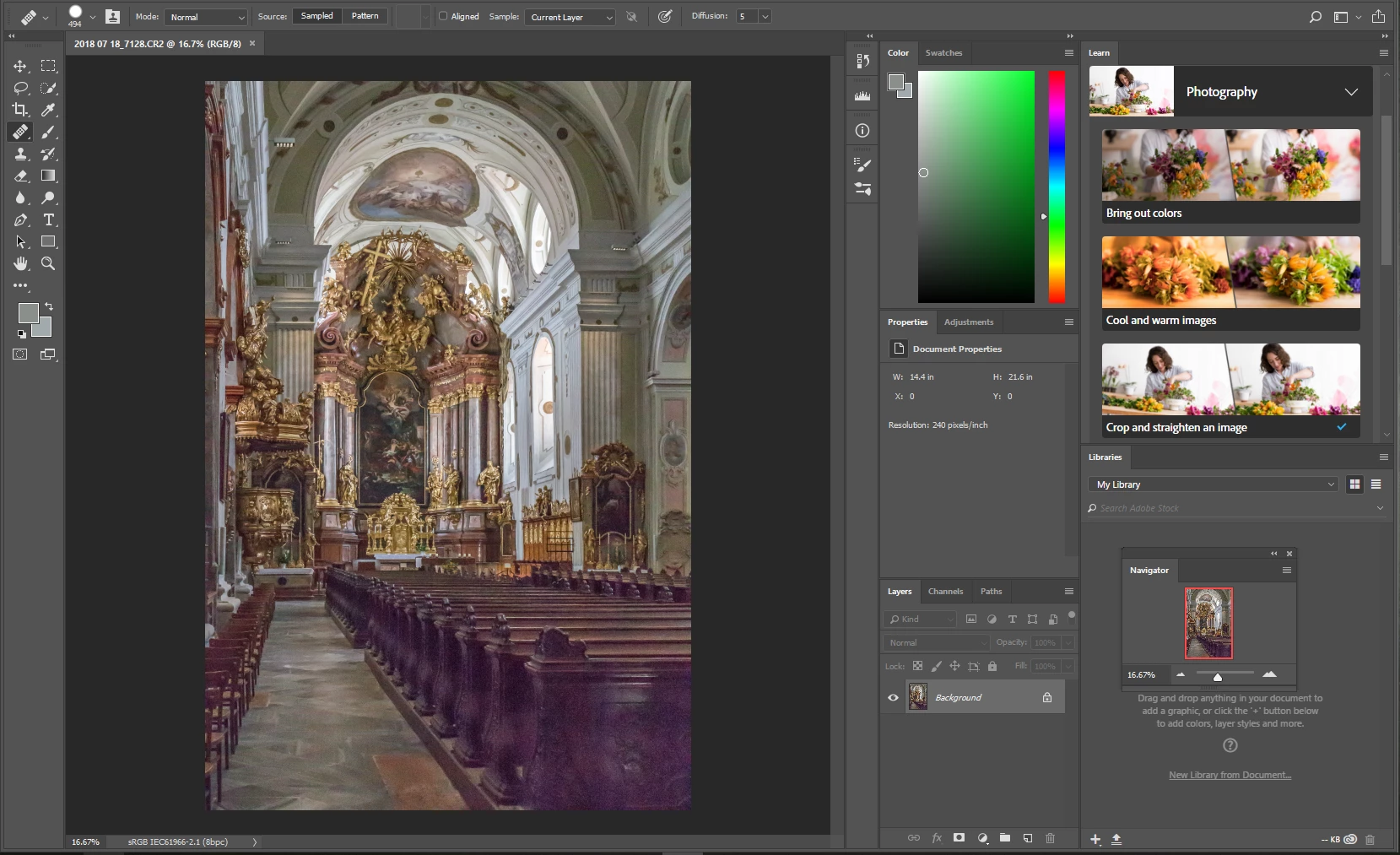
1 reply

Participating Frequently
August 13, 2018

To add to my question, Image in Lightroom is a Raw file, exported as JPEG

Sahil.Chawla
Adobe Employee
Adobe Employee
August 13, 2018

Hi MichaelG,

As the image is changing it's color, it seems like an issue with the color calibration. Could you please let us know which operating system you're working on?

Also, could you try color calibrating your monitors and let us know if it helps?

Regards,
Sahil

Rikk Flohr_Photography
Community Manager
December 18, 2023

You have replied to a thread from 2018, and @MichaelG47  hasn't posted anything since then, so he might never see your reply. Besides, Lightroom Classic has moved on from version 7 to the current version 13, so much has changed.


Please create a new thread where you describe your problem in detail.

Include operating system and version, as well as LrC version.

When posting screenshots, do not attach them, use the Insert Photos button in the toolbar to insert them directly into your post.


You’ve posted to an ancient thread. It is highly unlikely that the issue described in this thread, though not impossible, is the same one you are currently experiencing. Rather than resurrect an old thread that is seemingly similar, you are better off posting to a new thread with fresh, complete information, including system information, a complete description of the problem, and step-by-step instructions for reproduction. 


If the issue is the same, we will merge you back into the appropriate location. 


Thank you!


Rikk Flohr: Adobe Photography Org
