
Images are unable to import (Grayed-Out)
I'm so frustrated with this software. I have been using it for a while now. 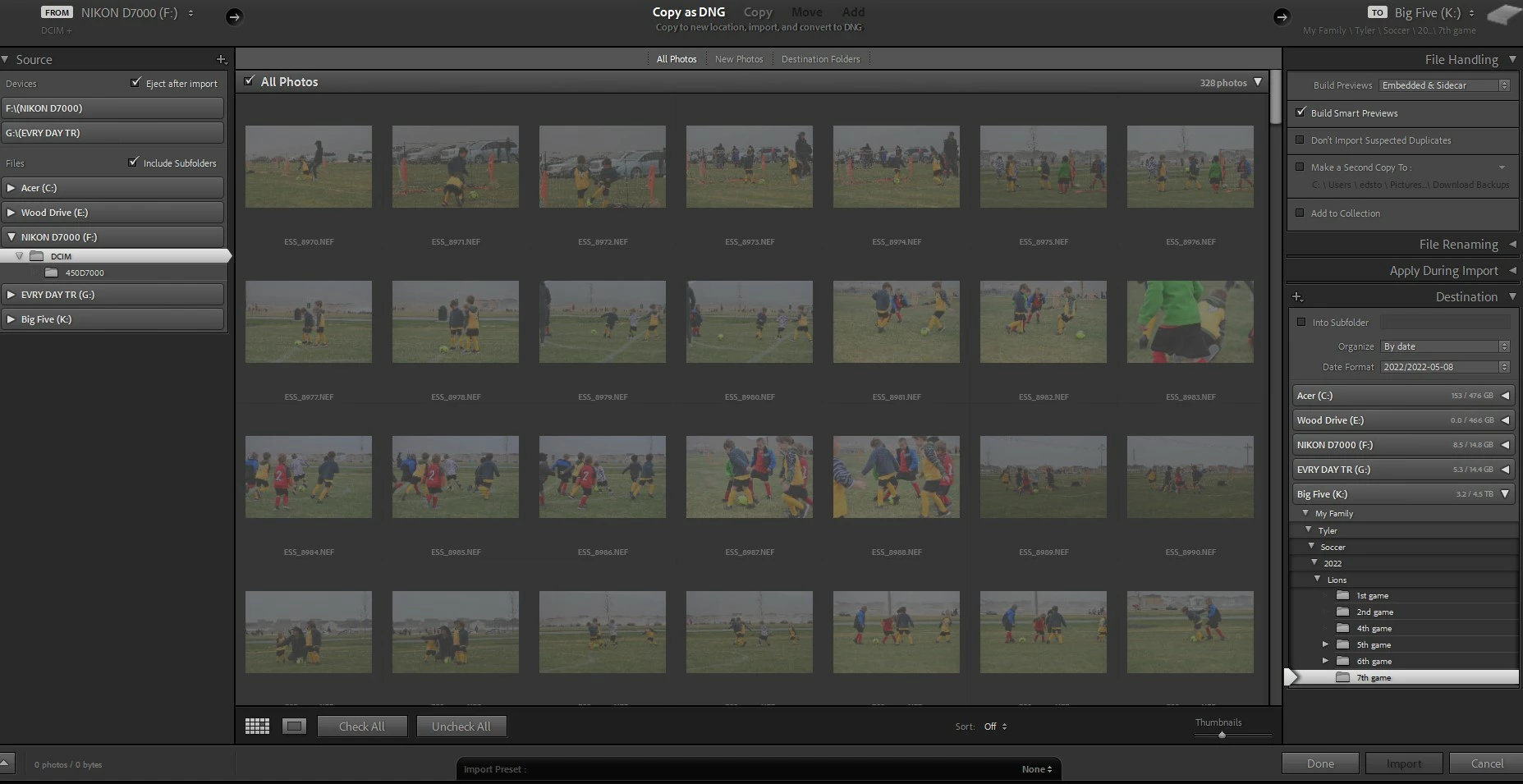 I can understand the simple commands and executions but, it is frustrating as all hell!
I'm so ready to switch to Capture One Pro, ON1 or Skylum Luminar 4.
From library:
-I select the source
-Import Photos and Videos.
-Destination: (I create a new sub folder on the destination folder)
- I make sure that Don't Import Selected Files is checked ( It doesn't matter if it is selected or not)
-Click import........
The system takes a while, it shows the images blah, blah, blah NOTHING!!!!!!!
I can see all the images grayed out. Nothing has been imported.
Then I go through the ever annoying steps to see if, they are the right file or, synchronize the folder or, optimize the catalog or, select all or new images or, uninstall - re-install the LR. Jeez!
After WASTING time trying to save my images from a SD card to my computer using LR, I end up using Bridge to copy those images to my destination folder. But, of course. LR doesn't know how to deal with that, and then nothing really works.
Is there a FAIL PROOF way to import those images and not having LR screw up. Or, is there a way for LR to be able to open the images after being imported using a more reliable method like Bridge!?
I use a Windows 11
The latest version of LR CC (11.3.1)
Cache has been cleared, Uninstalled and Installed twice, the destination drive has plenty of space for the images, the don't import copies has been tried with and without the check mark.
What am I doing wrong with this software?!
Thanks
 AdChoices