

AlexBuisse
Participating Frequently
April 22, 2023
Answered

Import dialog, photos do not show up

  • April 22, 2023
  • 3 replies
  • 1204 views

Starting with the latest update of LrC (12.3), photos do not show up when trying to import. This is navigating directly to them or drag and dropping a folder, and happens from either a folder on the hard drive or a memory card in a reader. It is not a case of photos appearing greyed out because LrC thinks they are already in the catalog, but simply as if the folders were empty, see screenshot. This happens on multiple catalogs, on an up to date MBP M2max.
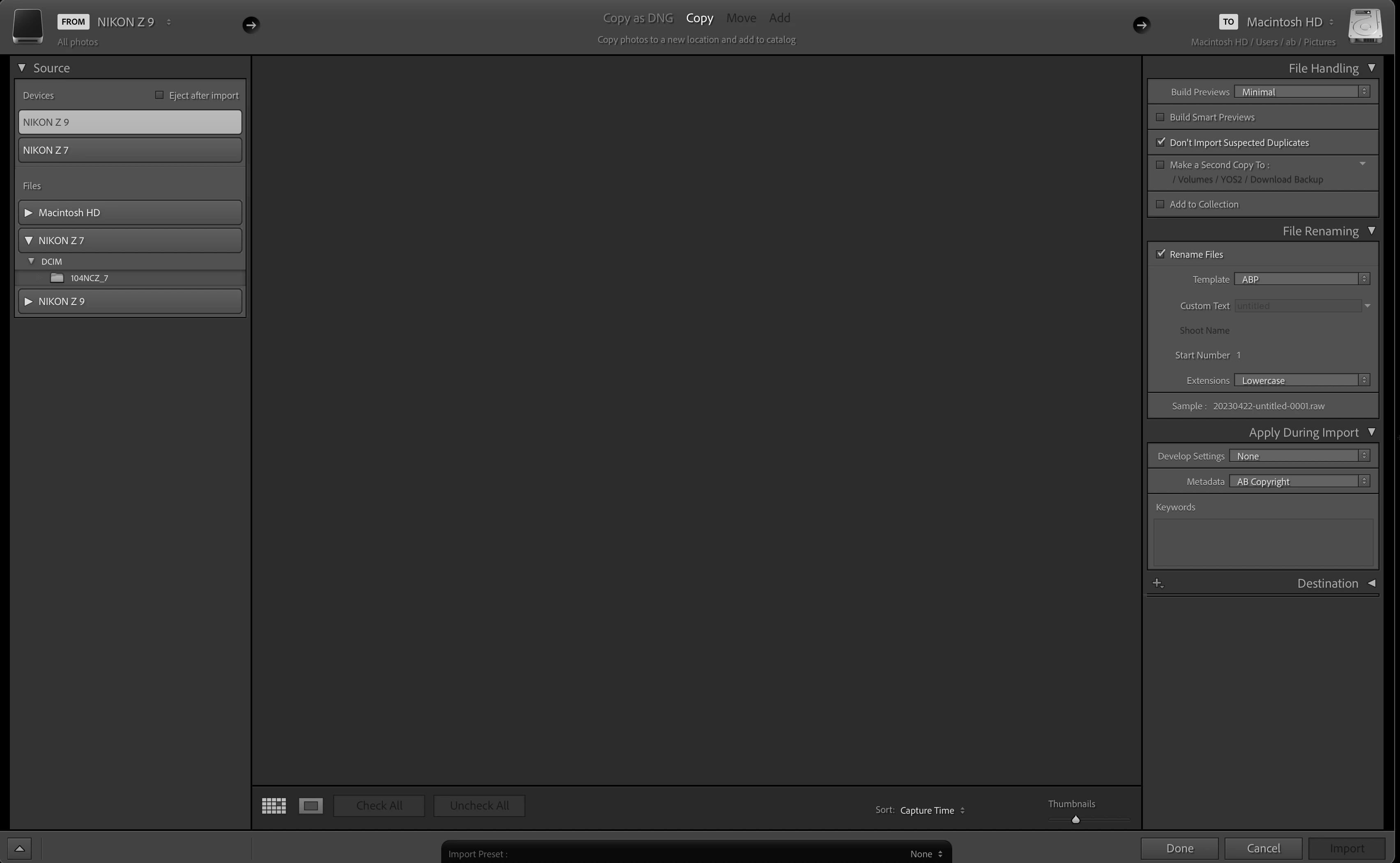


The only way I found to actually import files was to sync a folder that was already in the catalog.

This topic has been closed for replies.
Correct answer Bob Somrak

Open up the Destination panel on the right

3 replies

Bob Somrak
Bob SomrakCorrect answer
Legend
April 22, 2023

Open up the Destination panel on the right

M4 Pro Mac Mini. 48GB
AlexBuisse
Participating Frequently
April 22, 2023

This is the most counter-intuitive thing ever, but it did work! Thanks so much.

Bob Somrak
Legend
April 22, 2023

This issue (BUG) has been happening for years and Adobe has ignored it. 

M4 Pro Mac Mini. 48GB
JohanElzenga
Community Expert
Community Expert
April 22, 2023

Select the card under 'Files' and see if that works. It also looks like you have connected the camera. That often gives problems. Use a card reader instead.


-- Johan W. Elzenga
AlexBuisse
Participating Frequently
April 22, 2023

I have tried every option, from either Files or the cards directly, and even "Pictures" with subfolders included, which should find hundreds of thousands of them. This is using card readers, not the camera directly, and it worked fine just a week ago.

JohanElzenga
Community Expert
Community Expert
April 22, 2023

Does Lightroom Classic have full disk access permissions? Double check it, don't just say that you've done that ages ago, because a MacOS update may have reset it. 

https://community.adobe.com/t5/lightroom-classic-discussions/quick-tips-how-to-give-full-disk-access-to-lightroom-classic-on-macos/td-p/12913413


-- Johan W. Elzenga
AlexBuisse
Participating Frequently
April 22, 2023

Quick update: I rolled back versions all the way to 12.0 and the issue persists.