Participant
September 20, 2020
Question

Import files from another catalog

  • September 20, 2020
  • 2 replies
  • 280 views

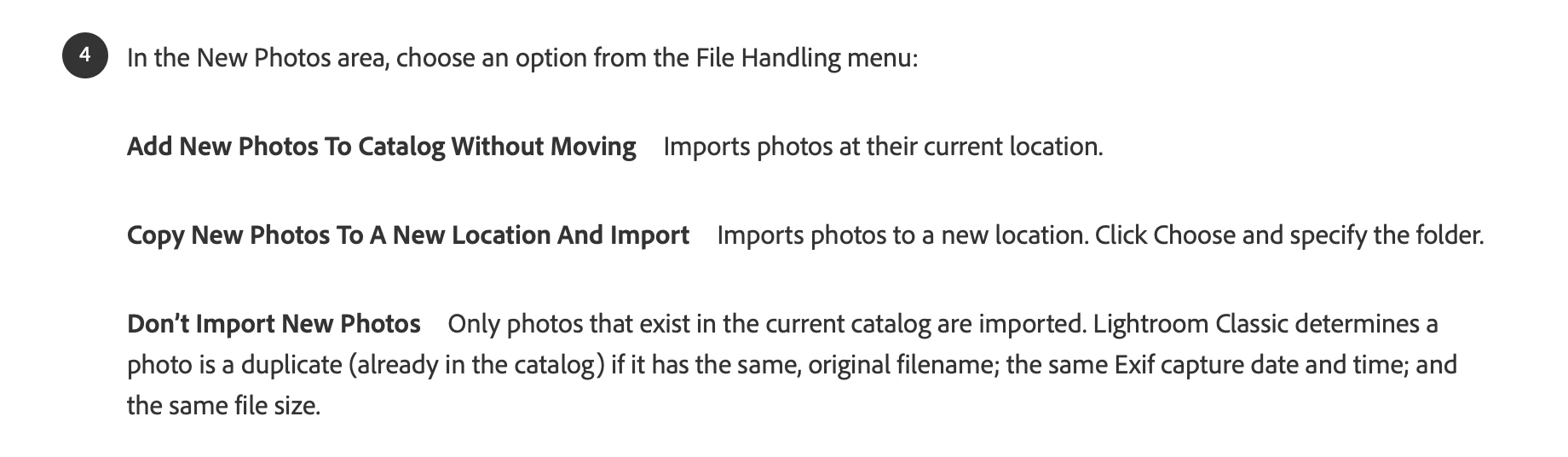
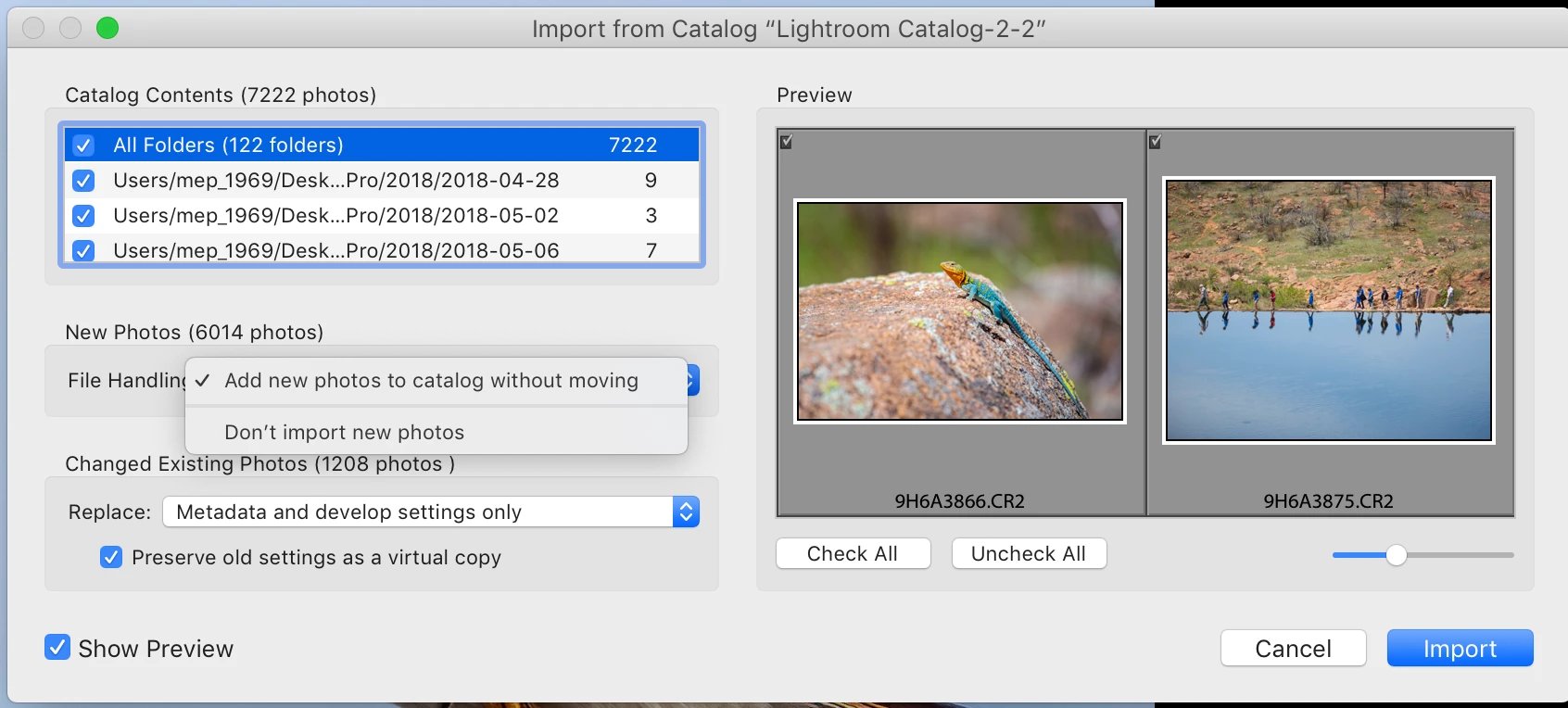
I am trying to import files to my iMac Catalog from a back up file of my macbook Pro catalog (stored on my IMac desktop.) I found the instructions on how to do it but it is not giving me the same file handling options as the instructions show (image 2).  I want to move them into my iMac catalog not leave them on the desktop where they are but it's not giving me that option (image 1). How do I fix it? 
This topic has been closed for replies.

2 replies

JohanElzenga
Community Expert
Community Expert
September 28, 2020

If you do not see the file handling options, then the explanation is as follows. The catalog that you try to import contains 'missing' images. That can happen if you copied that catalog (and its images) to another disk so you could connect that disk to your iMac. The catalog you want to import still links to the original location of the images, however. Because the images are 'missing' Lightroom cannot copy or move them on import, so that option isn't shown.


-- Johan W. Elzenga
mep1969Author
Participant
September 28, 2020

That makes sense!  Thanks so much!

JP Hess
Inspiring
September 20, 2020

If the images are on the same computer then you don't need to move them. You simply want to add them to the other catalog. Images are not in the catalog. The catalog is simply a database that keeps track of where the images are located on the computer as well as the adjustments you have made to them and any collections you have created that contains those images.

mep1969Author
Participant
September 28, 2020

I do need to move them.  I don't want them residing on my desktop where they are now.