Ok, thank you. I cannot reproduce this. Can you share this preset with us? Or tell us what sliders it changes and how much?
Also, please tell us your version NUMBER of your Lightroom Classic (we need the NUMBER and not words like "latest" or "up-to-date") and the version NUMBER of your operating system?
Also, are there any poltergeists in your house or office?
No poltergeists - recently did an exorcism. Also to note, I am new to this forum but am a long time LR user.
I have solved the issue - it is a bug withing LR - The Develop module and Library module calculate the auto WB differently.
Up to date LR:

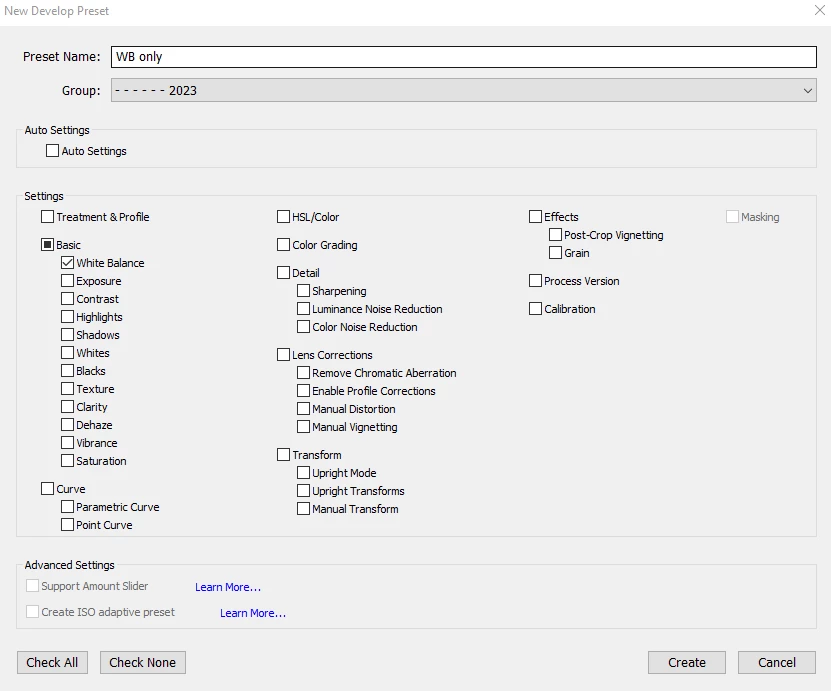
I made a new preset that ONLY does AUTO WB, nothing else changed and was able to reproduce the glitch.
Here is my preset - where WB is set to AUTO:
Here is where the Preset is applied after import in the LIBRARY module:
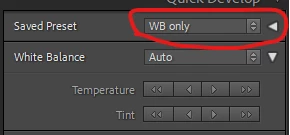
Here is the temp/tint after preset application (7450/19)
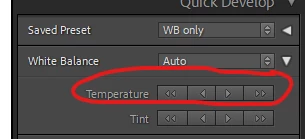
Here is the next step make warmer in LIBRARY MODULE:
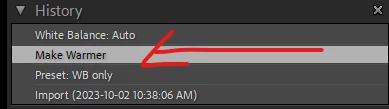
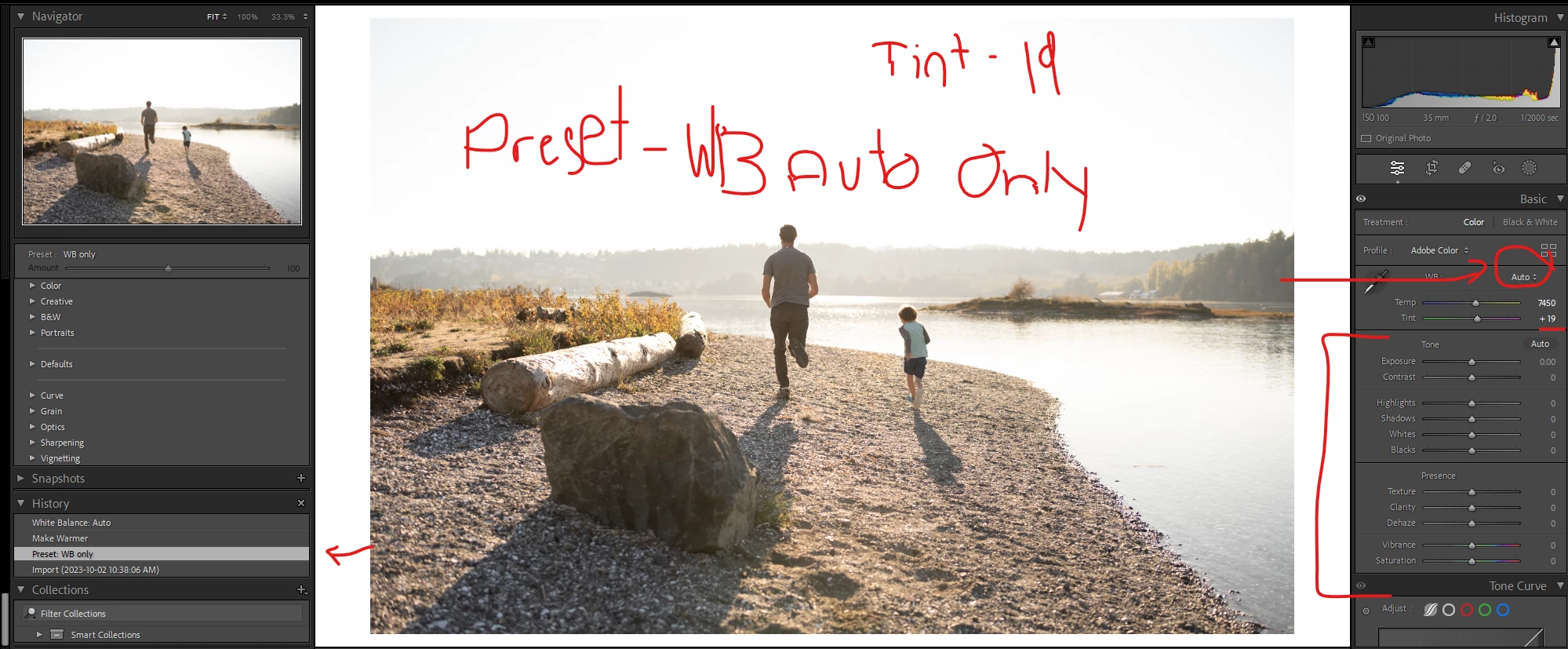
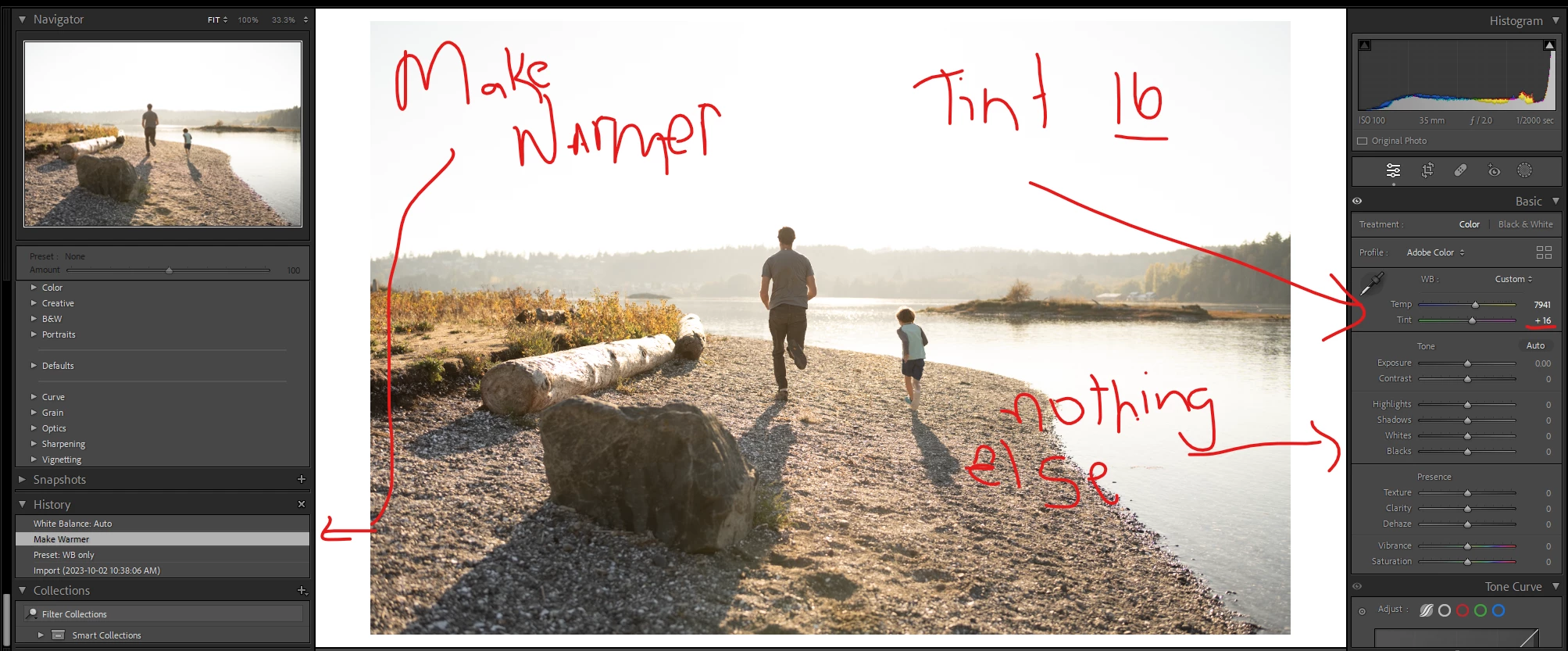
Here is the screenshot from DEVELOP module showing the history as well as the TINT changing from 19 to 16 after only the make warmer step:
To follow up I used the auto white balance feature in the DEVELOP module and the TINT matched the original tint of 19:
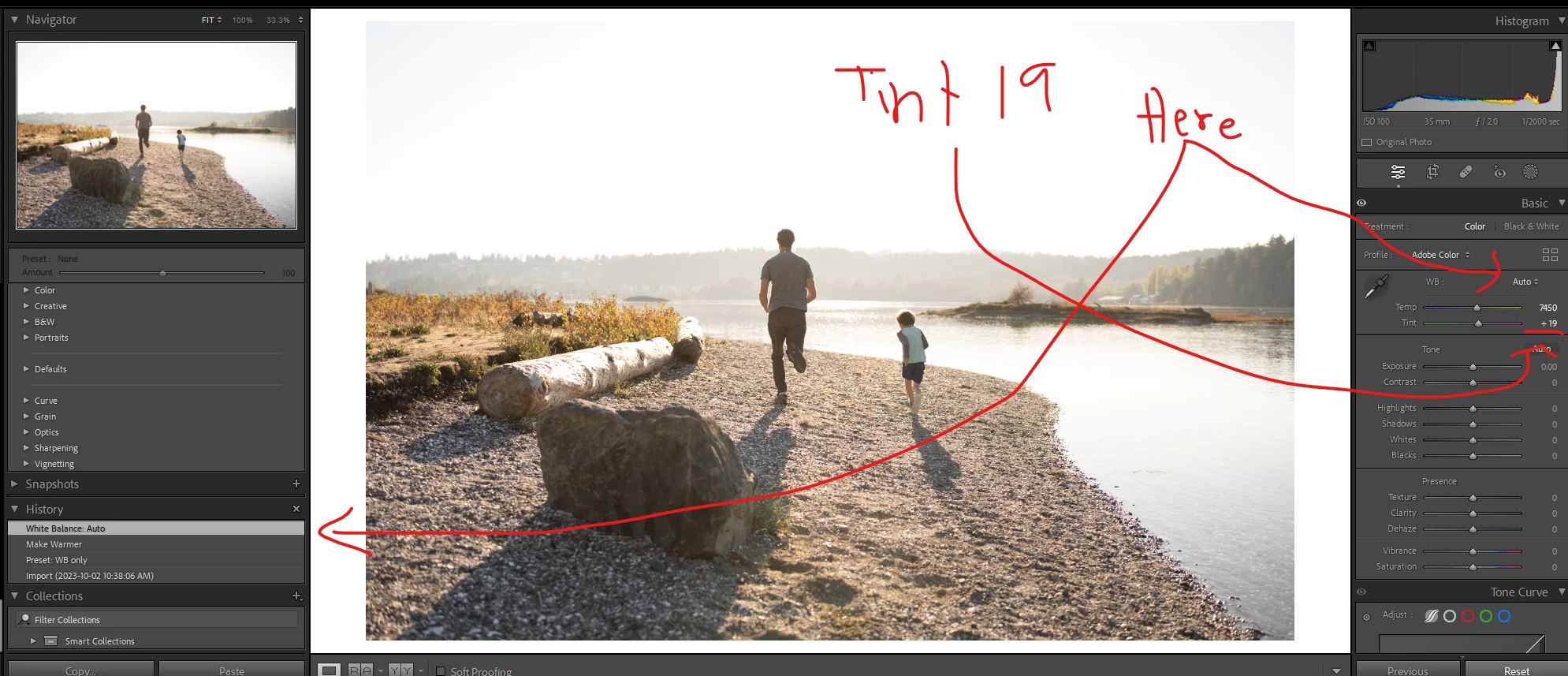
As mentioned I have concluded that the calculation of WB in LIBRARY differs from that in DEVELOP for BOTH TEMP & TINT. I can prove this by applying the same preset to the same image in each module and have a differing WB calculated (as below). The difference in WB TINT matches the changes seen when adjusting the temp (make warmer) in LIBRARY module. ie. when I use MAKE WARMER it adjusts the tint to the WB calculated in the DEVELOP module, VS the WB that was calculated by the LIBRARY module as the initial preset was applied.
IMPORT PRESET APPLIED IN LIBRARY MODULE: Temp/Tint 7350/16
Applied Here: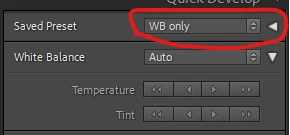
RESULT:
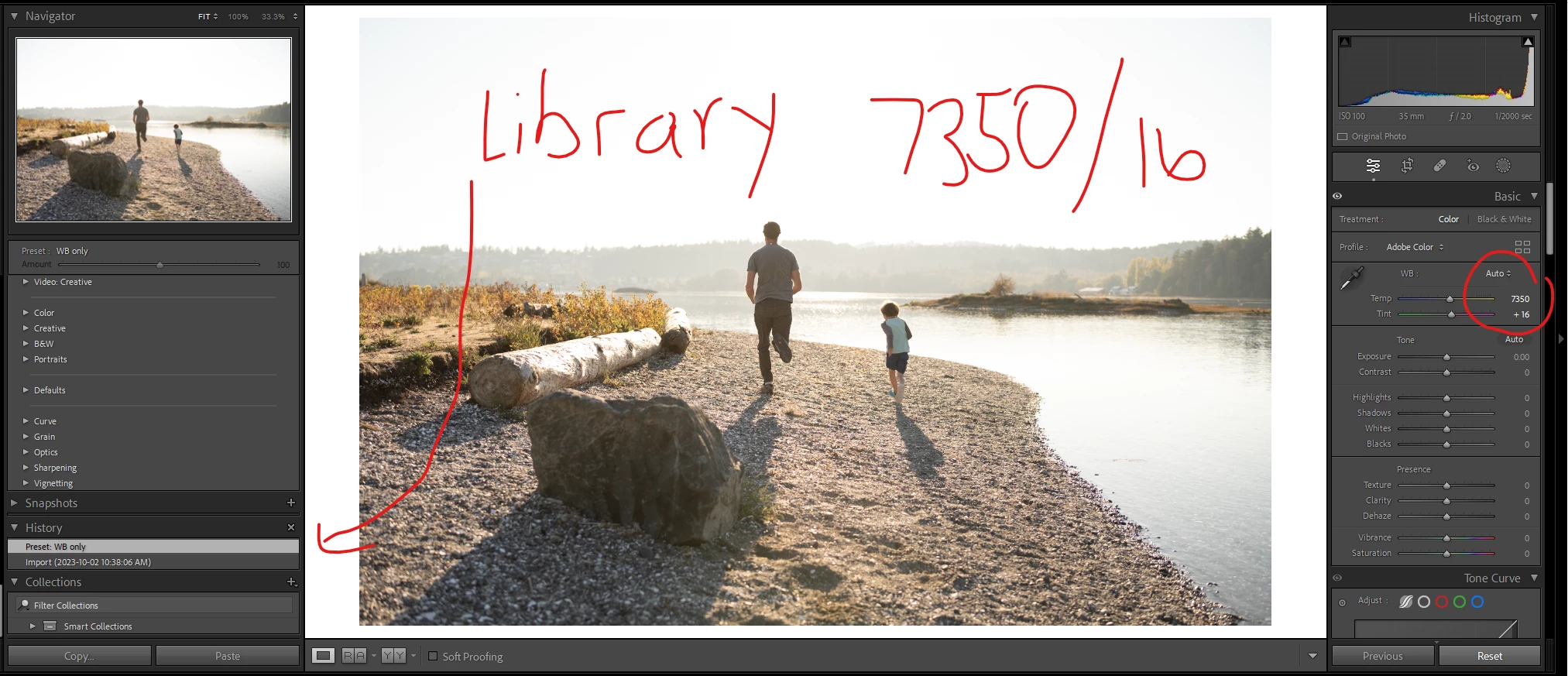
IMPORT PRESET APPLIED IN DEVELOP MODULE: Temp/Tint 7450/19
Applied Here: 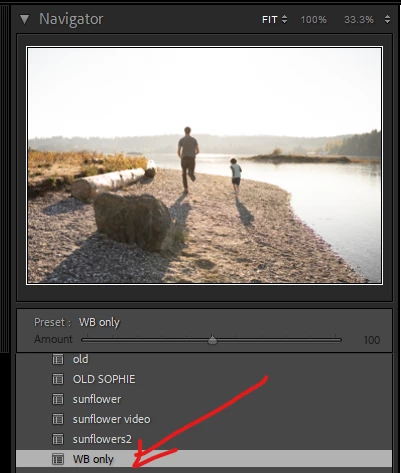
RESULT:
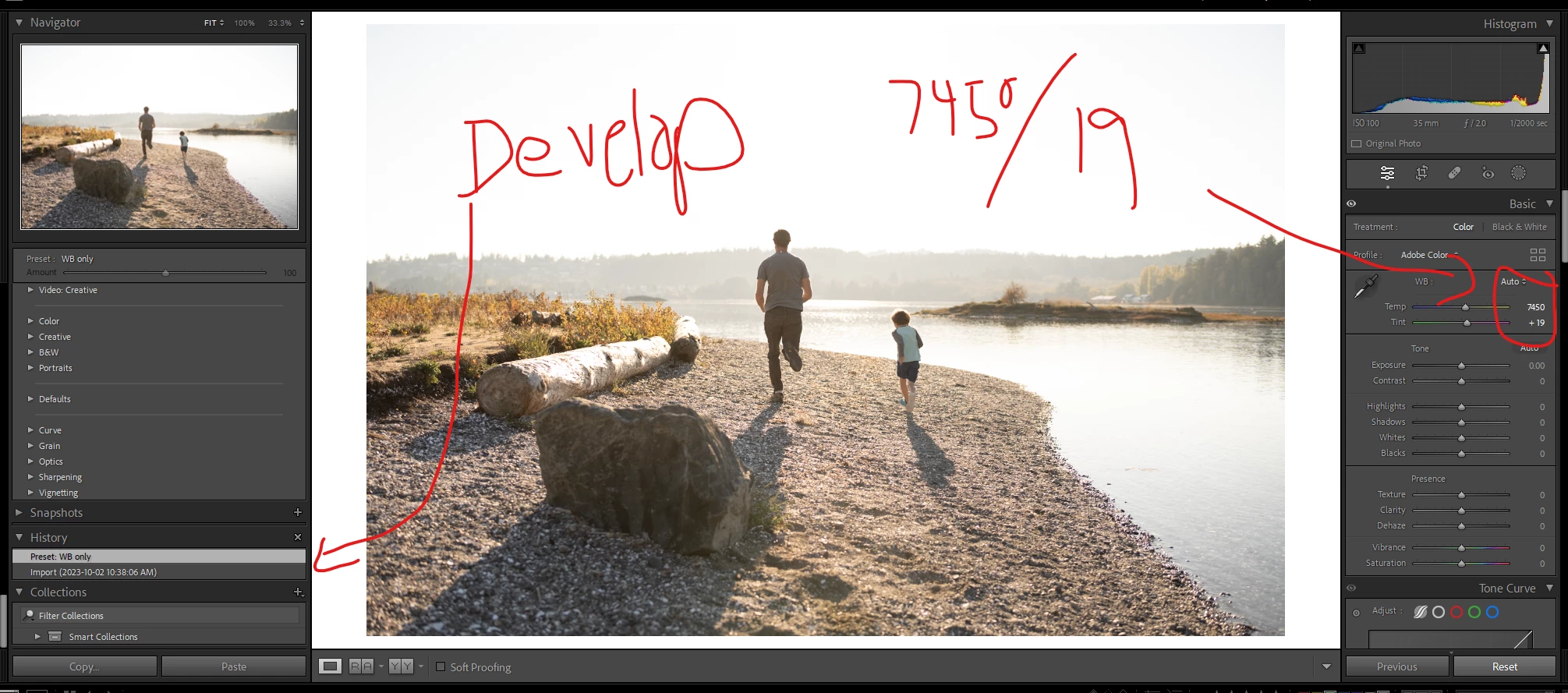
In conculsion - When the same preset (AUTO WB) is applied in the LIBRARY module versus the DEVELOP module the AUTO WB is calculated at different values [ 7350/16 versus 7450/19 ] with no other changes made.
This thread has obviously strayed from the original request to have an option in the develop module to adjust settings by a set amount rather than a set value when syncing an images set. But it did allow me to discover the difference in WB calculation between LIBRAY and DEVELOP so hopefully that's helpful to others, or can be fixed on adobes end.
I would still love to see this as an added feature (adjusting settings by amount versus value in develop module)!
But for now, the work around would be applying and syncing the preset in the DEVELOP module as opposed to bulk applying to the images in the LIBRARY module, then swapping back to make LIBRARY to use the make warmer feature so the tint isn't adjusted.
Would love any feedback or comments to what I have found. Thank you both @AxelMatt & @dj_paige for your insight and suggestions.

 AdChoices