5 respuestas

Participant
July 2, 2019

I had exactly the same problem, after doing each process and received in my email registered in Instagram, a login notification for each attempt. This means that in Instagram things are happening, but when the login message is returned to the LR / Instagram application, it stops working and the error message is sent. Clearly an LR / Instagram problem.

I made a question via "feedback@lrinstagram.com" and received a feedback message:

## - Please type your reply above this line - ##

Your request (2548) has been received and is being reviewed by our support staff.

To add additional comments, reply to this email.

It's been 4 days and no more response

Inspiring
July 3, 2019

My experience has been, repeatedly, that either a) I didn't have the latest plugin version (remember to delete the previous one when you update) or, b) I need to reboot my computer or, c) do both. In the end, it always ended up workin using this approach.

That's my entire contribution to this matter.

GoldingD
Legend
January 25, 2019

And:

lightroom and instagram [LR keeps coming up with a "LR password required" logo whenever I try to post to instagram.]

Basically in the Publishing Services, for the problematical one (Instagram) clcik on settings, logout, login.

And I see at LR/Instagram - Lightroom Publish Plugin for Instagram  current v 0.6.1594

Ohh, and from the FAQ at Instagram:'

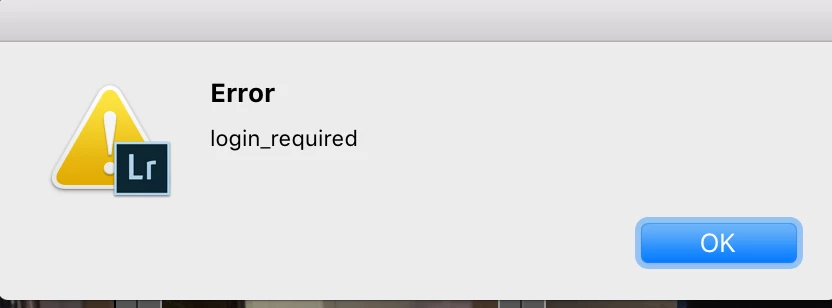
login_required

The plugin session is no longer valid, please go to publish settings, logout and then login again.

Participating Frequently
February 1, 2019

unsuccessfully

I am using the current version of the plugin 0.6.1594 and I can not authenticate the login.
I can't get past the login step, so I can't log out.

On the initial screen I enter the Instagram login and password and LR displays the LOGIN_REQUIRED message.

I have reinstalled the plugin and Lightroom, but there is no success

Participating Frequently
January 24, 2019

I have the same problem.

Please, help

Inspiring
January 25, 2019

LR Instagram plugin becomes obsolete and when it does - which is regularly, all these problems appear.

Go to the web and download the new version from the plugin creator, remove the old one from Downloads and from LR, then go to Downloads on your computer and install the new version - that's all you need to do if my memory serves me well.

Good luck.

Participating Frequently
February 1, 2019

I am using a current version of the plugin 0.6.1594.

I reinstalled the plugin and the LR and I still have no access.
I install the plugin, I go to "configure" I type the login and a password and a message LOGIN_REQUIRED appears.

I get a login confirmation in my personal email but no access is not authorized.

I tried several solutions and I did not succeed.

Participating Frequently
March 25, 2018

Instagram has been a mess over the last 48 hours. I have fixed the Mac version and the iphone version, both now require a security code to get logged on.......but cannot now reactivate my Lightroom plugin. I get this error:

Inspiring
March 25, 2018

Google login error check_point required  There are a bunch of discussions/replies.

Hope this helps.

Raphael

nickgripton
Inspiring
January 24, 2018

I just logged out and logged back in to instagram in the plugin manager. Sorted itself out after a few tries.

Inspiring
January 24, 2018

Thank you Nick.  fixed it too at the time, but cannot remember how. But it wasn't by logging in and out; I had to use a uid and pwd.