
Participating Frequently
May 11, 2018
Question

Is image quality loss after panorama normal?

  • May 11, 2018
  • 2 replies
  • 4322 views

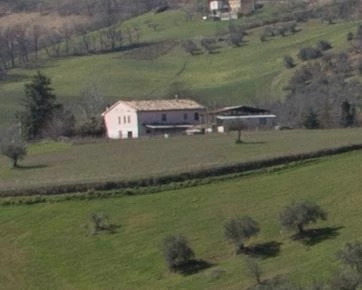
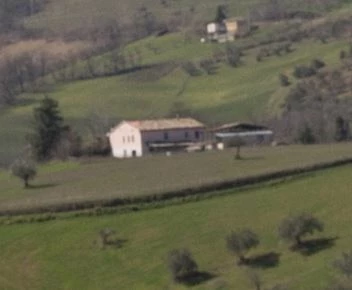
I'm noticing significant IQ degradation after stitching photos together using the panorama feature in Lightroom. I'm attaching two sample images. Both are 100% crops. You can see that the IQ is much lower after the panorama. These are RAWs with no processing other than the pano.

Is this expected? (I hope not!)

Thanks!

This is before pano:
And this is after pano:
    This topic has been closed for replies.

    2 replies

    JP Hess
    Inspiring
    May 11, 2018

    I am probably not going to explain this very well. Your second shot appears to be "about" the same magnification as the first one. If it was taken from the panorama image than it is of a much greater magnification than the original image. In my opinion, that would account for the difference in sharpness.

    JohanElzenga
    Community Expert
    Community Expert
    May 12, 2018

    JimHess  wrote

    I am probably not going to explain this very well. Your second shot appears to be "about" the same magnification as the first one. If it was taken from the panorama image than it is of a much greater magnification than the original image. In my opinion, that would account for the difference in sharpness.

    I don’t understand that. The magnification could be different, but so is the panorama image. The panorama is much bigger than a single frame of it. The number of pixels should be roughly the same for both crops.

    -- Johan W. Elzenga
    JohanElzenga
    Community Expert
    Community Expert
    May 11, 2018

    Some image degradation is indeed to be expected. When Lightroom stitches the images, it must transform them in some way to get details to fit. Those are the three 'projections' you have to choose from. This looks more like the top image has been sharpened, and the bottom image has not, however. Here's the stitched image after smart sharpening in Photoshop.

    -- Johan W. Elzenga
    Participating Frequently
    May 12, 2018

    Thank you Johan. Just to clarify, I applied no sharpening or any other processing to either image. Of course Lightroom does process the RAW file with its default settings. I simply imported two CR2 files and stitched them.

    I have attempted some processing (including sharpening) on the DNG panorama file, and while it can be improved, I am unable to come close to the sharpness I can achieve on the original files.

    Almost all of my photography is for print, and I have been working on creating large panorama prints. With the loss of IQ from the panorama process in Lightroom, I'm not pleased with the final print I get, especially on metal prints where sharpness is really important.

    Given your statement that "some image degradation is indeed to be expected", does anyone know whether other software out there is better at this than Lightroom?

    Thanks again for your reply.

    Participating Frequently
    May 15, 2018

    I suppose if I want to push the sharpening it will make a difference. But I'm always concerned about overdoing it. This is from the panorama after adjusting the sharpening a bit.

    The only trouble is, now we're starting to see some halos, and I don't like that.


    I see what you mean about the halos.

    So let me ask you this: do you feel that there is a loss of IQ after stitching the photos with the panorama? I guess I'm just asking you to keep me honest... am I being too picky about losing some IQ when doing this?

    Maybe I'm hoping for a perfect world where stitching shots together doesn't lose image quality. But I'm also wondering if there is other software out there that does it better.

    Thanks again for your help... I really appreciate you taking the time to explore this.