Participating Frequently
May 7, 2014
Answered

Is the shake reduction filter in Lightroom?

  • May 7, 2014
  • 5 replies
  • 26081 views

Camera motion from mirror and shutter movement is a problem for me with slower shutter speeds with the D800.  BIG tripod, mirror lock up and delayed release all help considerablly with the mirror caused camera shake.  But camera shake from the shutter release remains.  I can see this as a slightly offset "shadow" of the image only in the vertical axis.  I am convinced that this shadow is caused by the shutter vibration as using flash or bulb with an external light on/off to control exposure eliminates the shadow.  The shadow is enough to degrade image sharpness.

So to me the initial and most important adjustment to D800 raw images would be a shake reduction to correct for the shutter caused camera motion shadow as the very first correction in raw conversion.  PS CC has it but it is much too late in the workflow.  Seems to me like all image processing would benefit by removing the shutter shadow as a first step.

If shake reduction is not in LR,  is there anyway to apply the filter as the very first step in raw processing in PS?  If this just can't be done does anyone know of a raw plugin that will add the shake reduction to raw.  As a last resort is there any other non Adobe raw converter that has initial shake reduction?

    This topic has been closed for replies.
    Correct answer ssprengel

    Here is the link.

    https://www.dropbox.com/sh/44fbmg8vm22ixbi/AACUAKMAUhkQKUqv9IqSPZVja


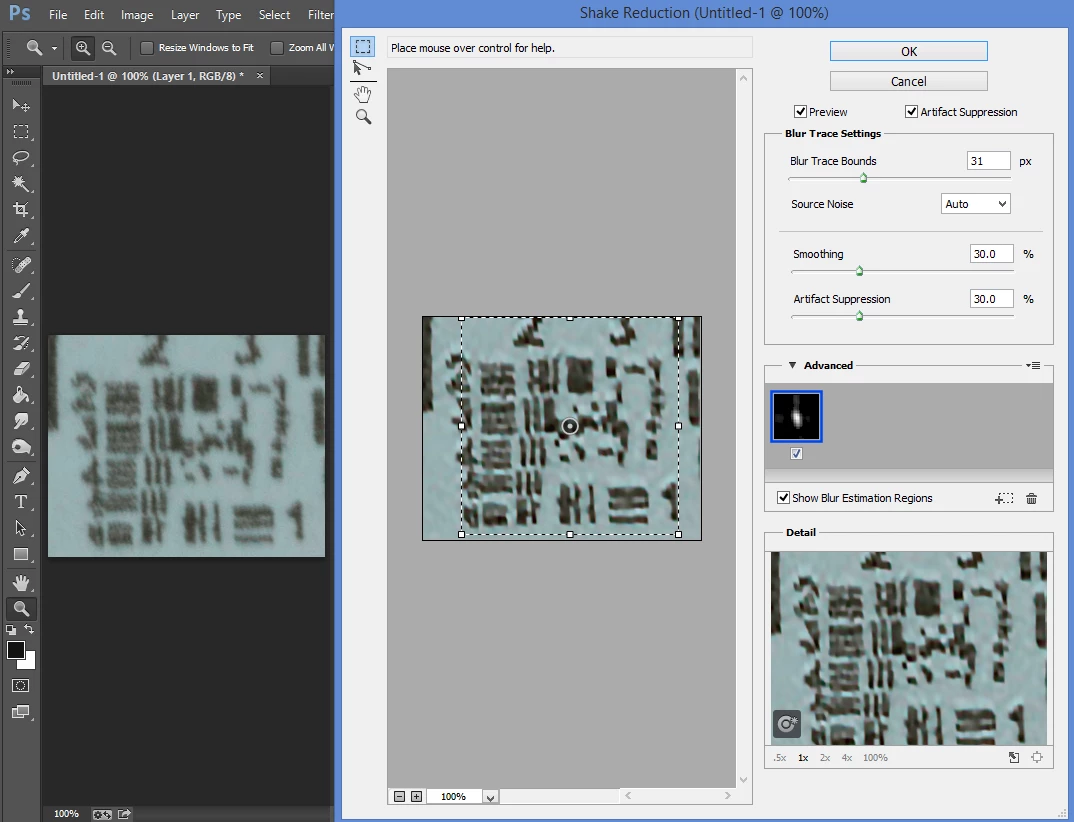
    PS-CC Shake Reduction makes the image much worse in my opinion: an image with faint blurriness becomes an image with very distinct white and black haloing and if you did this with the raw data, the haloing would result in colored halos.

    As Todd says, you'd be better off trying to remove the camera shake from the camera, rather than after the fact with software that is guessing what the shake was like and overdoing the correction.  If you look at the link at the top of the page linked in Todd's reply, there are apps for both iPhone and Android phones that will record the vibrations as accelerometer values so you can analyze which methods work best.  I searched Google Play Store for Accelerometer and found several.  I downloaded, two:  Accelerometer Monitor and Physics Toolbox Accelerometer that appear to record and export data that could be graphed much as the article describes.

    5 replies

    roc97007
    Known Participant
    July 7, 2016

    I do most of my work in Lightroom, occasionally dumping a photo into Photoshop for actions that can only be done in Photoshop.  The transition from Lightroom to Photoshop takes a significant amount of time.  Now that Lightroom has sport removal, I don't have to use Photoshop for that, which speeds up my workflow dramatically.

    The next step appears to be to incorporate the camera shake sharpening filter in Lightroom.  It's something you'd potentially have to do to several photos in a shoot, and Lightroom is a more appropriate place for the feature.  I'd like to formally request an enhancement request for this.

    Todd Shaner
    Legend
    May 8, 2014

    kramer11x wrote:

    Camera motion from mirror and shutter movement is a problem for me with slower shutter speeds with the D800.  BIG tripod, mirror lock up and delayed release all help considerablly with the mirror caused camera shake.  But camera shake from the shutter release remains.

    I can't help you with the images already shot, but there is an easy solution for reducing vibration with long lenses on a tripod.

    http://www.photodady.com/blog/2013/04/06/long-lens-sandbag-teqnique/

    The size and weight of the tripod and mount is less important than the actual weight of the camera+lens unit. To minimize vibration the camera+lens mass needs to be much greater than the running shutter or mirror force (if not using lockup). This is the force applied in the direction of the shutter or mirror when it STOPs (F=MV2). By applying extra weight directly to the camera+lens as a unit (separate from the tripod) you remove it from the equation. Years ago I used to hang my camera bag over the top of the lens tripod mount and let it dangle in front of the tripod. For night shots with long shutter exposure a simpler solution is to cup a dark colored cap over the front of the lens (not touching). After the self-timer runs wait about two seconds and quickly remove the cap. I've used tripods that could barely hold the camera+lens with very good results using this technique.

    TheDigitalDog
    Inspiring
    May 8, 2014

    kramer11x wrote:

    If shake reduction is not in LR,  is there anyway to apply the filter as the very first step in raw processing in PS? 

    Not at this time. You have to render the data and apply Shake Reduction in Photoshop proper. Perhaps some day we can apply this on our raw data.

    Author “Color Management for Photographers" & "Photoshop CC Color Management/pluralsight"
    kramer11xAuthor
    Participating Frequently
    May 8, 2014

    I hope this is something being considered. Shutter caused camera motion

    is inherent in all focal plane shutter cameras. Now that there are

    resolutions that make it significant like all the 36mp sensors it is a

    big problem.

    And to me it seems that eliminating the shutter shadow should absolutely

    be applied very early in the raw conversion processing. All other raw

    corrections are affected. I am not in any way an expert in image

    processing but just the presence of a resolution degrading shadow image

    could logically make other corrections more difficult or impossible.

    Wouldn't all the contrast, sharpening and lens corrections (anything to

    do with edges) be more difficult?

    ssprengel
    Inspiring
    May 8, 2014

    How many pixels is the "shadow" offset from the main image?

    Can you post an example raw that shows a particularly severe example of what you're talking about?  Upload to www.dropbox.com or similar then post a public download link, here.

    I don't know as there even exists any technology to correct this problem early in the pipeline.  If it does, then look for a company like DxO to be someone to first try to do it, since they produce linear-DNG raw files from native raw files that can still be operated on as raw files but have had the pixels changed to add a sharpening amount that depends on where the pixel is in the field of view.

    The issue I see in correcting such things would be detecting the motion properly and not just making the image look worse.  In my opinion the Shake Reduction filter in PS-CC is reasonably bad at producing normal looking images.  What it does seem to do is produce poor but sharper images from very poor blurry images.  The PS-CC shake-reduction filter results are very over sharpened in my opinion, with sharpening halos around every small detail.

    Participating Frequently
    May 7, 2014

    You can use Live View to avoid shutter release vibration.

    kramer11xAuthor
    Participating Frequently
    May 8, 2014

    Unfortunately there are no EFCS in any Nikon cameras. Even in live view

    the shutter still operates normally. Worse there is extra shutter

    motion since the shutter has to first close before the exposure

    open/close shutter speed sequence.

    JP Hess
    Inspiring
    May 7, 2014

    Once the image has been opened in Photoshop, it is no longer raw image data. I understand that Photoshop will indicate that it is a raw file, but it is only telling where the image came from. Photoshop cannot edit raw image data. That is why there has to be the Camera Raw plug-in. I don't know of a shake reduction plug-in for Lightroom, but that doesn't mean that there isn't one out there. Hopefully, Rob Cole will see this, and if there is a plug-in he will surely know about it.

    I used the Nik plug-ins with both Photoshop and the Lightroom, and they have a sharpening tool that does a pretty good job for me. But, even with that the sharpening is not done on the raw image data. The file has to be converted before the plug-ins can be used.