

Answered
Isolating images in root of image catalog folder
MacOS & LRC
Drive "LRC" with "Pictures" folder in root.
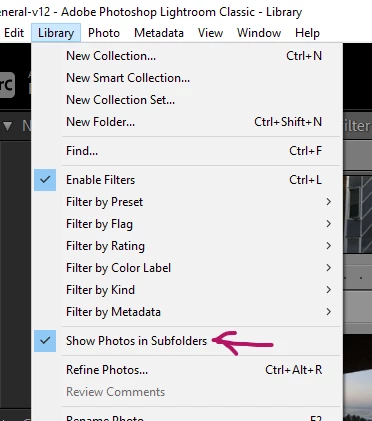
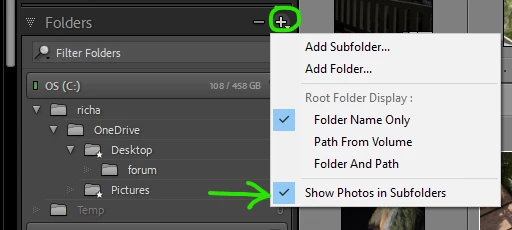
"Pictures" contains all the images in my Adobe LR catalog; 21000 images in @ 150 sub-folders
There are - accidentally - around 250 images in the "Pictures" folder.
The only way I can think of easily identifying these images and moving them to their rightful folders is:
in Finder Move the images to "LRC/bucket"
then re-import the images from"LRC/bucket" to "Pictures/anewfolder"
then re-assign them
but then LRC will then have @15001428 duplicate files
Am I being thick? As a user I feel barely scratch the surface of LRC.
Cheers 'n' Beers
 AdChoices