robertoz9112279
Participant
June 28, 2024
Answered

Keep 1 colour in a BW picture

  • June 28, 2024
  • 3 replies
  • 1219 views

Hello, I am on LightRoom Classic v.13.1 on MacBook Pro M2 and I wish to transform a photo in BW but keeping 1 colour on a particular detail, for example a picture with different people in which someone has a flower in his hands and I wish to keep the colour on the flower only while oll the rest has to be black&white. 

Could you mplease help me? I sow some videos but all related to all LR releases and thus I can repeate those commands on v. 13.1. - Thank you
This topic has been closed for replies.
Correct answer GoldingD

Another way


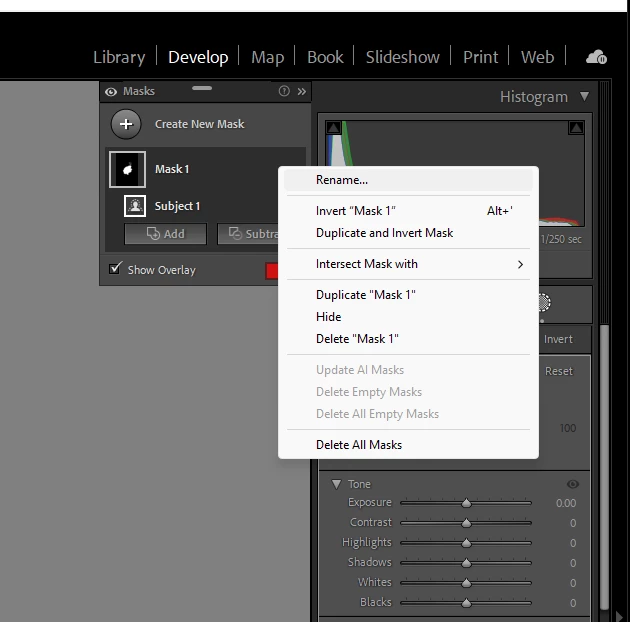
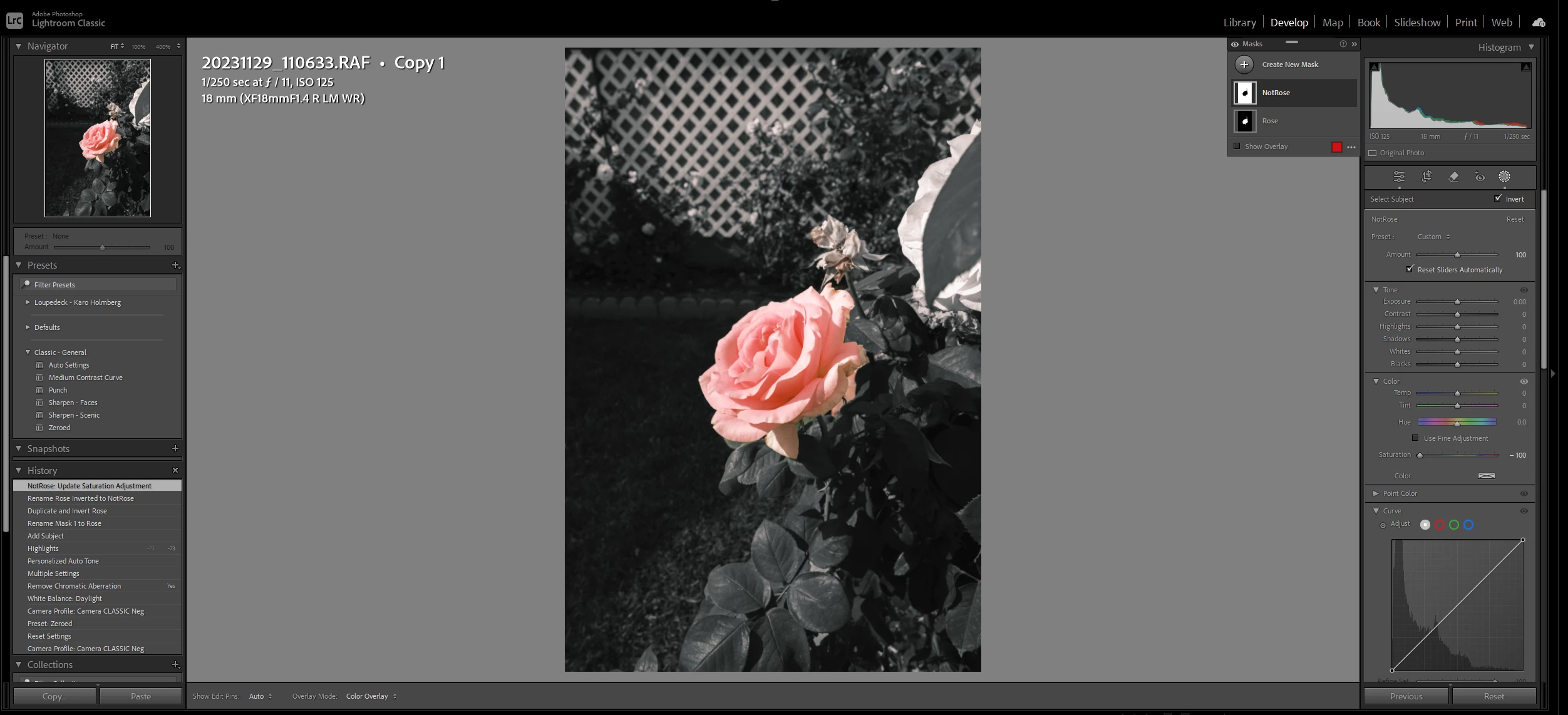
  1. In my example, I have a photo of a Rose, or Roses.
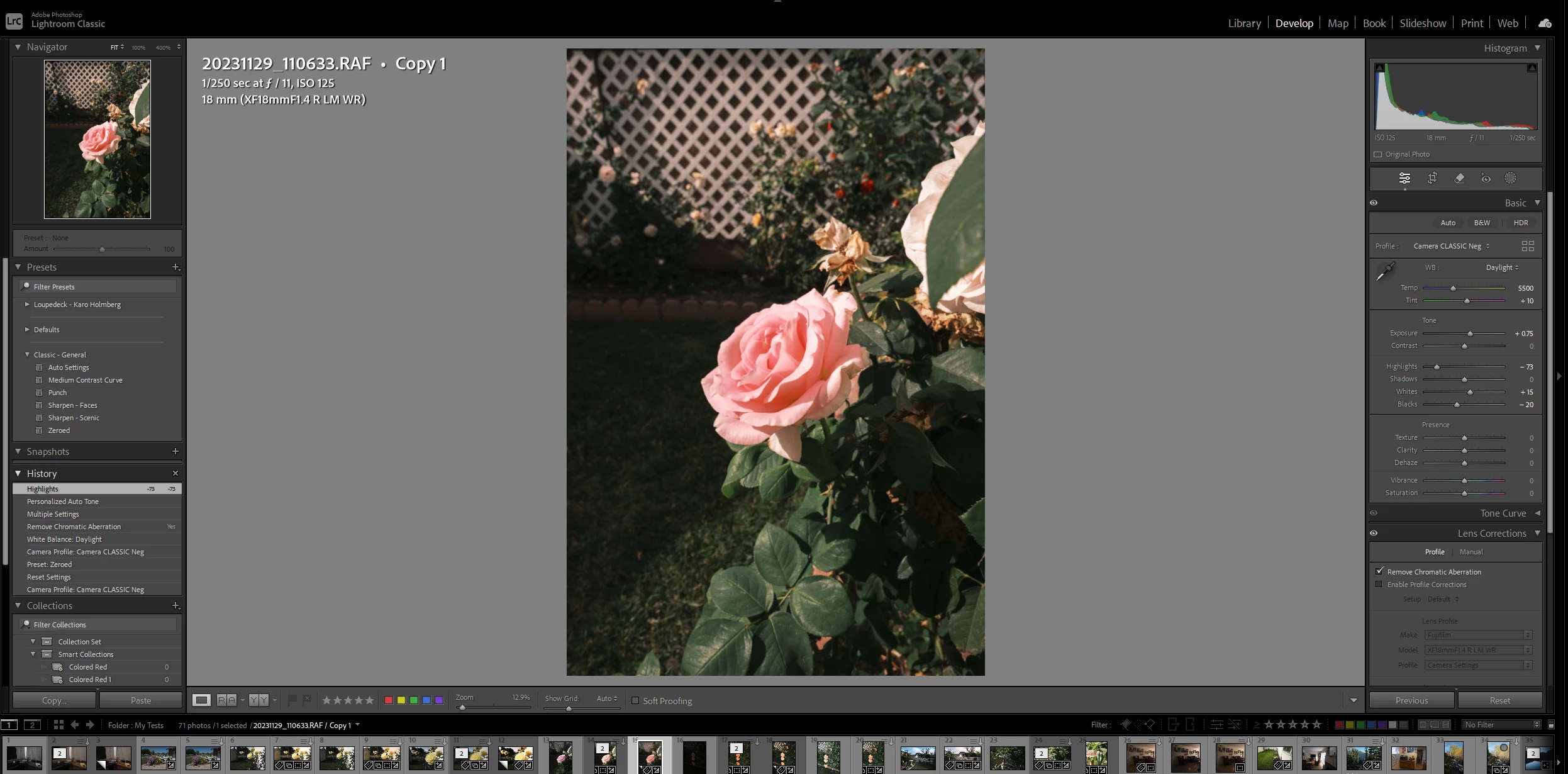
  2. Accomplish your normal basic edits.
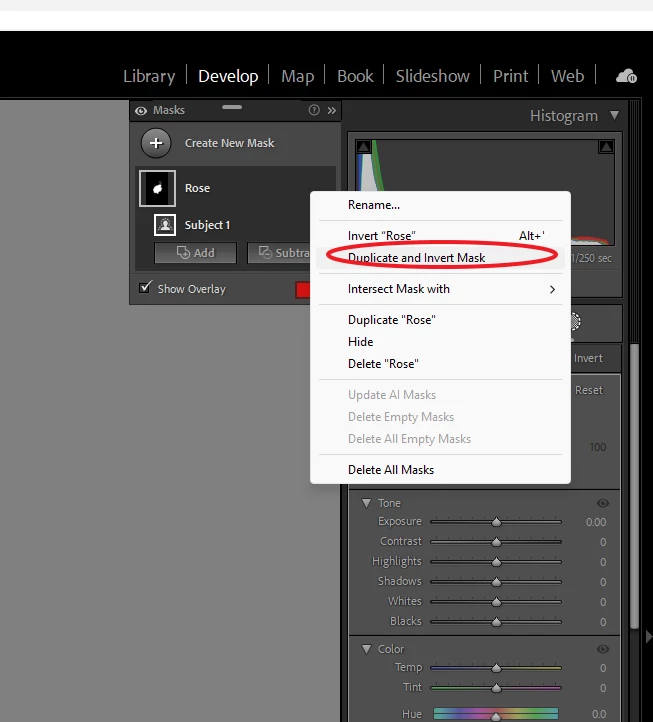
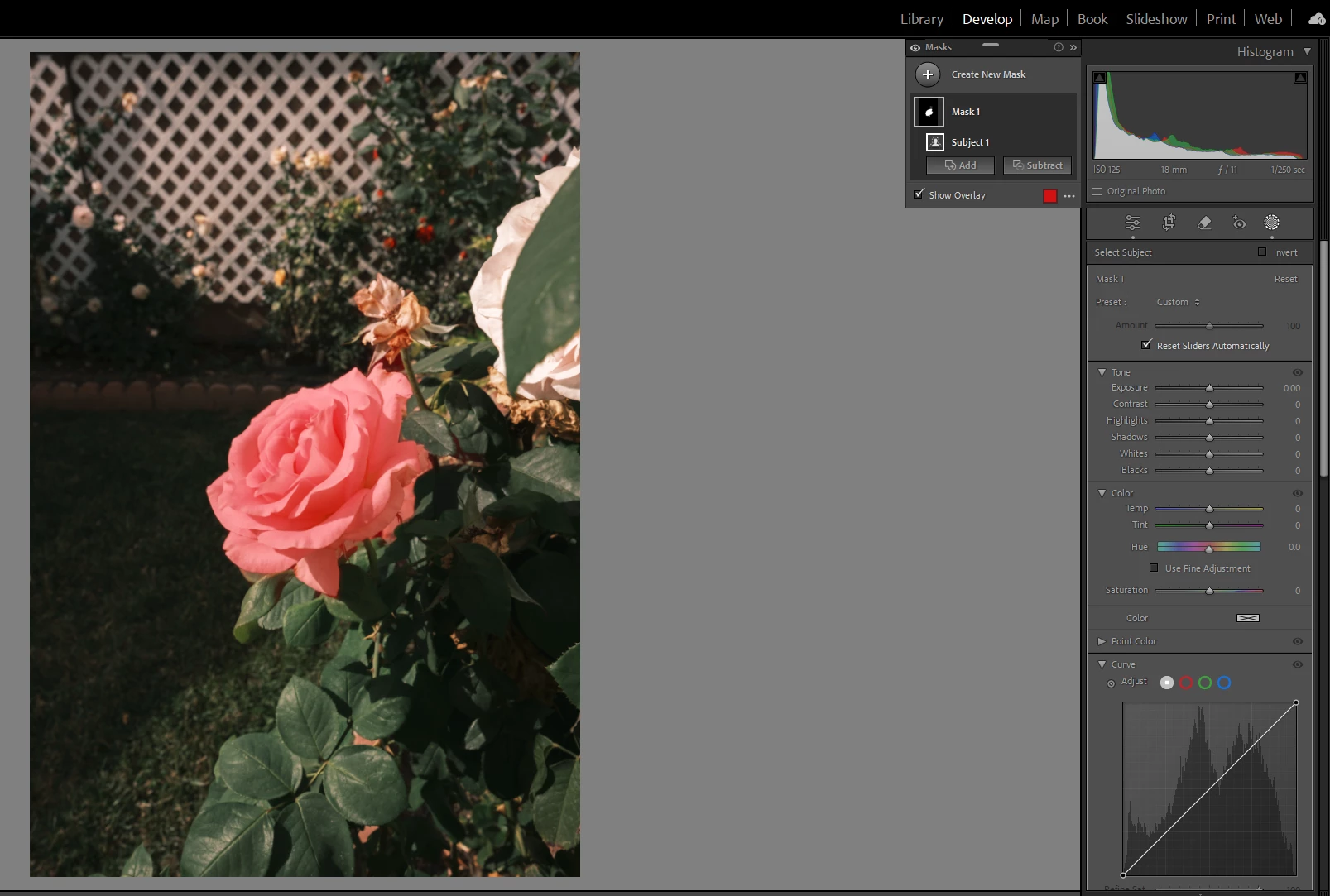
  3. Create a Mask, perhaps subject, perhaps Object, including your desire detail in the mask
  4. Name this mask Rose
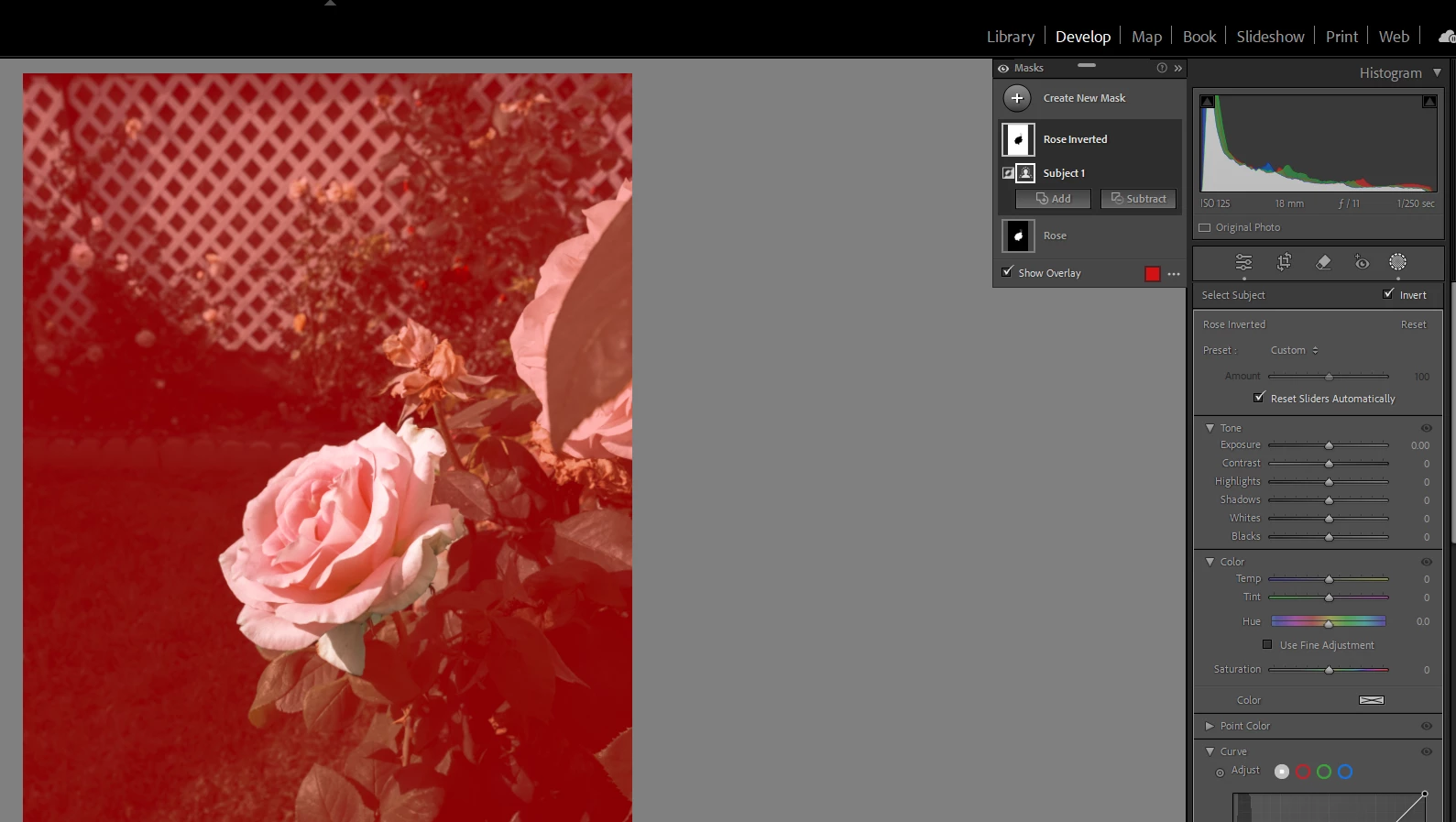
  5. Select the mask, then select to Duplicate and Invert the mask
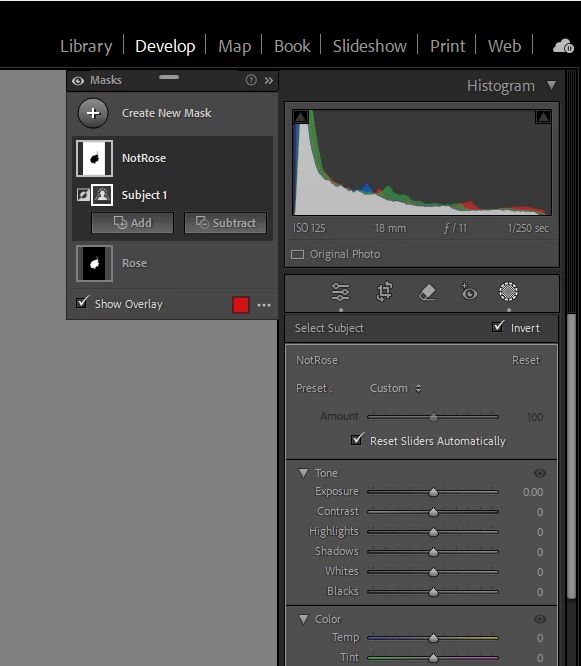
  6. Rename this mask Not Rose
  7. With the Mask, Not Rose selected, adjust the saturation to 0 (this is not the only way)
  8. Add/Sub to either mask as needed
  9. Edit the Rose mask as needed (sliders)


3 replies

GoldingD
GoldingDCorrect answer
Legend
June 29, 2024

Another way


  1. In my example, I have a photo of a Rose, or Roses.
  2. Accomplish your normal basic edits.
  3. Create a Mask, perhaps subject, perhaps Object, including your desire detail in the mask
  4. Name this mask Rose
  5. Select the mask, then select to Duplicate and Invert the mask
  6. Rename this mask Not Rose
  7. With the Mask, Not Rose selected, adjust the saturation to 0 (this is not the only way)
  8. Add/Sub to either mask as needed
  9. Edit the Rose mask as needed (sliders)


robertoz9112279
Participant
June 29, 2024

Thank you both per your prompt answers, very details and usefull. I will practice them tonight. Best regards.


Rob_Cullen
Community Expert
Community Expert
June 29, 2024

One quick way is-

1) Develop the colour image- leaving it in colour mode.

2) Open the Colour Mixer Panel and reduce all Saturation sliders to  -100- EXCEPT for the colour you want to remain.

3) Create a Develop Preset to apply the action on other images..

If some areas have unwanted remaining colour- Tidy up with a Brush mask to desaturate brushed areas.

You will need to export a derivative JPG or TIF, PSD, PNG to embed the changes. (RAW data cannot be changed)


Regards. My System: Windows-11, Lightroom-Classic 15.1.1, Photoshop 27.3.1, ACR 18.1.1, Lightroom 9.0, Lr-iOS 10.4.0, Bridge 16.0.2 .
robertoz9112279
Participant
June 28, 2024

I wish to add I am usinf RAW files, taken with Olympus OMD E1