Lens corrections are not related to export specifically. They can be included in your general editing as needed, and then any exported or printed image will show the results of all this main editing, including any lens corrections.
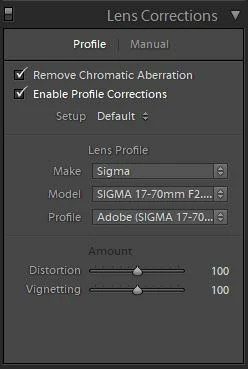
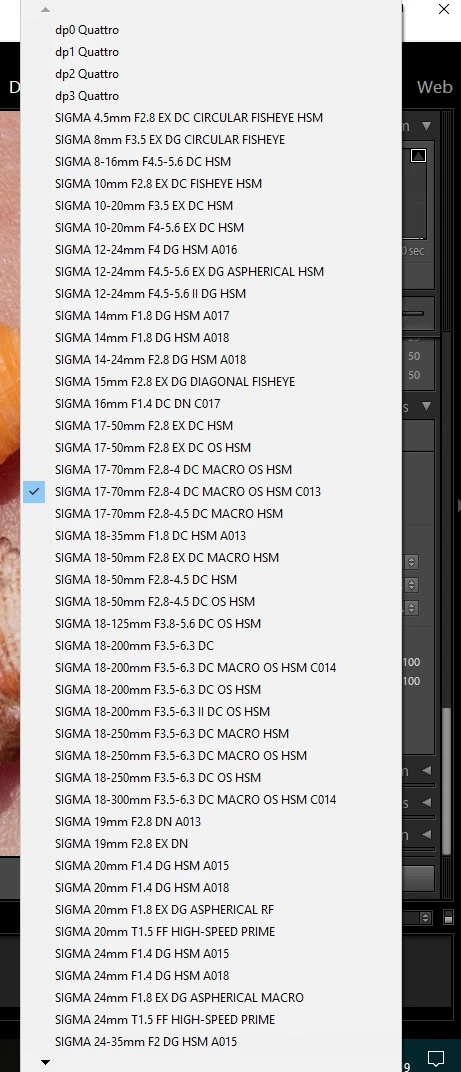
The long list of profiles is what you see for an image that is being processed directly from an imported Raw file.
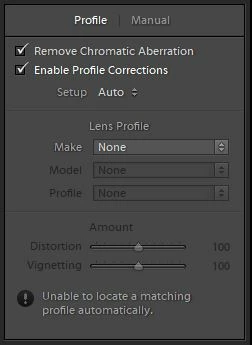
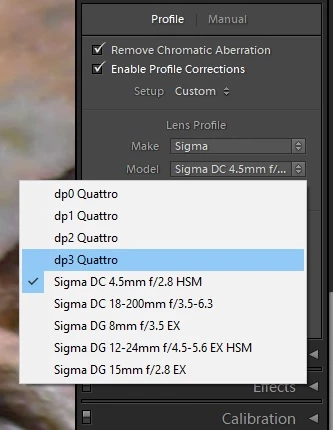
The short list of profiles is what you see for any other image type within LR.
Each lens correction profile that's supplied, or that you source otherwise, is dedicated to either Raw or non-Raw.
If you start with a camera Raw image, you can include lens corrections in its initial conversion settings. Lots of profiles are supplied to help you do this, since all Raw data is itself without correction. Some cameras include this info in their Raw without requiring a named lens profile from LR - in this case the correction is done using that.
But then if you send such an image out to Photoshop (which then saves a new version in TIFF or PSD), or else if you export it to JPG / TIFF and re-import that to LR: these new versions come from an already lens-corrected starting original (typically). These don't need further lens correction: double-applying would be a bad idea.
If OTOH you start with a camera JPG image, very often with modern cameras this has already received lens correction within the camera, before it was ever imported to LR. In that case you don't need to apply lens correction in LR.
But if you know that a given image version has at no stage received any lens correction, e.g. that's disabled in the camera, and if you know that a Raw based profile exists that you would like to use even though this particular photo is not Raw based, it is possible to "kludge" a copy of the Raw based profile in order to persuade LR to employ that copy even on non-Raw images. That's by a simple text edit, saving into the "user" lens profiles folder - then take your chances from there.

 AdChoices