

gnurotic
Inspiring
April 30, 2025
Question

Library Panel and synching

  • April 30, 2025
  • 1 reply
  • 392 views

In my Creative Cloud app on my Mac it says "Libraries currently not synching. Open the libraries panel to synch assets to Adobe Cloud storage.
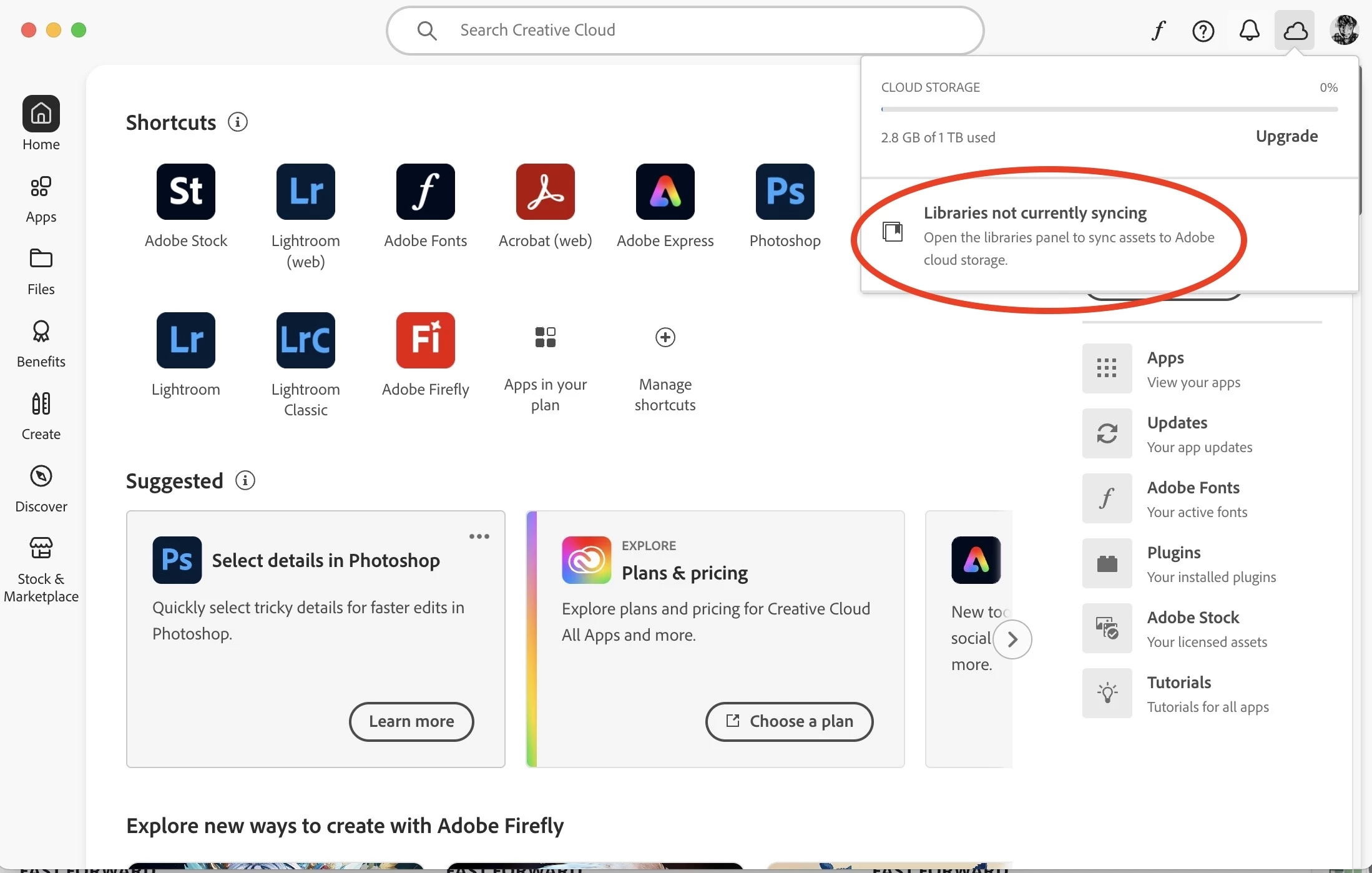
  

1). What "Libraries Panel"?  Do you see one -- I don't.

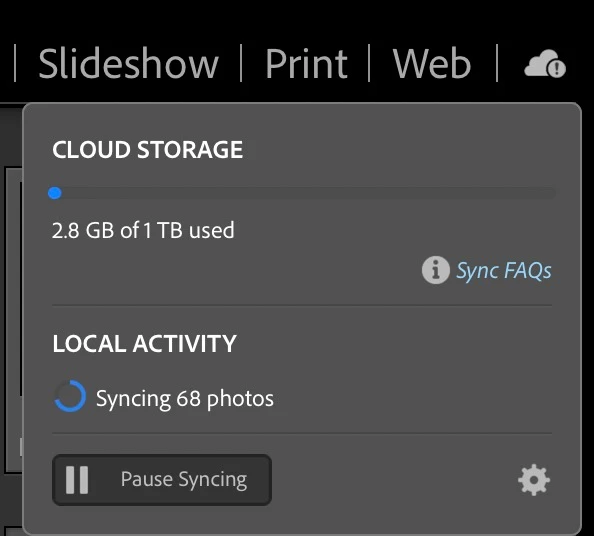
2). If Libraries are "not currently synching", the why does it show that they are when I look in the Lightroom Classic interface?
1 reply

MassC
Legend
April 30, 2025

Hey @gnurotic

It looks like you're trying to check on the images you've synced—is that right? If so, you can log into your account here to view your synced images: https://adobe.ly/42CbfW1

Just a heads-up: Libraries in the Creative Cloud Desktop app are different from the Library module in Lightroom Classic, so it can be a bit confusing at first.


If you’re a visual learner, here’s a great video series that covers Lightroom Classic in depth: https://adobe.ly/42SY7e5

Prefer to read? Check out the full user guide here: https://adobe.ly/42BqoH3


Let me know if you have any questions.


^CM

gnurotic
gnuroticAuthor
Inspiring
May 1, 2025

Thanks for your assistance.

If you would examine the second screen capture in my original post, which was over 4 hours ago you will notice that it indicates the local activity as synching 68 photos.  Why, after 4 hours does it still indicate synching 68 photos? I tried pausing the synch and restarting it. Closing LRC and reopening it. Restarting my Mac.  It still stays stuck on 68 photos.  Why is this?

......Karma bides its time......
gnurotic
gnuroticAuthor
Inspiring
May 1, 2025

and still no progress after another overnight:

......Karma bides its time......