Known Participant
April 4, 2024
Answered

Lightroom 5 Reinstallation startet nicht

  • April 4, 2024
  • 1 reply
  • 3064 views

Ich habe vor wenigen Tagen eine Frage zu Lightroom 6 gepostet und nach erfolgreicjher Installation abgeschlossen. Die App hatte ich jedoch nicht auf dem Zielrechner, sondern auf einem anderen Windows-Rechner installieren können. Also habe ich sie wieder deinstalliert und erfolglos versucht, auf dem gewünschten Rechnwer zu installieren. Der Abobe Support teilte mir mit, dass LR 6 nur noch installiert werden kann, wenn man noch die damalige CD besitzt. Die CD hatte ich nur noch für LR 5 und habe dann ohne Probleme diese noch ältere Version installieren können. 


Nach dem Start erscheint nun immer ein Fenster, das zum Update auffordert, aber den ganzen Rechner blockiert. LR 5 lässt sich nur noch über den Task Manager beenden. Im Task Manager habe ich auch keinen Prozess gefunden, der dieses Fenster schließt. Einen Screenshot füge ich bei.
Vielleich hat jemand noch Erfahrung und Erinnerungen an eine Zeit, die 8-10 Jahre zurück liegt.

This topic has been closed for replies.
Correct answer Rob_Cullen

Hi Rob,

I have the CC Photo subscription. This is installed on my desktop computer and on my notebook. However, I still need a Lightroom installation on another notebook on which I manage completely different images. My previous second notebook, on which Lightroom 6 was installed, was defective. I now had to buy a new notebook.

I bought LR 5 on CD years ago and have the serial number. I also bought Lightroom 6, but I only have a Lightroom_6_LS11.exe file. This appears to be an update. The serial number for version 5 is also still available.

Lightroom 5 and 6 were installed as standalone versions. I can no longer access Lightroom 6 with its serial number because the app won't start.

I think your grandma is right and I can forget LR 6.

My attempt to install LR 5 from CD with serial number worked, but after that the program blocks.

 I had already written the following about this:

"After starting, a window now always appears prompting me to update, but blocks the whole computer. LR 5 can only be closed via the Task Manager. I have also not found a process in the Task Manager that closes this window."

I am attaching the screenshot again.

If this window no longer appeared, I could work with Lightroom 5.
I would be so glad in case the installation works.


What computer Operating System?  Lr5 & Lr6 cannot be installed or run on recent Mac OS, or even Windows-11 is doubtful. Maybe you OS is incopatible with legacy versions of Lr.


For Lr5 An upgrade to v5.7 is NOT available from Adobe, so you IGNORE that message (your screenclip).

You can download the complete Windows install file for v5.7.1 at- Lightroom 5 for Windows (957 MB) . SImply Install the downloaded file. You do not need your CD.! A registration number for v5.0 will work with v5.7.1


"I have the CC Photo subscription."-  Please give more details.  Do you pay a subscription fee for a Photography Plan? What plan do you see at-  https://account.adobe.com/

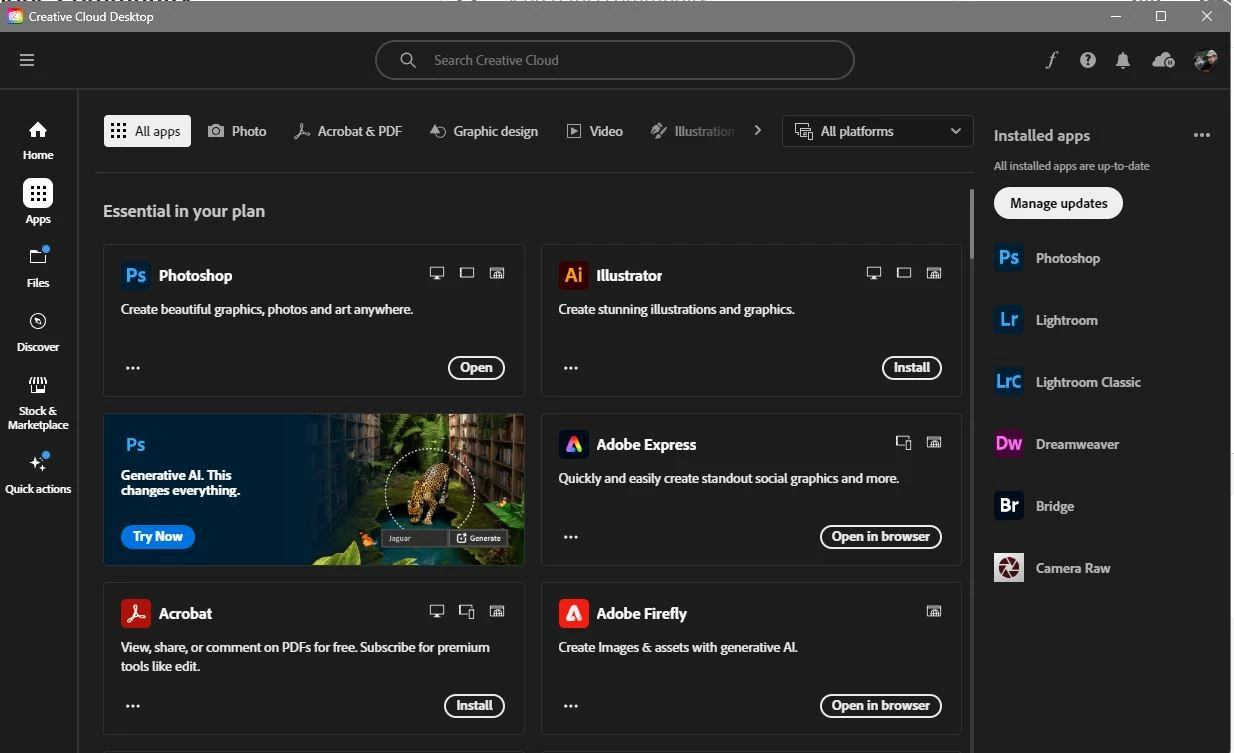
If you have a subscription- What Apps do you see in your Adobe Creative Cloud Desktop App that you can install?  Have you installed the Desktop App?
 

"Lightroom 6 with its serial number because the app won't start."- What happens when you try? Do you get any error messages? Do you see a startup Splash Screen? At install were you asked to enter both the Lr5 AND the Lr6 Serial numbers?

Lr6 will not start if you have Creative Cloud Desktop App installed and you don't pay a subscription.


Sorry I cannot be more helpful.

 

1 reply

Rob_Cullen
Community Expert
Community Expert
April 8, 2024

Did you buy the upgrade to Lr6 8-10 years ago? If so you might be able to find a download with this info-

https://prodesigntools.com/get-adobe-direct-download-links.html

It is not available to you unless you did purchase back then. You cannot buy it now. Even if you own Lr6, Installing a legitimate copy is now very difficult- almost impossible.


Lr5 did at one time have an upgrade to v5.7 but you cannot get that from Adobe. You may be able to find it at- Lightroom 5 for Windows (957 MB) . A registration number for v5 will work with v5.7


A subscription to the Photography Plan 20GB US$9.99/m (that includes Lightroom-Classic v13..) is the way forward.


Regards. My System: Windows-11, Lightroom-Classic 15.1.1, Photoshop 27.3.1, ACR 18.1.1, Lightroom 9.0, Lr-iOS 10.4.0, Bridge 16.0.2 .
Known Participant
April 8, 2024

Hi Rob,

Thanks for taking care of my problem.

I wanted to install Lightroom 6 on a new notebook that I have just bought because I have to dispose of the old one on which Lightroom 6 was installed. I have uninstalled the installation on the old computer.

I bought Lightroom 6 in 2015 and an update shortly afterwards. The update-download is called Lightroom_6_LS11.exe. The license number was the same for basic and upgrade.

Unfortunately, I no longer have the installation file for the basic version. I have tried in vain to install Lightroom 6 from Lightroom_6_LS11.exe.

I refer to my community request "Lightroom 6 zusätzlich installieren”, translated “Install Lightroom 6 additionally" from March 29, 2024. If it helps you better, I will gladly send you a copy of this request.

I called the Adobe Support line and received the answer that an installation is only possible from the original CD. Because I don't have a Lightroom 6 CD, I tried to install from my Lightroom 5 CD. This is the reason why I have now tried to install Lightroom 5.

Does it make sense to download a Lightroom 5 upgrade from the website you mentioned if the basic version is not installable?

I would be happy if I could still install it - whether version 5 or 6 - with your support.

Best regards<br />Horst
dj_paige
Legend
April 8, 2024

The version Lr 5 download mentioned is version 5.7.1. It should install on all Windows operating systems.


Lr 6 download is available, instructions here: https://community.adobe.com/t5/lightroom-classic-discussions/p-lightroom-6-14-download-is-no-longer-available-on-adobe-servers/m-p/14357593#M352977 Sometimes the Lr 6 download takes a long time to start; other times it says the file is no longer available, but you should try again later as people report that it sometimes becomes available later.


Whichever you try, do yourself a HUGE favor and save this downloaded installer file somewhere you can find it years from now if you need it again; there is no guarantee that it will be available on the internet in the future.