
Participant
August 20, 2023
Answered

Lightroom and Photoshop unable to photomerge panorama

  • August 20, 2023
  • 3 replies
  • 584 views

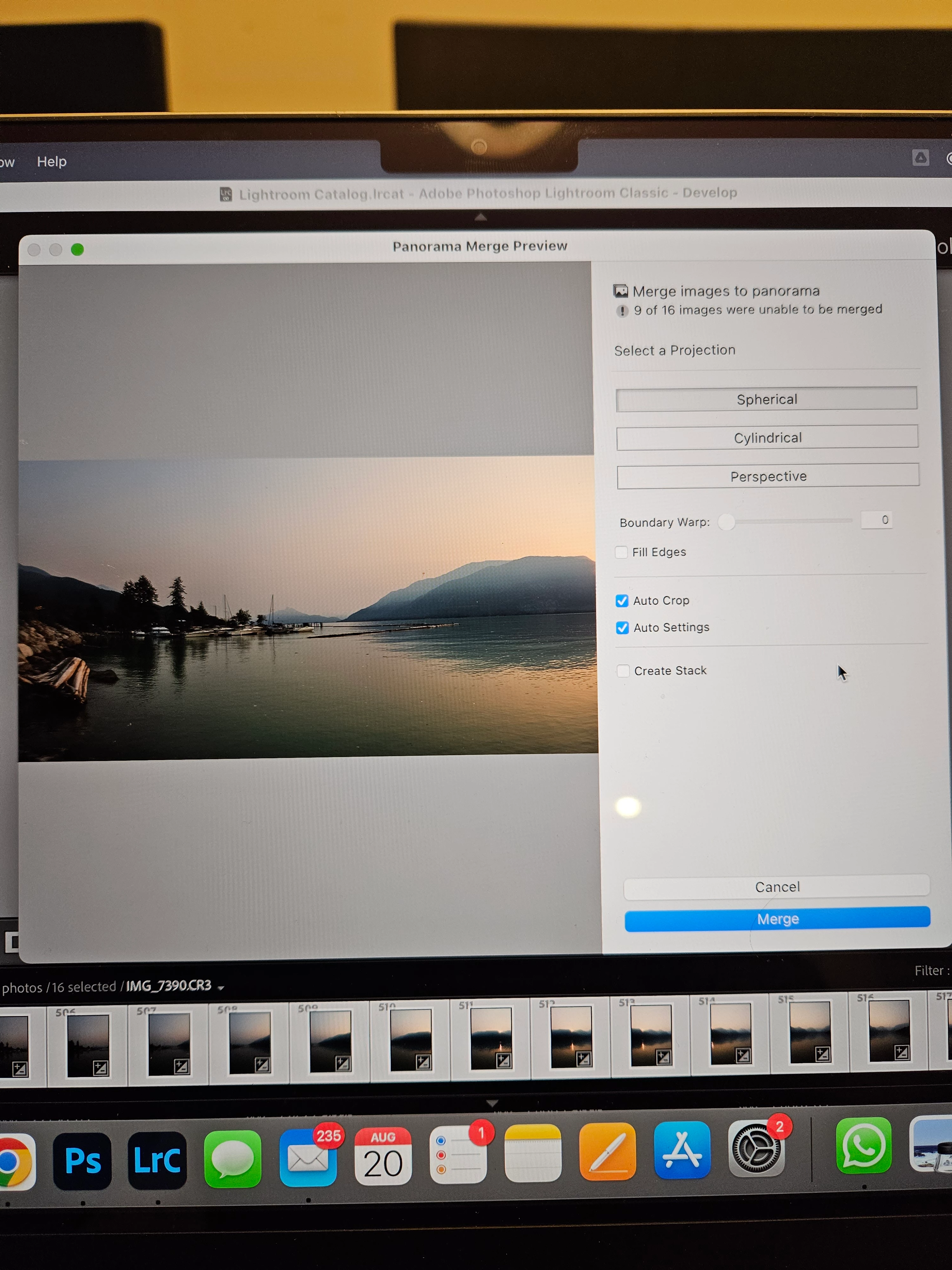
I've been using lightroom classic for a while and have never had any issues merging panoramas. However I am having a problem with it being unable to merge most of the images together.

They were taken with plenty of overlap, at the same focal length and setting, all RAW. I've tried skipping out some images and the different projections but nothings worked. Any advice would be appreciated.

There are 16 photos to merge but it only managed the first few.
This topic has been closed for replies.
Correct answer Jao vdL

There is really nothing you can do when this happens except use a real panorama merging program such as hugin. There is nothing to control and you can't hint where images are supposed to go. Both Lightroom and photoshop are just not very good at this. It is brilliant when it works but infuriatingly bad when it doesn't.

3 replies

D Fosse
Community Expert
Community Expert
August 21, 2023

Too little overlap. The water does not count as overlap! The changing waves are completely different from frame to frame, and only makes it worse by throwing the algorithm off.


In addition, the sky is empty.


This is a common mistake. You may see the water as water, but the algorithm sees it as completely unrelated patterns.

Participant
August 31, 2023

There was a 75% overlap between each image so I doubt that not enough overlap was the issue

Community Expert
August 31, 2023

@D Fosse is absolutely right, the water and empty sky are your main problem. Even if you geometrically overlapped the images 75%, there is very little actual overlap in stationary image parts and the patterns in the water will utterly confuse the algorithm. The algorithms that more professional panorama software uses is not as easily fooled by water ripples and will just match points in the land parts mostly but the visual matching Lightroom does is very easily fooled by it.

GoldingD
Legend
August 20, 2023

First, go back and double check that the images are all RAW.


Second, a P.S. for future screen captures, see:

https://www.cnet.com/tech/services-and-software/8-easy-ways-to-take-screenshots-in-windows-10-and-11/


Jao vdLCommunity ExpertCorrect answer
Community Expert
August 20, 2023

There is really nothing you can do when this happens except use a real panorama merging program such as hugin. There is nothing to control and you can't hint where images are supposed to go. Both Lightroom and photoshop are just not very good at this. It is brilliant when it works but infuriatingly bad when it doesn't.