
Answered
Lightroom auto importing already exported Jpegs
Hey guys,
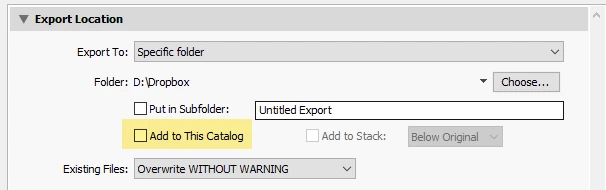
One of the recent updates to lightroom (11.3) has been giving me an issue. Everytime I export a raw edited photo as a jpeg, lightroom seems to auto import it right back into my catalog, causing unnecessary jpeg duplicates. This was never an issue for mepreviously. Is there some way to fix this? I'd like to keep only raw images in my catalog. After updating to 11.3.1, the issue is still persisting. Using Lightroom Classic on a 2021 Macbook Pro, exporting photos to desktop folders where the raw images are also located.
Thanks!
 AdChoices