
Participant
October 21, 2023
Question

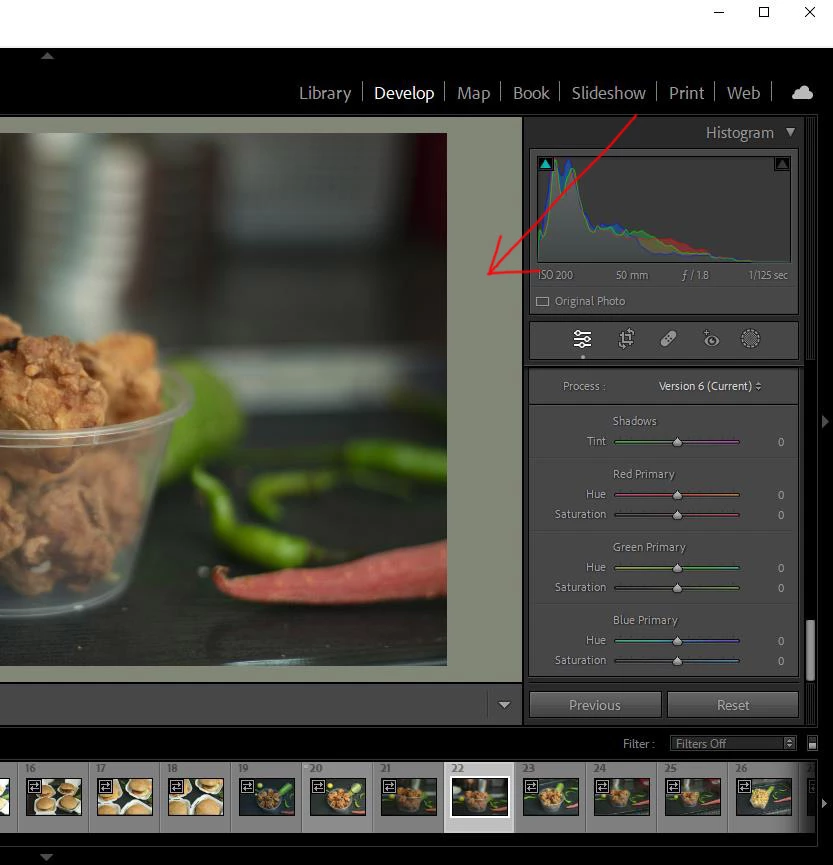
lightroom canvas is green tinted

  • October 21, 2023
  • 1 reply
  • 747 views

Hi, guys I have been trying different methods of color management but still can't figure out the problem.

because of the green tint, my images display the wrong colors. I have selected a medium grey option for the background but it doesn't look like grey.


This topic has been closed for replies.

1 reply

D Fosse
Community Expert
Community Expert
October 21, 2023

That's a bad monitor profile.


Use a calibrator to make a new profile, or if you don't have one, use sRGB IEC61966-2.1 as a temporary measure. It won't be entirely accurate, but better than a broken profile. If your monitor is a wide gamut model, use Adobe RGB instead.


You do this in Windows:

Participant
October 21, 2023

I have these settings


D Fosse
Community Expert
Community Expert
October 22, 2023

First of all - I see here is that you have an Intel Iris Xe GPU. That's a pretty marginal GPU for any Adobe application nowadays, and it could easily be the problem right there. You really need something better.  Try to disable it in Preferences and see if the issue goes away. Then you know it's the GPU.


I spot "XYZLUT" in your profile name there. I don't know where this profile comes from, but I seem to remember DisplayCAL named profiles this way.


It's known that table-based (LUT) monitor profiles can be problematic in some circumstances. Simple matrix-based profiles are always much safer. LUT profiles are supposedly more accurate, but they are also much bigger and more complex, and the "presumed" higher accuracy is really not needed. It usually creates more problems than it solves.


Also make sure your profiles are made to the version 2 specification, not version 4. Same argument.