
Participant
October 21, 2023
Question

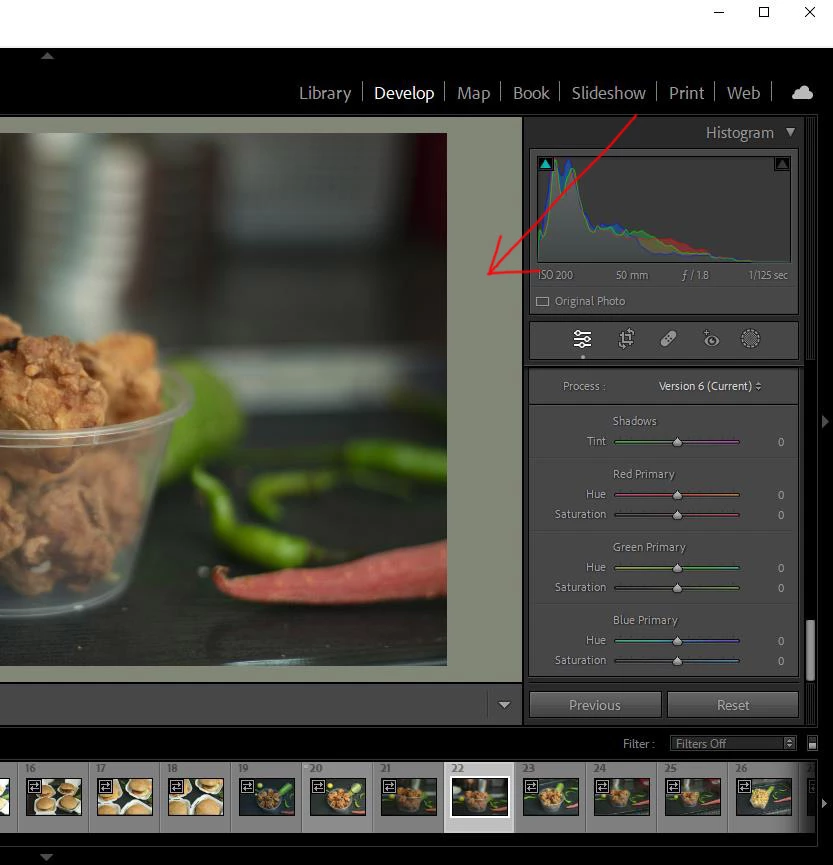
lightroom canvas is green tinted

  • October 21, 2023
  • 1 reply
  • 749 views

Hi, guys I have been trying different methods of color management but still can't figure out the problem.

because of the green tint, my images display the wrong colors. I have selected a medium grey option for the background but it doesn't look like grey.


This topic has been closed for replies.

1 reply

D Fosse
Community Expert
Community Expert
October 21, 2023

That's a bad monitor profile.


Use a calibrator to make a new profile, or if you don't have one, use sRGB IEC61966-2.1 as a temporary measure. It won't be entirely accurate, but better than a broken profile. If your monitor is a wide gamut model, use Adobe RGB instead.


You do this in Windows:

Participant
October 21, 2023

I have these settings


GoldingD
Legend
October 22, 2023

Hi, can you guide me on how to choose the best profile and version?

I have a Gigabyte laptop with Intel iris GPU and Nvidia GPU.

These are the panel options from the Gigabyte control panel, the D6500 profile is from Gigabyte.
If I turn off the panel option, the screen will turn to a green tint


Do you have a Monitor Calibrator such as a Datacolor SpyderX, an Xrite ColorChecker Display Pro, ETC?