
Lightroom Catalog Completely Broken After Moving to New Drive – No Folder Tree, No “Missing” ? Mark
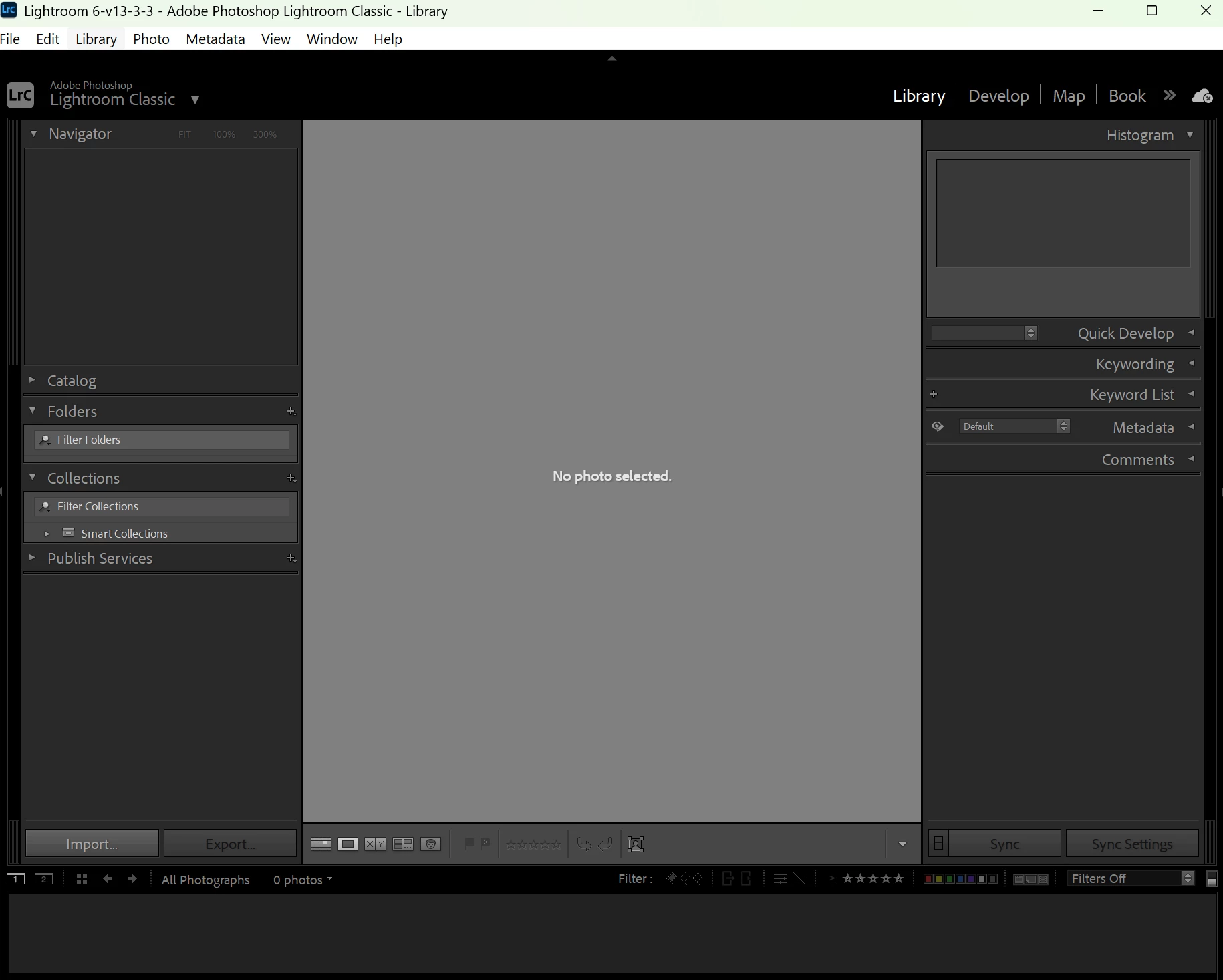
Hi everyone,
I really need help here. I recently moved all my files from my external 5TB drive (E:) to a new 8TB internal SSD (C:) that I just installed to replace the original 1TB drive in my laptop.
At first, when I opened Adobe Lightroom, things seemed fine. Some folders showed the "?" icon, but I was able to repoint them to the new location on the C: drive, and they appeared to work normally.
But then I made a huge mistake: I moved the folders that contained all of my Lightroom catalog files (including the .lrcat files) to the C: drive as well. After that, everything disappeared. When I open any of my catalog files now:
There’s no folder tree on the left panel.
No thumbnails or previews.
No “?” icons, so I can’t even repoint missing files.
It’s like the catalog is completely empty, even though the .lrcat files still have size and aren’t corrupted (as far as I can tell).
I even tried copying the catalog folders back to the E: drive where they originally were, but the same issue persists.
I’ve scoured the internet and haven’t found anyone with this exact problem. I’m considering reinstalling Lightroom (13.3.1), but I doubt that would solve it.
Any ideas or suggestions would be greatly appreciated. This is years of work and organization at stake.
Thank you so much.
 AdChoices