Participant
September 1, 2021
Question

Lightroom catalog error

  • September 1, 2021
  • 3 replies
  • 145 views

Hello,

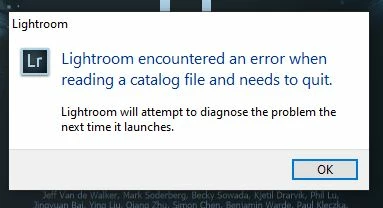
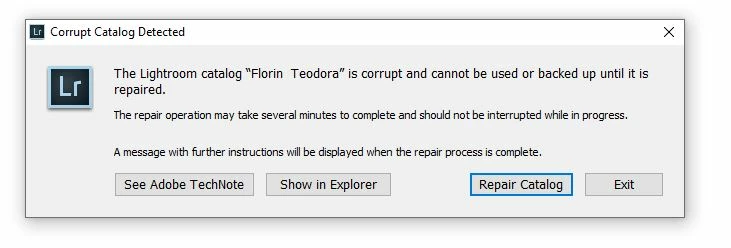
I have an old version of Lightroom 5.5 and I have an error. When I want to open a catalog in which I have edited some pictures, it says what I attach in the first photo: lightroom has encountered an error and needs to quit. I click OK and it opens what it says in the second image: the catalog is corrupted and must be repaired. 

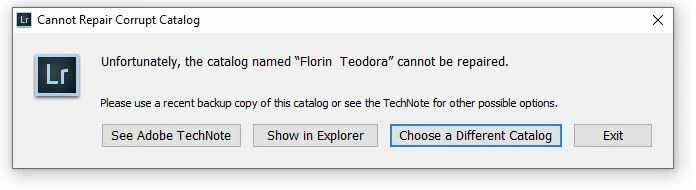
I click to be repaired, but it cannot be repaired. 


I don't have backup for this catalog. I saw that I have some corrupted files in the folder Previews.lrdata, in the folder 6 (604D) and 9 (9D42 and 92C9). These two folders I cannot move or copy, it says they are corrputed.  


Is it a sollution to this problem? Can I export the images I've edited or save the preset I've used? 


Thanks!

This topic has been closed for replies.

3 replies

JohanElzenga
Community Expert
Community Expert
September 2, 2021

Most likely the previews.lrdata are not the problem, but you can easily try that. Remove the entire previews.lrdata from the catalog folder and see if that solves the problem. If it does, then Lightroom will simply rebuild the previews.lrdata. If your problem persists, then it is really the catalog file itself.


Edit: Sorry, I just noticed that Victoria already ruled that out anyway.


-- Johan W. Elzenga
dj_paige
Legend
September 2, 2021

I don't have backup for this catalog.


That's unfortunate, because the likelihood is that this catalog cannot be opened, and the only solution I know of (which does not apply to you) is to use a recent backup.


I strongly recommend that you begin making regular and automatic backups of your catalog file(s) — and regular and automated backups of your photo files as well — and while we are on the topic of backups, any important file (even if it has nothing to do with Lightroom) needs to be backed up. No excuses.


Backups must be stored on a different physical disk than the working version of your files.

Victoria Bampton LR Queen
Community Expert
Community Expert
September 2, 2021

Thread moved to Lightroom Classic forum. 


I've looked at the catalog you sent via my own website. It's not the previews causing the error, as it wouldn't open for me either. Paul has replied to your email.

Victoria - The Lightroom Queen