


Lightroom Classic 14.2 no longer detects GPU (GTX 1080)
Hi,
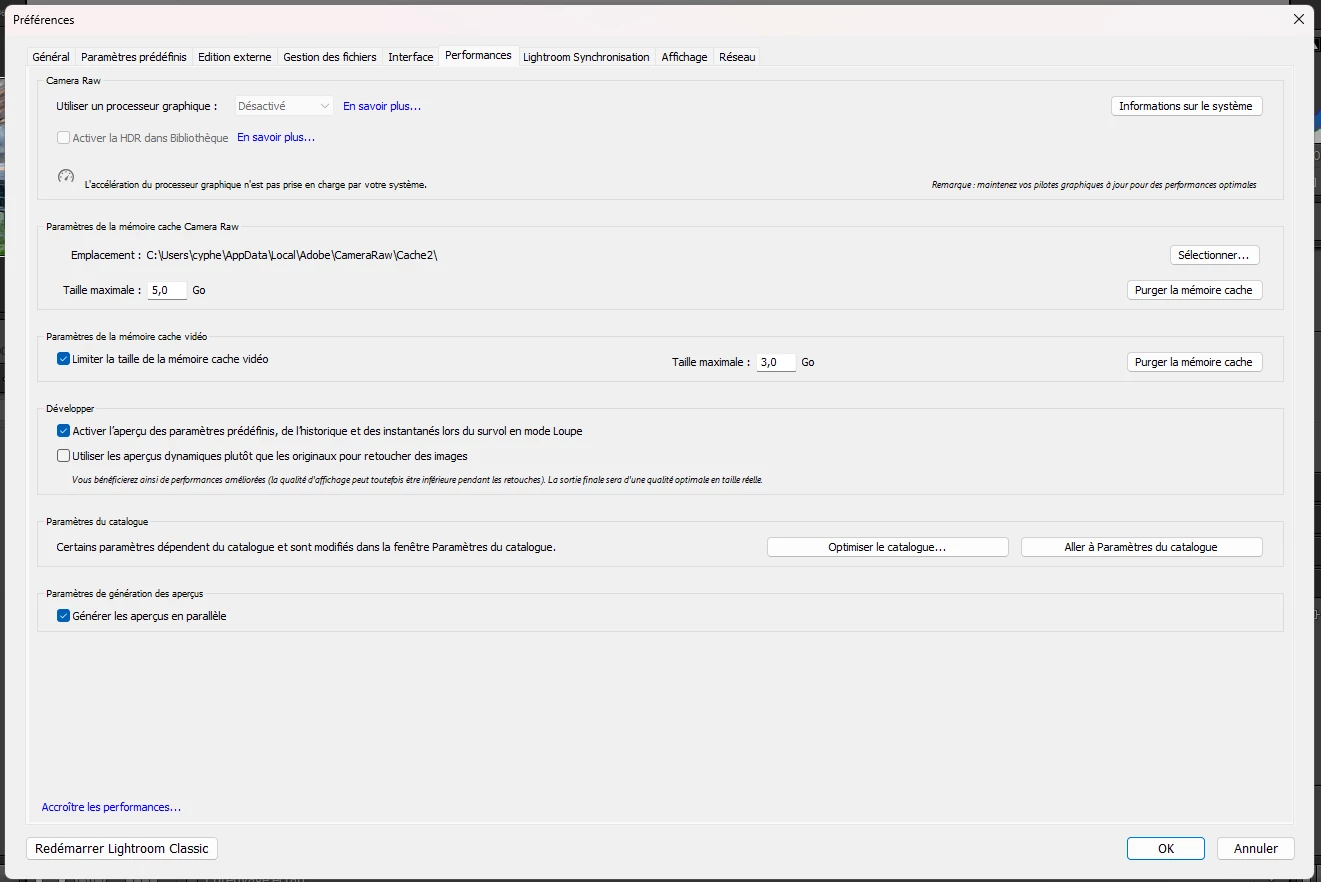
Since the update to Lightroom Classic 14.2, GPU acceleration no longer works on my system. The software always shows “GPU disabled” and the “Use GPU” setting is grayed out.
🖥️️ My system:
Lightroom Classic 14.2 (Creative Cloud)
Windows 11 Home 22H2
NVIDIA GeForce GTX 1080 (driver 572.83 WHQL – latest)
CPU: Intel Core i7-8700K @ 3.7GHz
48 GB RAM
✅ What I already tried:
Clean uninstall of GPU driver with DDU (safe mode)
Reinstalled latest NVIDIA Studio Driver
Forced GPU activation with Config.lua (enableMachineLearning = true)
Set Lightroom to use CUDA and OpenGL in NVIDIA control panel
GPU is properly recognized by Premiere Pro and works with CUDA
Despite all this, Lightroom refuses to use the GPU. This used to work flawlessly before the 14.2 update.
Is this a known regression? Has support for GTX 10 series been dropped silently in the latest version?
I’d appreciate any insight from Adobe or users in the same situation 🙏
Thanks in advance!
 AdChoices