Inspiring
May 10, 2020
Answered

Lightroom Classic 40% sharpening

  • May 10, 2020
  • 4 replies
  • 3375 views

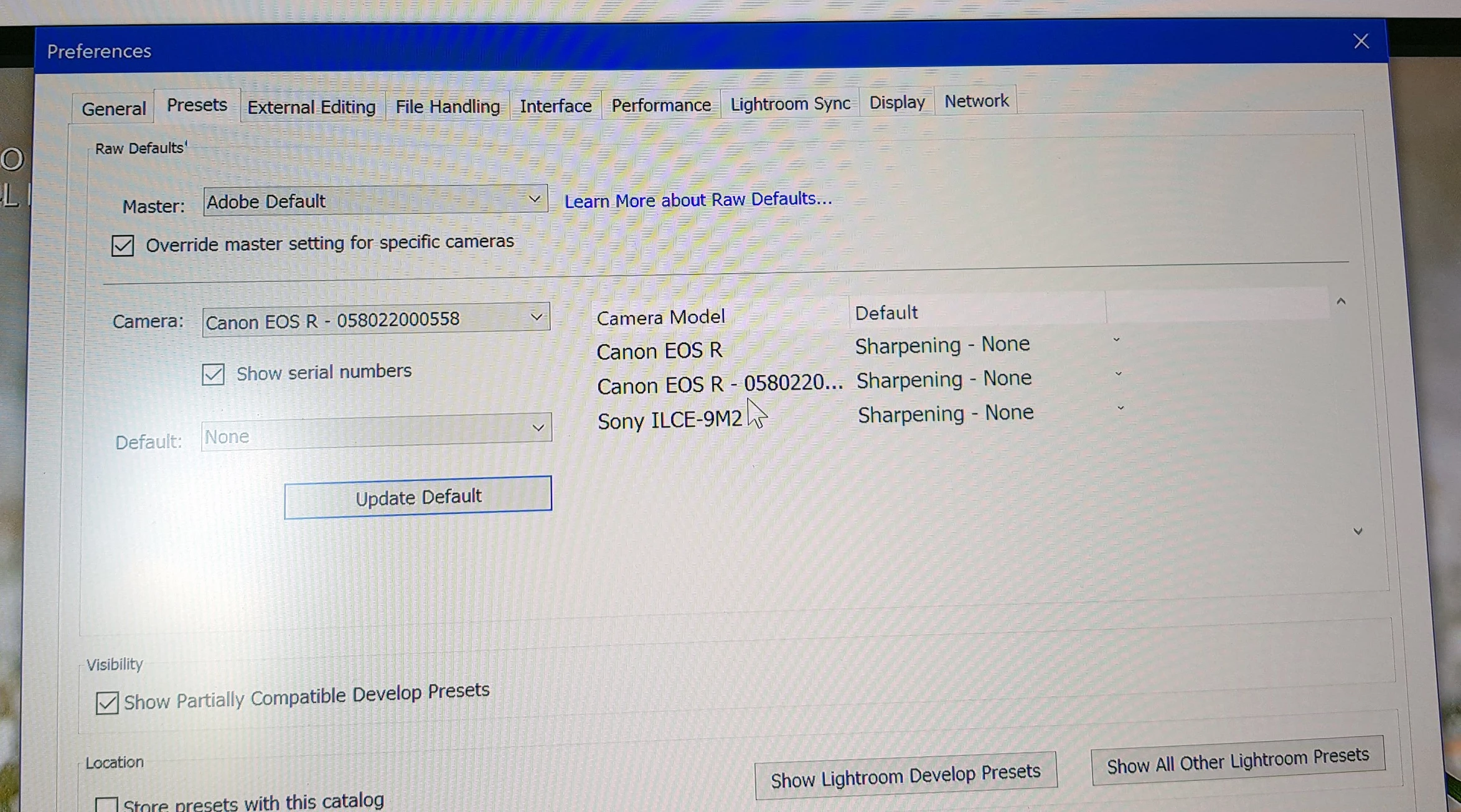
Can someone tell me how to set default sharpening to zero, 40% is not what I want for all imports

I have tried the settings in preferences with no luck !

Thanks
This topic has been closed for replies.
Correct answer charlesm39111584

Thanks everyone , got it sorted now 🙂

4 replies

GoldingD
Legend
May 10, 2020

Inidentaly, do not overlook a standard Adobe Lightroom General preset called zeroed. As in zero, all sliders.


charlesm39111584AuthorCorrect answer
Inspiring
May 11, 2020

Thanks everyone , got it sorted now 🙂

GoldingD
Legend
May 10, 2020

For Master, change it to Camera Settings Auto. then whatever preset you want for a particular camera.


Inspiring
May 10, 2020

Please have a look at the following post, I found it very helpful.

https://lightroomkillertips.com/customizing-camera-raw-defaults-in-lightroom-classic/


Regards | System: Win10 Pro, NEC 27", LRC 9.2.1, PS 2020 v21.1.2, Canon DSLR
JP Hess
Inspiring
May 10, 2020

Apply a preset with the sharpening set appropriately along with any other settings that need adjusted?

Inspiring
May 10, 2020

I applied no sharpening as per the photo in my post, imported pics still show 40 %
