
Participant
August 21, 2018
Answered

Lightroom Classic CC Says I Don't Have Subscription (but I do)

  • August 21, 2018
  • 3 replies
  • 3295 views

Hello,

I have a pre-paid Lightroom CC subscription good through July of 2019. I recently have been unable to get into Lightroom Develop Tab. When I try and switch over to Develop I get an error message shown below despite my active subscription:
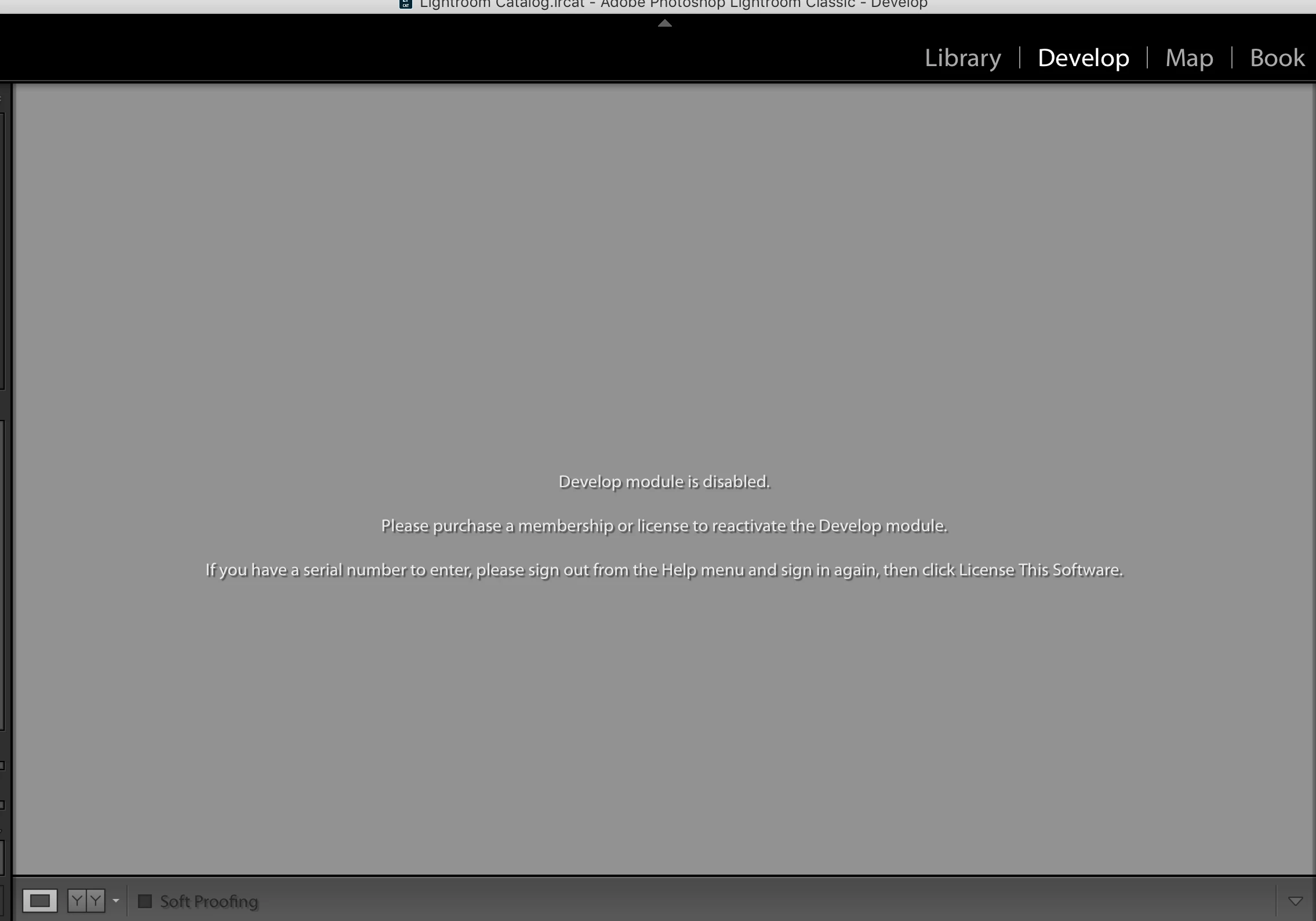
Here is everything that I have tried so far:

- Adobe Chat with a tech specialist 2 separate times totaling about 4-5 hours. After the second time they escalated me to the next tier and I was to wait for an e-mail reply in 24-48 hours. The e-mail reply said something along the lines of there is no issue they are seeing on their end.

- Updated my Credit Card info for billing

- Looked up the host file to be sure there was nothing in there. It was blank.

- Uninstalled Lightroom and Creative Cloud and Reinstalled

I'm feeling stuck as to how to proceed forward since I am not seeming to get any answers from the Adobe support when I reach out. I just keep getting passed to the next person with no success and end up having to start over.
This topic has been closed for replies.
Correct answer jhatch112o

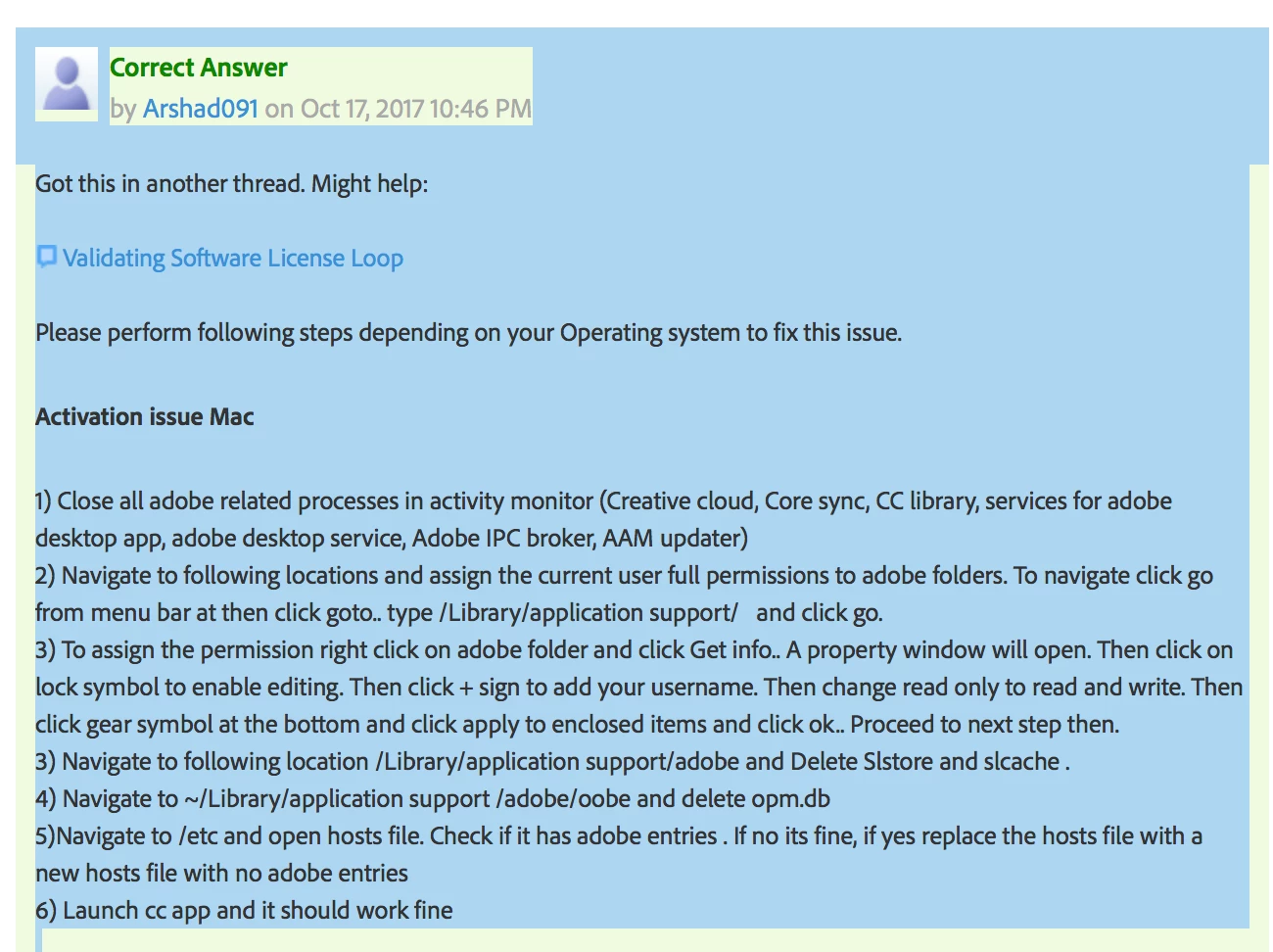
Just an update that on my 3rd time of chatting with customer support, I was FINALLY able to get someone to help solve the issue and do so quickly. I'm so glad that after a week, my Lightroom is back in action. In case anyone else could find this helpful, here is the solution:

Expired Trial Error & Technical Issue

3 replies

jhatch112oAuthorCorrect answer
Participant
August 25, 2018

Just an update that on my 3rd time of chatting with customer support, I was FINALLY able to get someone to help solve the issue and do so quickly. I'm so glad that after a week, my Lightroom is back in action. In case anyone else could find this helpful, here is the solution:

Expired Trial Error & Technical Issue

johnrellis
Legend
August 21, 2018

Please do the menu command Help > System Info and copy/paste the first ten lines here.

Participant
August 21, 2018

Lightroom Classic version: 7.4 [ 1176617 ]

License: Creative Cloud Expired

Language setting: en-US

Operating system: Mac OS 10

Version: 10.13.6 [17G65]

Application architecture: x64

Logical processor count: 8

Processor speed: 2.7 GHz

Built-in memory: 16,384.0 MB

Real memory available to Lightroom: 16,384.0 MB

johnrellis
Legend
August 21, 2018

"License: Creative Cloud Expired"

The server side thinks your subscription has expired. Are you sure you've logged in with the correct Adobe ID?  People sometimes have multiple IDs. 

Other than that, I don't think anyone in this forum, which is primarily user-to-user, will be able to help you -- only Adobe customer support (unfortunately).

Participant
August 21, 2018

Thank you, I tried everything listed on the first and last link you posted. I will take a closer look into the second link and see if that says anything different.