
Known Participant
March 13, 2018
Question

LightRoom Classic Corrupting my files??

  • March 13, 2018
  • 3 replies
  • 2129 views

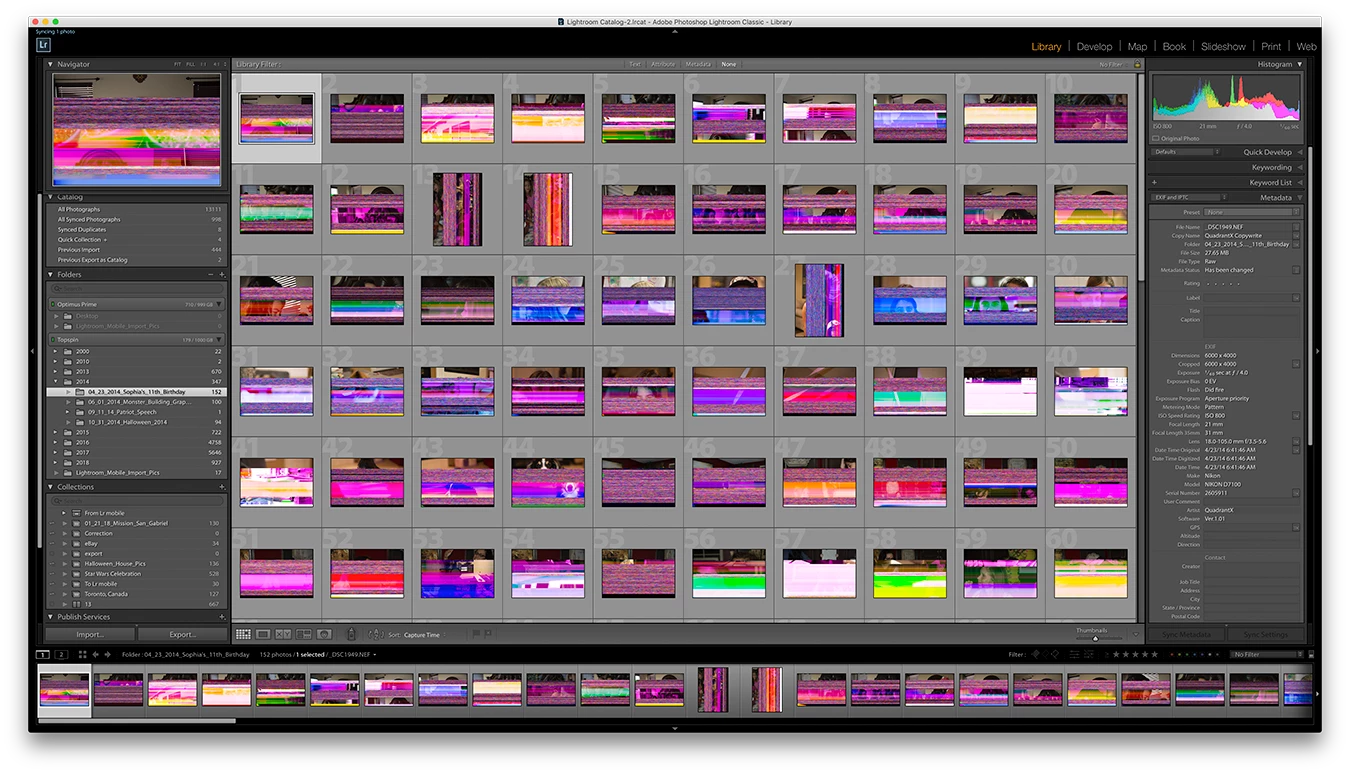
Anyone seen this? Just the other day I clicked on some folders and the images started turning rainbow. Looked in bridge, same thing. Mac IOS finder, black areas in the raw files. Opened in photoshop, rainbow. I clicked on other folders and some started to corrupt. Only in my 2014 folder (so far). Afraid to click though to much as I don't want to loose anything else. Tried older back up and same thing. Took my Preview file out and lightroom started to rebuild, same issue. I stopped it and put the old on back.

Lightroom Classic catalog on my iMac (Retina 5K, 27-inch, Late 2015) 24Gb of RAM

Internal HD 1TB 700gb free

Lightroom photos on external 1 year old 1TB Western Digital My Book only 140gb free. (Could that be why?)

From what I read could be External HD going out, or not enough free space?
    This topic has been closed for replies.

    3 replies

    Participating Frequently
    July 20, 2018

    I'm also having this problem. It started when I was working on my new Macbook Pro using a new WD My Passport & a newish Canon 5DMIV. It seemed to stop happening (some files even stopped looking corrupted with just rebooting the laptop, others I downloaded again from the CF cards). But now a corrupted file has just come up in my main Lightroom catalog on my iMac. I have transferred some raw files from the WD My Passport to my iMac & I suspect the WD My Passport might be the problem.

    dj_paige
    Legend
    July 20, 2018

    As stated above, the problem is hardware malfunction somewhere. You have to try to isolate the problem by transferring photos from camera to computer using different hardware (different card reader or differen USB cable, different camera card, different hard disk).

    JohanElzenga
    Community Expert
    Community Expert
    March 13, 2018

    This could be a connection problem. Try a different cable and a different slot.

    -- Johan W. Elzenga
    JP Hess
    Inspiring
    March 13, 2018

    Hard drives typically need about 20% free disk space to operate properly. You seem to be pushing the limits on that, but I don't know if that would cause this problem. The Lightroom import process is simply one of copying the images to a folder and adding a record to the catalog. Lightroom does not actually make any changes to the image files, so this indicates some sort of hardware problem. It could be a problem with the hard drive, or the card reader if one was used, or the card itself, or the cable if one was used. Not an easy problem to isolate, but certainly one that you will have to do.

    Known Participant
    March 13, 2018

    Thanks for the response. Here is my workflow to clarify.

    1. SD Card copy pics to a folder named the date on my external in the appropriate year (2014) folder.

    2. Lightroom import and ADD files to my catalog from that folder I already created.

    3. delete all unwanted images (Delete from disk) option

    4. Edit now or edit later.

    This is happening to older photos (some edits, some not) only in the 2014 folder. Look like everything else was good?

    All recent 2015-2018 are actually shot on the same card. Everything recent is fine.

    I exported all the non corrupt files from 2014 and what remains are these. I want to try to save them if I can.

    Replacement External HD in on the way. But I would run into the same space issues. I was thinking of Creating another catalog or catalogs broken into years on different HD to fix the space issues. I don't like getting bigger then 1TB drives in case of situations like this. I do manually back up the yearly folders on a bigger drive. But I didn't back up that 2014 or earlier.

    dj_paige
    Legend
    March 13, 2018

    If the problem happens in one folder and not others, this is a very good indication of a malfunctioning hard disk.

    The idea of separating years into different catalog is, in my opinion, unnecessary and counter-productive, and does NOT solve any of the problems you have mentioned. You can have all your photos on many hard disk but in catalog.