
Participant
July 11, 2023
Question

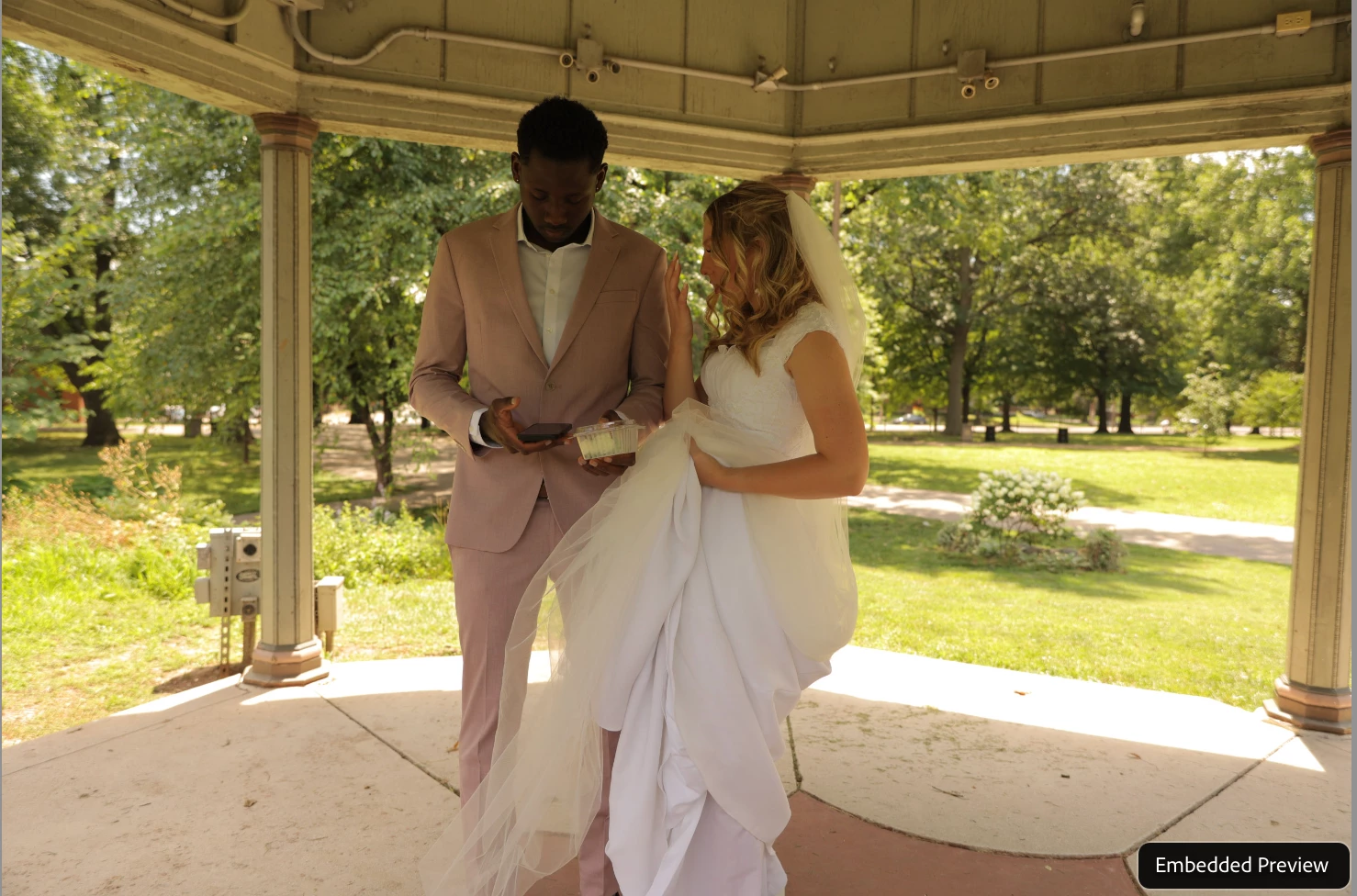
Lightroom Classic Embedded Preview

  • July 11, 2023
  • 1 reply
  • 1213 views

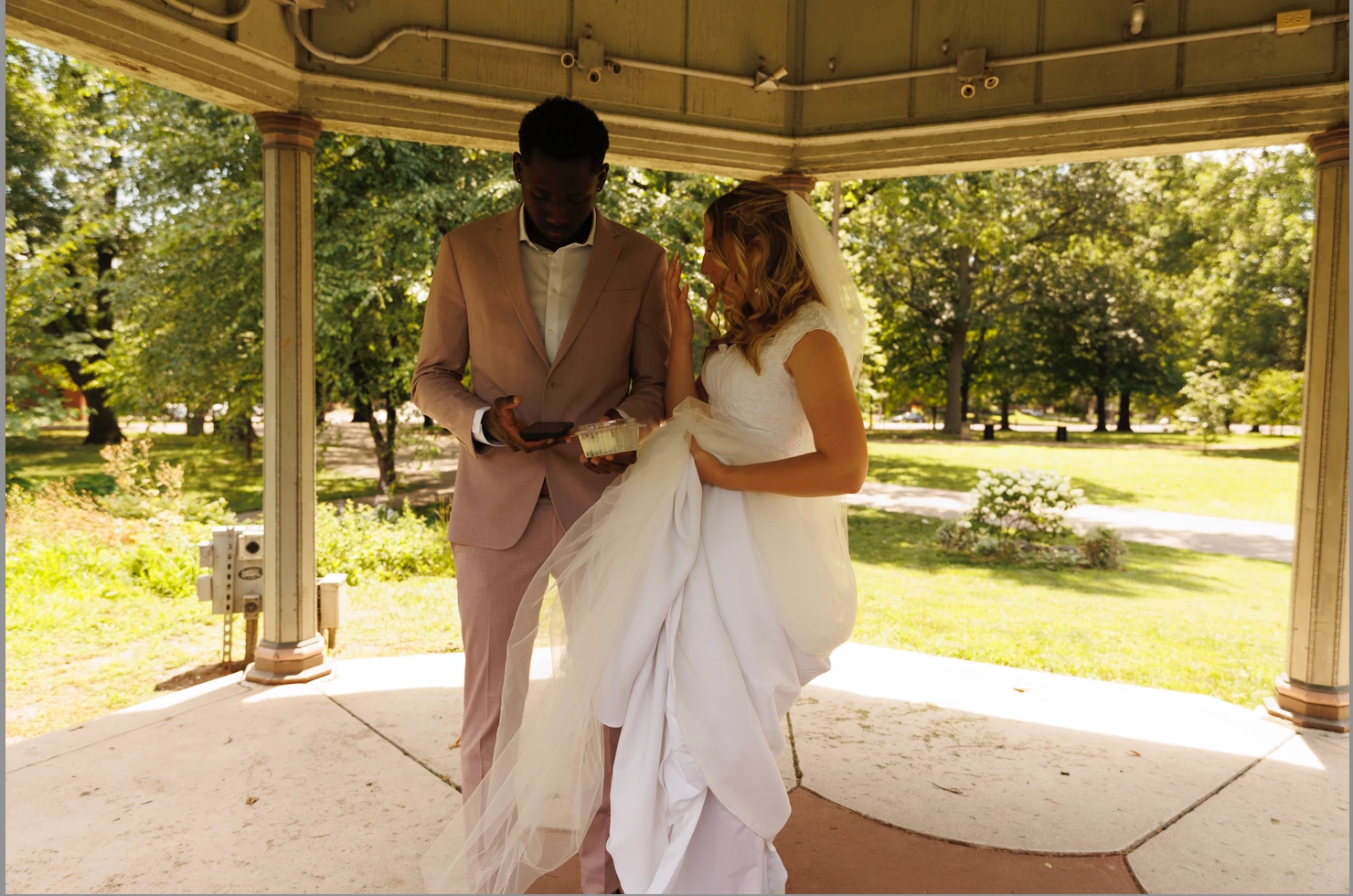
I have noticed since I upgraded to a new Macbook Pro M1, that all the photos look different once I upload them into LR. I then go to the development tab, and it's not the same as it looks in the library tab. I have turned off the Grahpics Processor tab, since I have read that numerious times in trying to find a soloution. Any help is appricated!


This topic has been closed for replies.

1 reply

dj_paige
Legend
July 11, 2023

I think this is normal and expected behavior. LrC renders its own version of the RAW image for you to view, and it does not have to match the embedded preview, which was created in the camera. There is no way to turn this off.

Participant
July 11, 2023

Should I be using LightRoom instead of Lightroom Classic so it will match what I see on camera, and in the Library Mode?


Participant
July 11, 2023

I suspect this has always happened for you, and you just didn't realize it. Embedded previews will not match the LrC default rendering. This has happened, always and forever, since Adobe began handling RAW files.


Weird, but thank you for your reply 🙂